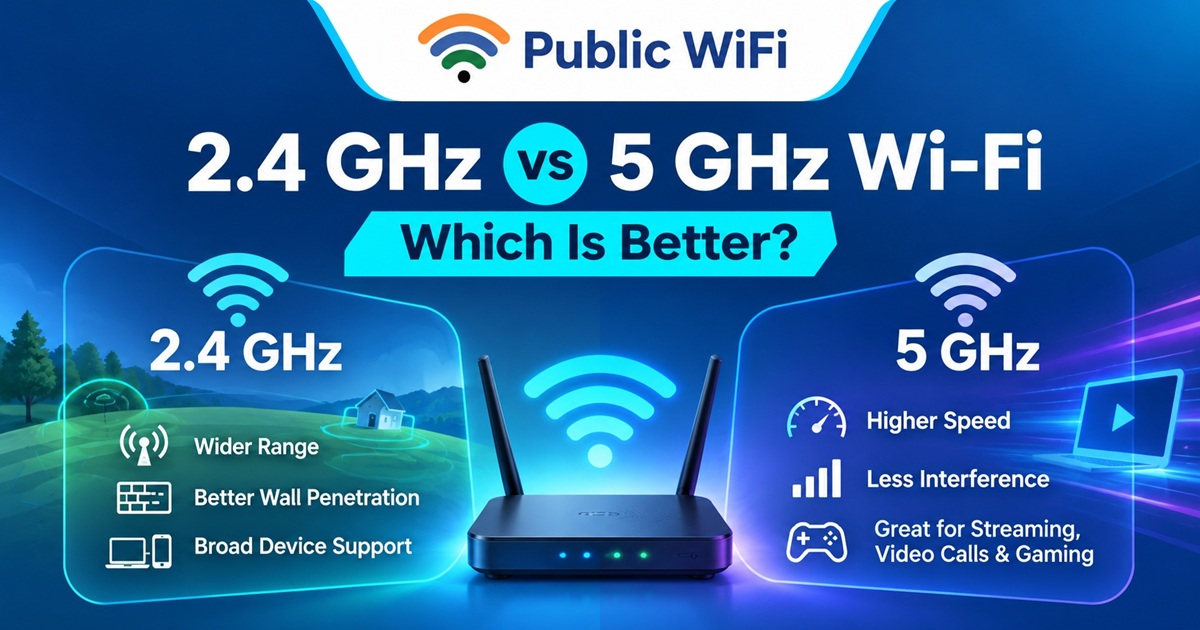
2.4 GHz vs 5 GHz Wi-Fi: Which Is Better for Speed, Range, and Public Hotspots?
When connecting to a Wi-Fi network at home, in a café, at a shopping mall, or at a public hotspot, you may come across two common wireless frequencies: 2.4 GHz and 5 GHz.
Both frequencies allow your devices to connect wirelessly to the internet, but they offer different advantages in terms of speed, coverage, interference, and connection stability.
Understanding these differences can help you choose a better Wi-Fi connection for online classes, video meetings, streaming, gaming, and everyday browsing.
In this guide, we'll explain how 2.4 GHz and 5 GHz Wi-Fi work, compare their performance, and help you decide which option is best for your internet needs.
1. What Are Wi-Fi Frequency Bands?
Wi-Fi uses radio waves to transmit data between your device and a wireless access point or router.
Two of the most commonly used Wi-Fi frequency bands are:
- 2.4 GHz: Generally provides wider coverage and better penetration through walls, but can experience more interference.
- 5 GHz: Generally provides higher potential speeds and more available channels, but has a shorter practical range.
Modern Wi-Fi networks may also support the 6 GHz band, introduced with Wi-Fi 6E and supported by Wi-Fi 7. However, availability depends on compatible devices, equipment, and local regulations.
For many everyday users, understanding the difference between 2.4 GHz and 5 GHz is an excellent starting point.
2. 2.4 GHz vs 5 GHz Wi-Fi: Quick Comparison
| Feature | 2.4 GHz Wi-Fi | 5 GHz Wi-Fi |
|---|---|---|
| Frequency | 2.4 GHz band | 5 GHz band |
| Potential Speed | Generally lower | Generally higher |
| Coverage Range | Usually longer | Usually shorter |
| Wall Penetration | Generally better | Generally weaker |
| Interference | Often higher | Often lower |
| Available Channels | Fewer non-overlapping channels | More channel options |
| Device Compatibility | Widely supported | Supported by most modern devices |
| Best For | Longer-distance connections | Fast connections near access points |
Important: The actual internet speed depends on your subscription plan, access point, device, signal quality, network congestion, and internet backhaul—not just the frequency band.
3. What Is 2.4 GHz Wi-Fi?
The 2.4 GHz frequency band has been widely used in wireless networking for many years.
Its primary advantage is the ability to provide connectivity across relatively larger distances.
Advantages of 2.4 GHz Wi-Fi
1. Better Coverage
2.4 GHz signals generally travel farther than 5 GHz signals under comparable conditions.
This can be useful when you are sitting away from the router or public Wi-Fi access point.
2. Better Wall Penetration
Lower-frequency radio signals generally experience less attenuation through common building materials.
This makes 2.4 GHz useful in spaces with walls, furniture, and other obstacles.
3. Broad Device Compatibility
Many smartphones, laptops, printers, smart devices, and older wireless devices support 2.4 GHz connectivity.
4. Suitable for Basic Internet Activities
It can work well for:
- Browsing websites
- Reading emails
- Using messaging applications
- Accessing educational resources
- General smartphone connectivity
Limitations of 2.4 GHz Wi-Fi
The biggest disadvantage is interference.
The 2.4 GHz band is also used by many Bluetooth devices, wireless accessories, and other electronic equipment.
In crowded environments, multiple nearby Wi-Fi networks may compete for limited wireless channels.
This can result in reduced performance, higher latency, and inconsistent connection quality.
4. What Is 5 GHz Wi-Fi?
The 5 GHz frequency band is commonly used by modern Wi-Fi routers and wireless access points to provide faster wireless connectivity.
Compared with 2.4 GHz, it offers more channel options and generally supports wider channels.
Advantages of 5 GHz Wi-Fi
1. Higher Potential Speeds
5 GHz Wi-Fi can support faster wireless data transfers, especially when the device is close to the access point and both support modern Wi-Fi standards.
This makes it useful for activities that require substantial bandwidth.
2. Less Interference in Many Environments
The 5 GHz band offers more channel choices, which can help reduce congestion compared with crowded 2.4 GHz environments.
However, 5 GHz networks can also experience interference when many access points operate nearby.
3. Better for High-Bandwidth Activities
5 GHz is often preferable for:
- HD and 4K video streaming
- Video conferencing
- Large file downloads
- Cloud applications
- Online gaming
- Remote work
4. Suitable for High-Density Locations
Well-designed 5 GHz networks can serve locations with many users, such as offices, libraries, cafés, and educational institutions.
Limitations of 5 GHz Wi-Fi
The main limitation is shorter practical coverage.
5 GHz signals generally weaken more quickly with distance and obstacles.
If you move farther away from the access point, your device may experience a weaker signal, lower speed, or connection interruptions.
5. Which Wi-Fi Frequency Is Faster?
In most comparable modern Wi-Fi configurations, 5 GHz has greater potential for high-speed wireless performance.
However, this does not mean a 5 GHz connection will always deliver faster internet.
For example, suppose your internet plan provides a maximum download speed of 20 Mbps.
Even if your device establishes a high-speed 5 GHz wireless connection, your internet download speed will generally remain limited by your plan and actual network conditions.
Similarly, a strong 2.4 GHz connection may provide better performance than a weak 5 GHz connection when you are far from the access point.
Factors That Affect Actual Wi-Fi Speed
Several factors influence your internet experience:
- Internet Plan: Your subscribed speed can limit actual internet throughput.
- Distance: Signals become weaker as you move away from the access point.
- Connected Users: Multiple active users may share network capacity.
- Device Capabilities: Older devices may support slower wireless standards.
- Interference: Nearby networks and electronic equipment can affect performance.
- Obstacles: Walls, floors, and furniture can weaken wireless signals.
For a practical explanation of choosing the right connection, explore the Public WiFi blog.
6. Which Frequency Is Better for Public Wi-Fi Hotspots?
Public Wi-Fi hotspots are commonly found in shared environments where many users connect from different locations and distances.
Both frequency bands can be useful.
2.4 GHz for Wider Coverage
Imagine you are sitting in a large café with a public Wi-Fi access point installed near the entrance.
If you are seated farther away, a 2.4 GHz connection may provide more reliable coverage.
This makes it useful for locations where signal reach matters more than maximum wireless speed.
5 GHz for Faster Connections
Now imagine you are working on your laptop near the access point.
You are attending a video meeting, uploading documents, and accessing cloud applications.
A strong 5 GHz connection may offer better performance, particularly when the 2.4 GHz band is congested.
Dual-Band Public Wi-Fi Networks
Many modern public Wi-Fi systems support both frequency bands.
Some use separate network names, while others use one network name and automatically encourage compatible devices to connect using a suitable band.
This technique is often called band steering.
The final band selection depends on the access point configuration and device behavior.
Users may not always have the option to select a frequency manually.
7. Best Wi-Fi Frequency for Different Activities
| Activity | Suggested Frequency | Reason |
|---|---|---|
| Basic Web Browsing | Either | Both usually handle light browsing |
| Email and Messaging | 2.4 GHz or 5 GHz | Low bandwidth requirements |
| Online Classes | Stronger, more stable band | Reliability is important |
| HD Video Streaming | 5 GHz when signal is strong | Higher throughput potential |
| Video Meetings | 5 GHz when stable | Useful for consistent bandwidth |
| Online Gaming | Less congested, lower-latency band | Stability matters more than frequency alone |
| Large Downloads | 5 GHz | Higher wireless speed potential |
| Long-Distance Connectivity | 2.4 GHz | Better practical range |
| Crowded Public Spaces | Usually 5 GHz near the access point | More channel options |
Tip: Choose the connection that offers the best combination of signal strength, stability, and actual performance rather than relying on the frequency name alone.
8. How to Check Whether You're Connected to 2.4 GHz or 5 GHz
The steps vary depending on your device and operating system.
On Windows 11
- Connect your laptop to the Wi-Fi network.
- Open Settings.
- Navigate to Network & internet.
- Select Wi-Fi.
- Open the properties of your connected network.
- Look for the Network band information, if available.
You may see a value such as 2.4 GHz or 5 GHz.
On Android
- Open Settings.
- Select Wi-Fi or Network & Internet.
- Tap your connected network.
- Look for the frequency or band information.
Depending on the manufacturer and Android version, this information may appear under network details or advanced settings.
On iPhone
iOS does not normally display the current Wi-Fi frequency band directly in its standard Wi-Fi connection details.
You may need compatible network diagnostic tools or access-point information to identify the band.
9. Tips to Improve Public Wi-Fi Speed and Stability
Regardless of the Wi-Fi frequency, several simple practices can improve your experience.
Move Closer to the Access Point
Reducing the distance between your device and the wireless access point can improve signal quality.
Avoid Physical Obstacles
Thick walls, metal structures, and other obstacles can weaken Wi-Fi signals.
Choose a location with fewer barriers where possible.
Use 5 GHz When Available and Suitable
If your device supports 5 GHz and you are close to an access point, it may provide better wireless performance.
Reduce Unnecessary Background Downloads
Automatic operating system updates, cloud backups, and file synchronization can consume bandwidth.
Pause unnecessary activities when you need stable connectivity for important tasks.
Keep Your Device Updated
Software and wireless driver updates can improve compatibility, security, and connection stability.
Choose the Right Internet Plan
Even a fast wireless connection cannot overcome a restrictive internet plan or an overloaded internet connection.
Select a plan with suitable speed, data allowance, validity, and device limits.
Explore the available options on the Public WiFi Plans page.
10. Does Wi-Fi Frequency Affect Security?
Wi-Fi frequency alone does not determine whether a network is secure.
A 5 GHz connection is not automatically safer than a 2.4 GHz connection.
Security primarily depends on the network's authentication, encryption, access-point configuration, and the applications you use.
For safer public Wi-Fi usage:
- Connect only to verified network names.
- Avoid suspicious or imitation hotspot login pages.
- Prefer websites using HTTPS.
- Keep your operating system and applications updated.
- Disable unnecessary file sharing on public networks.
- Avoid installing unknown certificates or applications requested by suspicious portals.
- Use a trusted VPN when appropriate, especially for sensitive work.
Even on encrypted public Wi-Fi, you should continue following good online security practices.
11. Choosing the Right Public WiFi Plan
Choosing the right frequency is only one part of enjoying a good internet connection.
Your subscription plan also matters.
Public WiFi offers daily, weekly, and monthly plans for different internet usage requirements.
Based on the published plans in November 2026:
| Plan | Validity | Advertised Speed | Data Allowance | Devices |
|---|---|---|---|---|
| Basic | 1 Day | 15 Mbps | 20 GB | 1 |
| Standard | 7 Days | 20 Mbps | 200 GB | 2 |
| Advance | 30 Days | 30 Mbps | Unlimited | 3 |
Actual speeds and available frequencies depend on hotspot equipment, signal conditions, and network load.
Plan features and pricing may change. Check the current Public WiFi subscription plans before making a purchase.
Before subscribing, you should also verify hotspot availability at your intended location using the Public WiFi Coverage page.
12. Frequently Asked Questions
Is 5 GHz Wi-Fi always faster than 2.4 GHz?
No. Although 5 GHz generally offers higher potential wireless speeds, a strong 2.4 GHz signal can perform better than a weak or congested 5 GHz connection.
Which Wi-Fi frequency has better range?
2.4 GHz generally provides better range and penetration through walls and obstacles.
Is 5 GHz Wi-Fi good for online gaming?
Yes. A strong 5 GHz connection can be suitable for gaming. However, latency, packet loss, network congestion, and internet routing are more important than frequency alone.
Can my smartphone use both 2.4 GHz and 5 GHz Wi-Fi?
Most modern smartphones support both bands. Some older or entry-level devices may support only 2.4 GHz.
Does 5 GHz Wi-Fi use more mobile data?
No. The frequency band itself does not determine how much internet data an application consumes. However, faster connections may encourage higher-quality streaming or larger downloads, which can increase data usage.
Can I switch between 2.4 GHz and 5 GHz manually?
Sometimes. If a network offers separate Wi-Fi names for each band, you can select the one you prefer. Networks using a single SSID may manage band selection automatically.
Which frequency is best for public Wi-Fi?
Both can work well. Generally, 2.4 GHz is useful for wider coverage, while 5 GHz is preferable for higher-speed connections when the signal is strong.
Does 5 GHz Wi-Fi mean 5G mobile internet?
No. 5 GHz Wi-Fi refers to a wireless frequency band used by Wi-Fi networks, whereas 5G refers to the fifth generation of cellular network technology.
Conclusion
Understanding the difference between 2.4 GHz and 5 GHz Wi-Fi can help you make better decisions about your internet connectivity.
Choose 2.4 GHz when coverage, distance, and compatibility are your priorities.
Choose 5 GHz when you need faster wireless performance and are relatively close to the access point.
For many public Wi-Fi environments, a well-designed dual-band network offers the flexibility to support different devices and connection requirements.
However, remember that a good internet experience depends on more than frequency alone. Signal quality, network capacity, device capabilities, security, and subscription plans are equally important.
At Public WiFi, our goal is to make internet connectivity accessible, flexible, and convenient for everyday users across India.
Whether you are studying, working, traveling, or simply browsing, exploring the right hotspot and internet plan can help you stay connected.
Ready to explore public Wi-Fi connectivity?
- Explore Public WiFi Coverage
- Compare Internet Plans
- Create Your Public WiFi Account
- Read More Wi-Fi Guides
Stay connected. Stay productive. Stay informed — with Public WiFi.