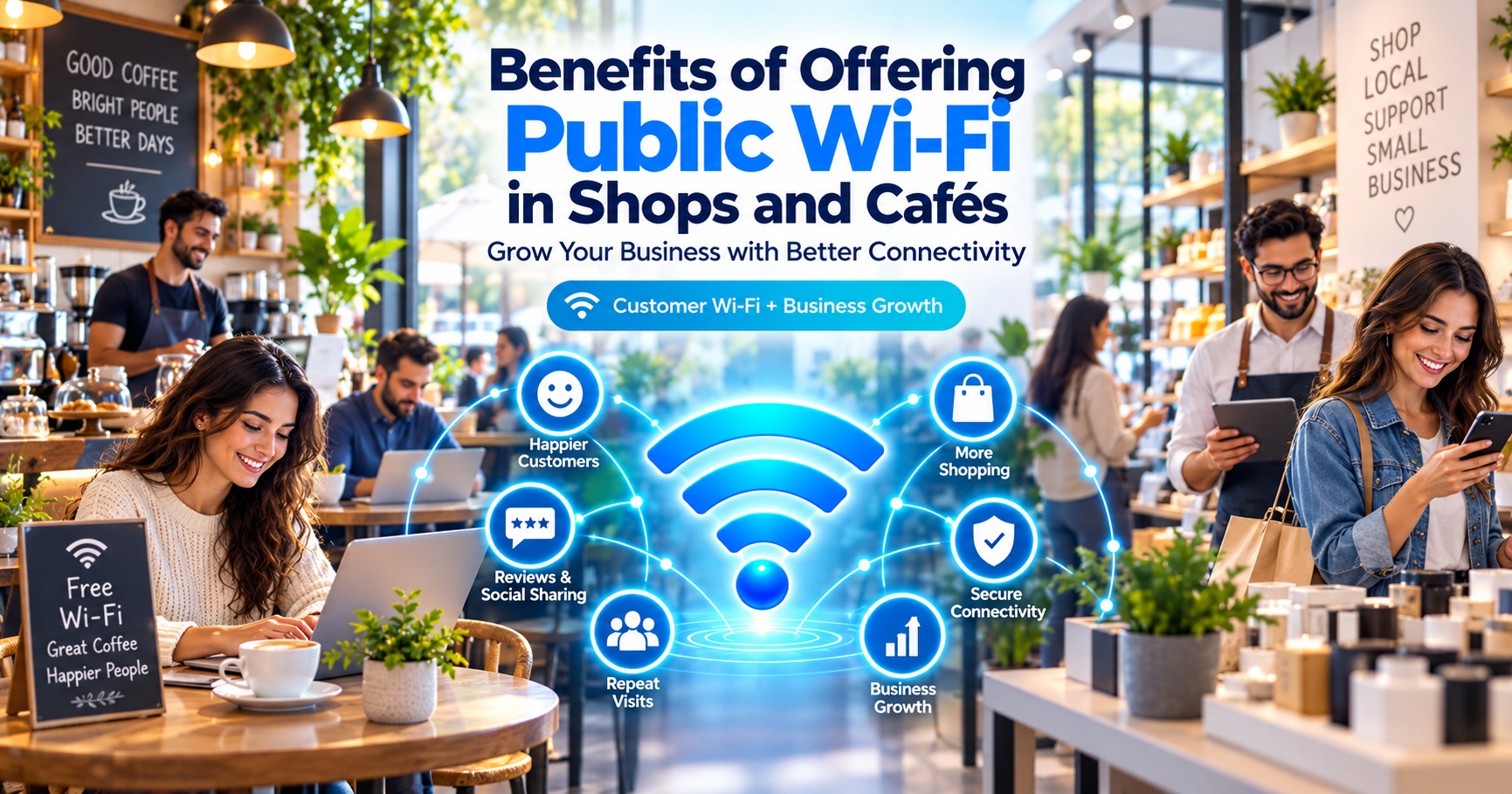
Introduction
Imagine two cafés located on the same street. Both serve delicious coffee, offer comfortable seating, and charge similar prices. However, one café provides reliable Wi-Fi connectivity while the other does not.
Which café would a college student attending an online class, a freelancer working remotely, or a professional waiting for a meeting prefer?
For many customers, internet connectivity can influence where they choose to spend their time and money.
Today, smartphones, laptops, online payments, digital services, and cloud-based applications are part of everyday life. Customers increasingly appreciate businesses that provide convenient internet access alongside their products and services.
This creates an opportunity for shop owners, café operators, restaurants, and other small businesses.
By offering public Wi-Fi for customers, businesses can improve the customer experience, encourage repeat visits, strengthen their brand image, and potentially increase revenue.
Public Wi-Fi may also create opportunities to participate in hotspot-based internet service models.
But is providing customer Wi-Fi worth the investment? How much does it cost? Can it help attract customers? And how can business owners offer internet access securely?
In this comprehensive guide, we'll explore the benefits of offering public Wi-Fi in shops and cafés, how it works, available business models, security considerations, and practical steps for getting started.
1. What Is Public Wi-Fi for Shops and Cafés?
Public Wi-Fi for shops and cafés is a wireless internet service that businesses make available to their customers, visitors, or guests.
Instead of relying entirely on mobile data, customers can connect their smartphones, tablets, or laptops to a wireless hotspot provided at the business location.
For example, a coffee shop may display a sign saying:
"Free Wi-Fi Available for Customers"
Customers can select the network, complete any required login process, and start using the internet.
Depending on the business model, Wi-Fi access may be:
- Completely free: Offered as a complimentary customer service.
- Password-protected: Available to customers who receive the network password.
- Time-limited: Free access for a specified period.
- Purchase-based: Access provided with a qualifying purchase.
- Paid or prepaid: Customers purchase hourly, daily, or other supported internet plans.
- Captive portal-based: Customers sign in through a webpage before accessing the internet.
The most suitable option depends on the business's customer base, budget, internet connectivity, and operating goals.
Related Reading: What Is Public Wi-Fi? A Complete Beginner's Guide
2. Why Is Public Wi-Fi Important for Modern Businesses?
Customers increasingly use digital services while shopping, dining, traveling, studying, and working.
A customer visiting your establishment may want to:
- Browse websites or social media.
- Communicate with friends or family.
- Check emails or messages.
- Attend an online meeting.
- Access digital documents.
- Compare products or prices.
- Use online ordering applications.
- Access educational resources.
- Find nearby attractions or services.
A reliable Wi-Fi hotspot can make these activities easier.
Internet Connectivity as a Customer Amenity
Businesses have traditionally attracted customers through good service, pricing, location, and comfortable facilities.
Wi-Fi can complement these existing advantages.
For certain customer groups, especially students, freelancers, and business travelers, internet availability may influence their choice of café or workspace.
However, Wi-Fi should be viewed as an additional service rather than a replacement for product quality, customer service, or a comfortable environment.
3. Top 12 Benefits of Offering Public Wi-Fi in Shops and Cafés
Let's explore how public Wi-Fi can benefit small businesses.
3.1 Attract More Potential Customers
One of the most important advantages of offering public Wi-Fi is its potential to attract customers who need internet connectivity.
Consider the following groups:
- Students looking for a convenient study location.
- Freelancers searching for a place to work.
- Professionals who need to check emails.
- Travelers with limited mobile data.
- Customers who prefer establishments offering Wi-Fi.
A café that advertises available Wi-Fi may appeal to these visitors.
Example:
Suppose two cafés operate near a college. One offers reliable customer Wi-Fi, while the other does not.
Students who need internet access for assignments or research may prefer the café with Wi-Fi, provided its prices, service, and environment meet their needs.
Business Benefit: Public Wi-Fi can make your establishment more attractive to digitally connected customers.
3.2 Improve Customer Satisfaction
Customer satisfaction depends on the overall experience, not just the product being purchased.
Imagine a customer visiting your café and discovering that their mobile data connection is unreliable.
If your café provides convenient Wi-Fi access, the customer may be able to continue browsing, communicating, or working.
This additional convenience can improve their impression of your business.
A good customer Wi-Fi experience should include:
- Simple connection instructions.
- Reliable internet availability.
- Reasonable connection speed.
- Clear usage policies.
- Appropriate network security.
- Accessible assistance when something goes wrong.
Business Benefit: A useful complimentary service can contribute to a more positive customer experience.
3.3 Encourage Customers to Spend More Time
Customers may stay longer at establishments where they feel comfortable and connected.
For example:
A freelancer visiting a café may initially purchase a cup of coffee.
If the seating is comfortable, the Wi-Fi connection is reliable, and the environment is suitable for work, the freelancer may decide to stay longer.
During that visit, they might purchase another drink or snack.
However, longer visits do not automatically increase revenue. Seating capacity, customer turnover, and average spending must also be considered.
Business Benefit: Public Wi-Fi may encourage longer visits and additional purchases when supported by an appropriate business model.
3.4 Encourage Repeat Visits
Customer loyalty plays an important role in business growth.
When customers have a positive experience, they may return to the same establishment.
A café that consistently offers good service, a comfortable environment, and reliable Wi-Fi may become a preferred location for regular visitors.
Potential repeat customers include:
- College students.
- Remote workers.
- Freelancers.
- Business travelers.
- Local professionals.
Business Benefit: Reliable Wi-Fi can become one of several reasons customers choose to return.
3.5 Differentiate Your Business from Competitors
Competition among small businesses can be intense, particularly in busy commercial areas.
Offering Wi-Fi may help distinguish your shop or café from nearby competitors that do not provide similar amenities.
For example, a small restaurant could display:
"Customer Wi-Fi Available"
A bookstore might promote:
"Browse, Read, and Stay Connected."
A café could advertise:
"Coffee, Comfortable Seating, and Wi-Fi."
These messages communicate additional convenience to potential customers.
Business Benefit: Customer Wi-Fi can help strengthen your business's value proposition.
3.6 Support Digital Marketing Opportunities
A properly configured guest Wi-Fi system may provide opportunities to introduce customers to your brand.
Some hotspot management systems support branded login portals.
A captive portal may display:
- Your business name and logo.
- Promotional offers.
- Featured products.
- Website information.
- Loyalty program details.
- Customer support information.
For example, a café might display a current offer on its Wi-Fi welcome page.
Important: Promotional messages and customer data collection should comply with applicable privacy and consent requirements. Customers should not be required to accept unrelated marketing simply to receive a service unless that condition is lawful and clearly disclosed.
Business Benefit: A branded Wi-Fi portal may create an additional customer communication channel.
3.7 Encourage Social Media Engagement
Customers sometimes share their experiences through social media.
A pleasant café environment, attractive products, and convenient connectivity can make online sharing easier.
Customers may choose to:
- Post photos.
- Tag the business.
- Share their experience.
- Leave reviews.
- Recommend the establishment to friends.
Wi-Fi does not guarantee social media engagement, but it can remove a connectivity barrier.
Business Benefit: Public Wi-Fi may support organic brand visibility through customer-initiated sharing.
3.8 Create Opportunities for Customer Loyalty Programs
Businesses can combine guest Wi-Fi with optional loyalty programs.
For example, a café could offer:
- Reward points for purchases.
- Discounts for returning customers.
- Special promotional codes.
- Digital membership benefits.
- Updates about new menu items.
Customers should be able to understand what information is collected and how it will be used.
Marketing consent should be collected where required.
Business Benefit: Wi-Fi can complement an existing customer loyalty strategy.
3.9 Support Students and Remote Workers
Cafés near colleges, coaching centers, offices, and business districts may attract visitors seeking temporary work or study spaces.
Reliable internet can help these customers:
- Attend online classes.
- Complete assignments.
- Download study materials.
- Check emails.
- Use approved cloud applications.
- Attend online meetings where the environment is appropriate.
A café can become more appealing to these groups by offering suitable seating, charging points, reasonable noise levels, and internet access.
Business Benefit: A business may attract additional customer segments beyond its traditional visitors.
3.10 Potentially Create an Additional Revenue Stream
Not every business needs to offer unlimited free internet.
Some businesses may choose a paid hotspot model.
Possible approaches include:
Free Basic Access
Provide limited complimentary Wi-Fi as a customer amenity.
Time-Based Access
Offer free access for a defined period and additional paid access afterward, if supported by the service platform.
Prepaid Internet Plans
Allow users to purchase hotspot access through available packages.
Voucher-Based Access
Provide access vouchers for authorized users.
Hotspot Partnership
Work with an eligible public Wi-Fi service provider or network operator under an agreed commercial arrangement.
The revenue potential depends on the number of users, pricing, connectivity expenses, equipment costs, provider fees, and other operating expenses.
Business Benefit: Paid access models may create an opportunity for additional income, but profitability is not guaranteed.
3.11 Support Digital Inclusion in Local Communities
Public Wi-Fi can provide benefits beyond individual businesses.
In areas where affordable internet access is limited, a hotspot may help community members access digital services.
Examples include:
- Online education.
- Job applications.
- Government information.
- Digital skill development.
- Communication services.
- General internet research.
A shop or café offering internet access may contribute to local digital connectivity while serving customers.
Business Benefit: Connectivity services can support community engagement and improve the business's local reputation.
3.12 Strengthen a Modern Business Image
A well-managed Wi-Fi service can demonstrate that a business recognizes customers' digital needs.
For many establishments, internet access has become a useful addition to traditional amenities.
When combined with good service and transparent policies, Wi-Fi can contribute to a professional and customer-focused image.
Business Benefit: Public Wi-Fi can support a modern, convenient, and digitally accessible customer experience.
4. Which Businesses Can Benefit from Offering Public Wi-Fi?
Although cafés are an obvious example, many types of businesses can benefit from customer connectivity.
| Business Type | Potential Wi-Fi Benefits |
|---|---|
| Cafés and Coffee Shops | Attract students, freelancers, and remote workers |
| Restaurants | Improve customer convenience and support digital engagement |
| Retail Shops | Help customers access product information and online services |
| Shopping Centers | Provide connectivity across shared public areas |
| Hotels and Guesthouses | Offer internet access for travelers and guests |
| Libraries and Study Centers | Support research and online learning |
| Coaching Centers | Provide access to educational resources |
| Salons and Waiting Areas | Improve convenience during appointments |
| Clinics and Service Centers | Help visitors stay connected while waiting |
| Coworking Spaces | Support internet-dependent professional activities |
The actual value depends on each establishment's customers, location, service model, and operating conditions.
5. Free Wi-Fi vs Paid Wi-Fi: Which Is Better for Your Business?
Before installing a hotspot, business owners should choose an access model.
Free Public Wi-Fi
Free Wi-Fi is commonly offered as a customer amenity.
Advantages:
- Simple value proposition.
- May attract additional visitors.
- Can improve customer satisfaction.
- No direct usage charge for customers.
Challenges:
- The business pays connectivity and maintenance costs.
- Heavy usage may affect network performance.
- Usage limits may be needed.
- Customers may occupy seats without making sufficient purchases.
Paid Public Wi-Fi
Paid Wi-Fi requires customers to purchase internet access.
Advantages:
- Potential direct internet-access revenue.
- Usage can be managed through plans.
- May help recover network operating costs.
- Suitable for certain high-demand locations.
Challenges:
- Some customers may prefer free alternatives.
- A billing and access management system may be required.
- Pricing must remain competitive.
- The provider must address applicable regulatory requirements.
Comparison
| Feature | Free Wi-Fi | Paid Wi-Fi |
|---|---|---|
| Customer Cost | No direct charge | Plan or voucher charge |
| Primary Objective | Customer convenience | Connectivity service and potential revenue |
| Direct Hotspot Revenue | Generally none | Possible |
| Business Operating Cost | Paid by business | May be partially recovered |
| Customer Attraction | Can be appealing | Depends on pricing and demand |
| Access Management | Recommended | Usually essential |
| Best Suited For | Customer-focused establishments | Locations with sufficient demand for paid access |
Which Model Should You Choose?
For most small cafés and retail businesses, starting with a managed guest Wi-Fi service may be a practical option.
If your location has meaningful demand for paid internet access, a prepaid model may also be worth evaluating.
A hybrid model can offer limited complimentary connectivity alongside paid access, where commercially and technically supported.
6. How Does a Public Wi-Fi Hotspot Work in a Shop or Café?
A typical public Wi-Fi hotspot uses an internet connection, wireless access point, and optional authentication system.
Basic Network Setup
          Internet Service Provider
                    |
                    |
             Internet Router
                    |
              Network Gateway
                    |
            Wi-Fi Access Point
                    |
             Guest Wi-Fi Network
                    |
       ---------------------------
       |            |            |
   Smartphone     Laptop       Tablet
       |            |            |
       ---------------------------
                    |
          Optional Login Portal
                    |
             Internet Access
Step-by-Step Connection Process
Step 1: The business obtains an appropriate internet service connection.
Step 2: A Wi-Fi router or dedicated access point broadcasts the guest wireless network.
Step 3: A customer selects the hotspot network on their device.
Step 4: If required, a captive portal asks the customer to complete authentication.
Step 5: The system authorizes access according to the selected plan or network policy.
Step 6: The customer can browse the internet while the connection remains authorized.
Businesses should keep customer Wi-Fi logically separated from internal systems, particularly payment terminals, billing devices, and administrative computers.
7. What Equipment Is Required to Offer Public Wi-Fi?
The equipment required depends on the size of the establishment, expected number of users, and network management requirements.
7.1 Internet Connection
A reliable broadband or other permitted internet connection provides access to the internet.
Choose a suitable plan based on expected usage and the provider's terms.
7.2 Wi-Fi Router or Access Point
Wireless access points broadcast the Wi-Fi signal to nearby customer devices.
Small cafés may need fewer access points than large restaurants or multi-floor establishments.
7.3 Network Gateway or Controller
A gateway or controller can help manage:
- User access.
- Network security.
- Bandwidth allocation.
- Device policies.
- Guest network isolation.
7.4 Captive Portal System
A captive portal can provide a branded login and authorization experience.
Depending on the platform, it may support:
- Customer login.
- OTP verification.
- Voucher authentication.
- Plan selection.
- Session management.
- Usage limits.
7.5 Hotspot Management Software
Advanced systems may provide usage reporting, service monitoring, and centralized access management.
These capabilities can help businesses manage larger or paid hotspot deployments.
7.6 Power Backup
A suitable UPS or backup power arrangement may help maintain service during short electricity interruptions.
Tip: Businesses should select equipment based on actual network requirements instead of purchasing expensive hardware without assessing demand.
8. How Much Does It Cost to Set Up Public Wi-Fi?
The cost of installing public Wi-Fi varies considerably.
Important factors include:
- Shop or café size.
- Number of wireless access points.
- Expected simultaneous users.
- Internet connection charges.
- Router and gateway capabilities.
- Cabling and installation.
- Authentication or billing software.
- Maintenance and technical support.
- Power backup requirements.
Main Cost Categories
| Expense | Cost Type |
|---|---|
| Router and Access Points | Initial equipment investment |
| Installation and Cabling | Usually one-time |
| Internet Connection | Recurring |
| Hotspot Management Platform | Free, subscription-based, or licensed |
| Maintenance and Support | Recurring or as needed |
| Electricity and Backup | Initial and ongoing |
| Equipment Replacement | Occasional |
Example: Understanding Monthly Operating Costs
Suppose a café has these illustrative monthly costs:
| Expense | Example Monthly Cost |
|---|---|
| Internet Service | ₹1,000 |
| Hotspot Management | ₹400 |
| Equipment Maintenance Provision | ₹200 |
| Electricity and Other Costs | ₹200 |
| Total | ₹1,800 |
These figures are hypothetical and do not represent a verified market quotation.
If the café provides free Wi-Fi, it should determine whether improved customer spending or loyalty justifies the additional expense.
If it charges for access, the café must consider the actual net revenue after payment processing fees, taxes, provider charges, and other costs.
Important: A suitable network plan must permit the intended hotspot usage or resale arrangement. A standard home broadband connection should not automatically be assumed to allow commercial internet resale.
9. Can Public Wi-Fi Increase Sales and Revenue?
Public Wi-Fi can support business growth, but there is no guarantee that it will increase sales.
The financial outcome depends on customer behavior, operating costs, and how the service is managed.
Example: Café Revenue Scenario
Consider a hypothetical café.
Suppose it serves 50 customers per day and has an average transaction value of ₹150.
Without any additional customer spending:
Daily sales = 50 × ₹150 = ₹7,500
Now suppose a combination of improved customer experience, repeat visits, and other business improvements increases average customer spending to ₹165.
With higher average spending:
Daily sales = 50 × ₹165 = ₹8,250
Difference: ₹750 per day
Over 30 days, that would represent ₹22,500 in additional gross sales.
However, this is only an illustrative scenario. It does not establish that Wi-Fi caused the increase.
Real profitability depends on gross margins, additional costs, customer turnover, and measurable changes in purchasing behavior.
How to Measure the Actual Impact
Businesses should track performance before and after introducing Wi-Fi.
Useful indicators include:
- Daily customer visits.
- Average transaction value.
- Repeat customer visits.
- Customer satisfaction.
- Wi-Fi operating expenses.
- Connection usage and service reliability.
- Seating occupancy and customer turnover.
Customer counts and sales should be compared across similar days and periods to reduce the influence of seasonal changes or promotions.
10. How to Offer Public Wi-Fi Securely
Security is an essential part of operating a public Wi-Fi hotspot.
An improperly configured network may create risks for customers and the business.
Separate Guest and Business Networks
Customer Wi-Fi should be isolated from the business's internal systems.
This is particularly important for:
- Point-of-sale terminals.
- Billing systems.
- Staff computers.
- Business records.
- Inventory management devices.
Use Appropriate Wi-Fi Security
Where supported, use modern wireless security standards such as WPA2 or WPA3.
For open guest networks, consider supported technologies and configurations that improve client protection.
Enable Client Isolation
Client isolation can help prevent guest devices from communicating directly with one another.
Apply Bandwidth Management
Reasonable limits can prevent individual devices from consuming excessive network resources.
Keep Equipment Updated
Regularly update router, gateway, and access point firmware.
Use a Trusted Authentication System
If the network requires authentication, use a reputable captive portal or hotspot management solution.
Protect Customer Information
Collect only the personal data necessary for clearly defined purposes.
Use appropriate technical safeguards, transparent privacy notices, access controls, and retention policies.
Review Applicable Requirements
Businesses should verify the commercial terms of their internet connection and any regulatory obligations relevant to public hotspot operation in India.
Related Reading: How to Connect to Public Wi-Fi Safely
11. Public Wi-Fi Business Opportunities Under PM-WANI
India's Prime Minister Wi-Fi Access Network Interface (PM-WANI) framework aims to support wider availability of public Wi-Fi networks.
The framework includes participants such as Public Data Offices (PDOs), Public Data Office Aggregators (PDOAs), and other ecosystem entities.
What Is a Public Data Office?
A Public Data Office is part of the PM-WANI ecosystem and provides Wi-Fi internet access through supported infrastructure.
Small establishments may explore opportunities to host or operate public hotspots under an appropriate arrangement.
How Could Shops and Cafés Participate?
Depending on the applicable framework and commercial arrangement, a business may explore:
- Hosting hotspot equipment.
- Working with an eligible network partner.
- Providing public internet access at its location.
- Participating in an agreed revenue-sharing arrangement.
- Offering connectivity alongside its primary products or services.
Potential Benefits
- Additional business opportunities.
- Improved availability of local internet access.
- Possible new customer footfall.
- Participation in digital connectivity initiatives.
- Opportunities to work with hotspot service providers.
Before participating, confirm the provider's authorization, responsibilities, pricing structure, technical support, and applicable requirements.
12. How to Start Offering Public Wi-Fi in Your Business
If you're considering public Wi-Fi for your shop or café, follow this practical approach.
Step 1: Understand Customer Demand
Ask yourself:
- Do customers regularly request Wi-Fi?
- Are students or professionals common visitors?
- Do customers spend extended periods at the establishment?
- Would free Wi-Fi or paid access be more suitable?
Step 2: Choose Your Service Model
Decide whether to offer free, paid, time-limited, or another supported form of access.
Step 3: Assess Your Internet Connection
Check the connection's speed, reliability, usage terms, and suitability for shared customer access.
Step 4: Plan Network Coverage
Identify areas where customers will use Wi-Fi.
A larger establishment may require multiple access points.
Step 5: Configure Security
Set up a separate guest network, appropriate encryption, access controls, and management policies.
Step 6: Configure Authentication
If needed, implement a captive portal, password system, or another suitable authentication method.
Step 7: Test the Customer Experience
Before launch, test:
- Connection reliability.
- Login flow.
- Speed during busy periods.
- Device compatibility.
- Coverage across the premises.
- Guest network isolation.
Step 8: Inform Customers
Display clear Wi-Fi signage near the entrance, counter, or seating area.
Make connection instructions easy to understand.
Step 9: Monitor Service Quality
Check for recurring connection issues, unusual usage, and customer feedback.
Step 10: Review Business Results
Track whether Wi-Fi is helping the business achieve its goals.
Adjust the service model as needed.
13. Common Mistakes to Avoid When Offering Public Wi-Fi
Sharing the Business's Main Wi-Fi Password
Using the same network for customers and business operations may expose internal devices.
Better Approach: Configure a separate guest network.
Providing Unrestricted Bandwidth
A small number of users may consume most of the available internet capacity.
Better Approach: Apply reasonable bandwidth or usage policies.
Ignoring Security Updates
Outdated routers and access points may contain vulnerabilities.
Better Approach: Maintain a regular firmware update process.
Using Unclear Pricing
Unexpected charges or restrictions can frustrate customers.
Better Approach: Display plan details and usage conditions clearly.
Ignoring Customer Privacy
Unnecessary collection or inappropriate use of personal information can damage customer trust.
Better Approach: Follow applicable privacy requirements and collect only the information needed.
Expecting Immediate Profit
Wi-Fi does not automatically generate increased sales or direct revenue.
Better Approach: Measure performance and evaluate costs before expanding the service.
14. How Public WiFi Can Support Business Connectivity
At Public WiFi, we believe that accessible wireless connectivity can create opportunities for individuals, businesses, and communities.
For shop owners and café operators, customer Wi-Fi can be more than an additional amenity. With the right design and operating model, it may support customer convenience, digital engagement, and new connectivity opportunities.
Whether you're exploring guest Wi-Fi for a small café, evaluating a public hotspot at a retail location, or learning about potential internet-access business models, understanding the available options is an important first step.
Explore Public WiFi
Visit https://public-wifi.co.in/ to learn more about wireless connectivity, public Wi-Fi hotspots, and internet service solutions.
Connect Customers. Improve Experiences. Explore New Opportunities.
15. Frequently Asked Questions (FAQs)
Q1. Why should a café offer public Wi-Fi?
Public Wi-Fi can improve customer convenience, attract internet-dependent visitors, encourage repeat visits, and support a more connected customer experience.
Q2. Does free Wi-Fi attract more customers?
It may attract customers who value internet connectivity, particularly students, freelancers, and professionals. However, its effect depends on the location, customer preferences, and other business factors.
Q3. Can public Wi-Fi increase café sales?
Potentially. Wi-Fi may encourage customer visits and additional purchases, but increased sales are not guaranteed. Businesses should measure actual customer behavior and profitability.
Q4. Is public Wi-Fi expensive to install?
Installation costs depend on equipment, internet connectivity, business size, and management requirements. Small establishments may have simpler requirements than large commercial locations.
Q5. Can a shop owner earn money by providing paid Wi-Fi?
Paid hotspots may generate revenue, but earnings depend on customer demand, pricing, expenses, and the applicable commercial and regulatory arrangements.
Q6. Is public Wi-Fi safe for businesses?
It can be operated more securely through proper network separation, access controls, updated equipment, suitable authentication, and responsible data management.
Q7. Should customer Wi-Fi use the same network as billing systems?
No. Customer Wi-Fi should generally be separated from internal business systems, especially payment and administrative devices.
Q8. Can a small shop offer public Wi-Fi?
Yes. Small shops can explore guest Wi-Fi or hotspot solutions, provided they have suitable connectivity, equipment, and any required commercial permissions.
Q9. What is a captive portal?
A captive portal is a webpage that may require customers to log in, accept terms, enter a voucher, or complete another authorization step before accessing the internet.
Q10. Can cafés provide free Wi-Fi for a limited time?
Yes. Supported hotspot management systems can apply time-based access limits and other usage policies.
Q11. Can public Wi-Fi support digital marketing?
Yes, certain systems support branded welcome pages and optional promotional communications. Any collection or use of customer information should follow applicable privacy and consent requirements.
Q12. Can shop owners participate in PM-WANI?
Eligible establishments may explore participation in the PM-WANI ecosystem under appropriate technical, commercial, and regulatory arrangements.
Q13. How many users can connect to one Wi-Fi hotspot?
The supported number of users depends on access point specifications, configuration, available bandwidth, user activity, and network conditions.
Q14. Should every restaurant offer customer Wi-Fi?
Not necessarily. The decision depends on customer demand, business positioning, connection costs, security requirements, and whether the service supports business goals.
Q15. How can I get started with public Wi-Fi for my business?
Begin by identifying your customer requirements, selecting a suitable service model, evaluating equipment and connectivity options, and consulting a qualified provider.
Conclusion
Offering public Wi-Fi in shops and cafés can be a valuable way to improve customer convenience and support modern digital lifestyles.
From helping customers stay connected to creating opportunities for repeat visits and digital engagement, a well-managed guest Wi-Fi service can complement the overall customer experience.
For some establishments, paid hotspot services may also offer an opportunity to explore additional revenue models.
However, successful implementation requires careful planning.
Business owners should evaluate customer demand, network security, installation costs, pricing, maintenance, and potential returns before investing.
The key takeaway is simple: Public Wi-Fi is not just about providing internet access—it's about creating a better-connected customer experience.
If you're planning to offer public Wi-Fi at your shop, café, restaurant, or commercial establishment, explore the available connectivity solutions and choose an approach that matches your business needs.
Learn more at Public WiFi.
Better Connectivity. Better Customer Experience. More Business Opportunities.