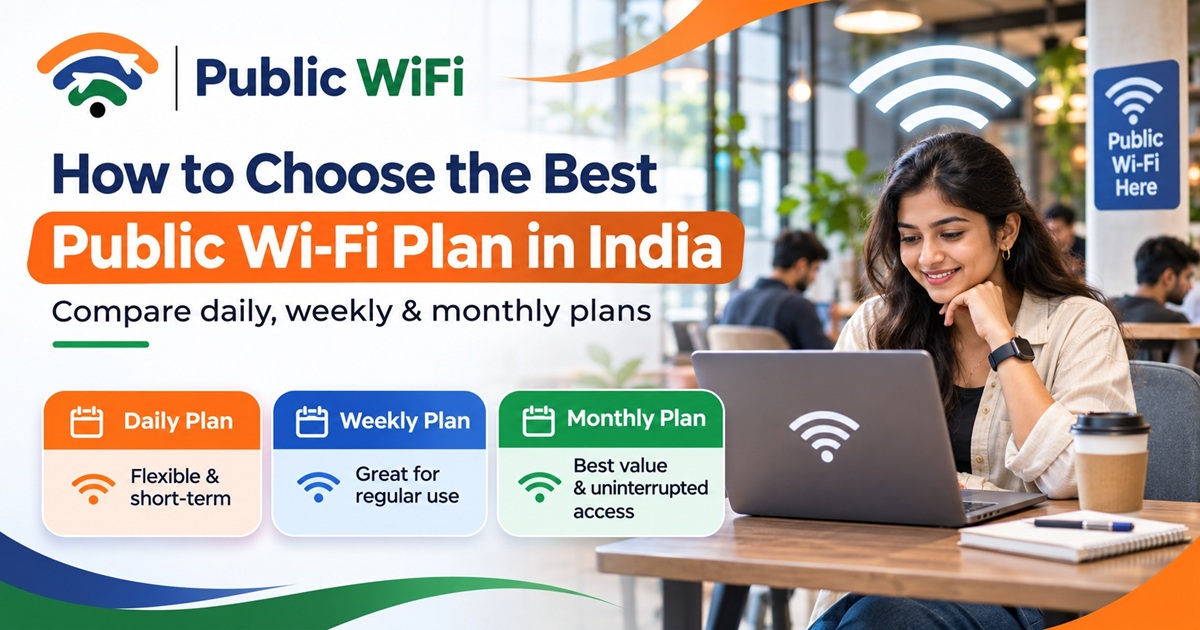
How to Choose the Best Public Wi-Fi Plan in India: Daily, Weekly or Monthly?
Published: November 7, 2026
Author: Public WiFi Team
Category: Guides & Tutorials
Reading Time: 7–9 minutes
Introduction
Having access to fast, affordable, and reliable internet has become essential in today's digital world. Whether you're a student attending online classes, a professional working remotely, a traveler exploring new cities, or someone who simply wants to save mobile data, a public Wi-Fi subscription can be a convenient solution.
But with different internet plans available, how do you decide which one is right for you?
Should you choose a daily Wi-Fi plan, a weekly subscription, or a monthly internet package?
The answer depends on several factors, including your internet usage, budget, required connection speed, number of devices, and the availability of Wi-Fi hotspots near you.
In this guide, we'll help you understand the different types of public Wi-Fi plans in India, compare their benefits, and choose the most suitable option for your needs.
1. What Is a Public Wi-Fi Subscription Plan?
A public Wi-Fi subscription plan allows users to access the internet through designated wireless hotspots for a specific period or according to defined usage limits.
Unlike traditional home broadband connections, public Wi-Fi services generally do not require users to install a dedicated router or arrange a technician visit.
Instead, users can connect their smartphones, laptops, or tablets to a supported Wi-Fi hotspot, authenticate their accounts, and access the internet according to their subscribed plan.
Common Features of Public Wi-Fi Plans
Depending on the service provider, public Wi-Fi plans may offer:
- Flexible validity: Daily, weekly, or monthly internet access.
- Affordable pricing: Different plans for occasional and regular users.
- Internet speed options: Speeds suitable for browsing, studying, streaming, or working.
- Multiple device connections: Support for more than one device, depending on the plan.
- Data allowances: Fixed data limits or unlimited data options.
- Secure authentication: Account-based access to supported Wi-Fi networks.
- Convenient activation: Online registration and subscription management.
These features make public Wi-Fi a useful alternative or supplement to mobile internet and home broadband.
2. Understanding Daily, Weekly, and Monthly Wi-Fi Plans
Before selecting a plan, it's important to understand how each subscription type works.
Daily Wi-Fi Plans: Best for Occasional Internet Users
Daily Wi-Fi plans are designed for people who need internet connectivity for a short duration.
They are particularly useful for travelers, visitors, and users who need temporary internet access.
Ideal for:
- Travelers spending a day in a city.
- Students attending occasional online classes.
- Professionals working temporarily from a café.
- Users whose mobile data has been exhausted.
- People who need a temporary backup internet connection.
Advantages:
- Low initial cost.
- No long-term subscription commitment.
- Suitable for occasional internet requirements.
- Easy to select for short visits.
Things to consider:
Daily plans may have lower data allowances, fewer connected devices, or a higher cost per day when purchased repeatedly.
Example: If you're visiting a city for one day and need internet access for browsing, messaging, and checking emails, a daily Wi-Fi plan may be sufficient.
Weekly Wi-Fi Plans: Best for Students and Short-Term Visitors
Weekly Wi-Fi plans provide connectivity over several consecutive days.
They are suitable for users who need regular access without committing to a full month.
Ideal for:
- Students preparing for examinations.
- Travelers staying in a city for several days.
- Freelancers working on short-term assignments.
- Professionals attending training programmes.
- Users who need internet access during a temporary stay.
Advantages:
- Longer validity than daily subscriptions.
- Often better overall value than repeatedly buying daily plans.
- Convenient for regular internet usage.
- Suitable for short-term work and study requirements.
Things to consider:
Check the total data allowance, supported devices, hotspot coverage, and validity period before purchasing.
Monthly Wi-Fi Plans: Best for Regular Internet Users
Monthly Wi-Fi subscriptions are designed for people who frequently use the internet at supported locations.
They can be particularly beneficial for students, remote workers, freelancers, and small-business users.
Ideal for:
- Students attending daily online classes.
- Professionals working remotely.
- Freelancers who regularly use shared workspaces.
- Users who frequently stream educational content.
- People connecting multiple devices.
Advantages:
- Convenient long-term access.
- Lower effective daily cost when used frequently.
- Potentially higher data allowances.
- Better suited to regular browsing, video calls, and downloads.
- Reduced need to purchase short-duration plans repeatedly.
Things to consider:
A monthly subscription is useful only if compatible Wi-Fi hotspots are available where you regularly need internet access.
3. Compare Public WiFi Subscription Plans in India
At Public WiFi, users can compare flexible subscription plans based on their connectivity requirements.
The following plans are listed on the Public WiFi website as of November 2026.
| Feature | Basic | Standard | Advance |
|---|---|---|---|
| Price | ₹20 | ₹100 | ₹300 |
| Validity | 1 Day | 7 Days | 30 Days |
| Internet Speed | 15 Mbps | 20 Mbps | 30 Mbps |
| Data Allowance | 20 GB | 200 GB | Unlimited |
| Connected Devices | 1 | 2 | 3 |
| Customer Support | Priority | 24/7 Phone | |
| Security Tier | Standard | Advanced | Enterprise |
Note: Prices, features, and availability are subject to change. Actual internet speeds may vary by hotspot, device, network conditions, and concurrent users. Always verify current information on the official plans page.
4. How Much Internet Speed Do You Really Need?
Internet speed is one of the most important factors when selecting a Wi-Fi subscription.
However, choosing the fastest available plan is not always necessary.
Your ideal internet speed depends on how you use the internet.
5–10 Mbps: Basic Internet Activities
This speed range may be sufficient for:
- Browsing websites.
- Checking emails.
- Sending messages.
- Reading online articles.
- Accessing educational websites.
10–20 Mbps: Online Learning and Everyday Streaming
This speed range can support:
- Online classes.
- HD video streaming.
- Video meetings.
- Downloading documents.
- Using cloud-based applications.
20–30 Mbps: Remote Work and Multiple Devices
This speed range may be more suitable for:
- Regular video conferencing.
- Remote working.
- Large document transfers.
- Multiple connected devices.
- Higher-bandwidth applications.
Above 30 Mbps: Higher-Demand Activities
Higher speeds can be beneficial for:
- Large file downloads.
- Higher-resolution streaming.
- Frequent cloud synchronization.
- Multiple simultaneous users.
- Bandwidth-intensive professional applications.
Important: The speed advertised by an internet provider generally represents a plan's maximum or rated connection speed, not a guarantee of actual performance.
For video conferencing and online gaming, connection stability, latency, and upload speed are also important.
5. How Much Data Do You Need?
Along with internet speed, users should consider their expected data consumption.
Different online activities consume different amounts of data.
Approximate Internet Data Usage
| Online Activity | Estimated Data Usage |
|---|---|
| General web browsing | 50–150 MB per hour |
| Music streaming | 40–150 MB per hour |
| Video calls | 0.3–1.5 GB per hour |
| HD video streaming | 1–3 GB per hour |
| Full HD streaming | 2–4 GB per hour |
| Downloading large files | Depends on file size |
These are general estimates. Actual consumption depends on video quality, applications, device settings, and usage patterns.
Example: A Student's Monthly Internet Requirement
Consider a student who spends approximately:
- 2 hours daily attending online classes.
- 1 hour watching educational videos.
- 1 hour browsing study materials.
Depending on video quality and applications, this can consume several gigabytes of data every day.
A monthly subscription with a generous data allowance may therefore be more convenient than purchasing several short-duration packages.
6. Daily vs Weekly vs Monthly Wi-Fi: Which Offers Better Value?
Let's compare subscription costs using Public WiFi's published plans.
| Plan | Price | Validity | Effective Daily Cost |
|---|---|---|---|
| Basic | ₹20 | 1 Day | ₹20.00 |
| Standard | ₹100 | 7 Days | ₹14.29 |
| Advance | ₹300 | 30 Days | ₹10.00 |
The effective daily cost decreases for longer-duration plans.
For example:
- Purchasing the Basic plan for 30 separate days would cost ₹600.
- Purchasing the Advance plan for 30 days costs ₹300.
This represents a potential saving of ₹300, or 50%, for someone needing internet access throughout the month.
However, plans differ in data allowances, supported devices, and other features. The best value depends on your actual usage and access to supported hotspots.
Recommendation: If you use public Wi-Fi regularly, compare the effective daily cost of each plan rather than focusing only on its initial price.
7. Check Public Wi-Fi Coverage Before Buying a Plan
An affordable Wi-Fi subscription is useful only when supported hotspots are available at the locations where you need internet access.
Before purchasing any Wi-Fi plan, confirm whether the provider operates in your area.
What Should You Check?
1. Your city or town
Find out whether public Wi-Fi services are listed in your city.
2. Your locality
Check the specific neighbourhood, commercial area, or institution where you plan to connect.
3. Your preferred hotspot
Verify the hotspot address and whether it supports your chosen service.
4. Venue accessibility
Check opening hours, access restrictions, and other location-specific requirements.
5. Connection quality
Where possible, verify that the hotspot provides suitable connectivity for your intended activities.
Public WiFi provides a coverage directory that helps users explore supported areas by state, district, and locality.
Find Public WiFi Hotspots Near You →
Remember: Having a city listed in a coverage directory does not mean Wi-Fi connectivity is available at every address within that city.
8. How Many Devices Do You Need to Connect?
Modern internet users often switch between multiple devices.
For example, a professional may use:
- A smartphone for communication.
- A laptop for work.
- A tablet for presentations or reading documents.
If your plan supports only one active device connection, you may not be able to use multiple devices simultaneously.
Public WiFi offers different simultaneous device limits depending on the subscription plan.
Before subscribing, ask yourself:
- Will I use only my smartphone?
- Do I need internet access on both my phone and laptop?
- Will I connect a tablet or another supported device?
- Do I need multiple devices connected at the same time?
Selecting a plan that supports your required number of connections can make your experience more convenient.
9. Security Features You Should Look For
Public Wi-Fi security is particularly important when you use internet services outside your home.
When choosing a Wi-Fi provider, look for security measures such as:
Secure Network Authentication
A provider should have a reliable process for identifying users and managing hotspot access.
Encrypted Connections
Prefer protected Wi-Fi networks where supported, and use HTTPS websites to protect information transmitted between your browser and websites.
Device Isolation
Client isolation can help reduce direct communication between devices connected to the same hotspot.
Account Protection
Use strong passwords and enable multi-factor authentication where available.
Transparent Privacy Policies
Review how the provider collects, processes, and protects personal information.
Even when a hotspot offers security protections, users should continue following safe internet practices.
Avoid entering sensitive information on unfamiliar websites and verify that you're connecting to the correct network.
10. How to Get Started with Public WiFi
Getting started with Public WiFi is designed to be straightforward.
Step 1: Check Wi-Fi Coverage
Visit the Public WiFi Coverage page and explore available locations.
Make sure a suitable hotspot is available where you intend to use the service.
Step 2: Compare Subscription Plans
Visit the Wi-Fi Plans page and compare:
- Plan validity.
- Internet speed.
- Data allowance.
- Device limits.
- Customer support.
- Subscription price.
Step 3: Create Your Account
Visit the Public WiFi Signup page and complete the registration process.
Step 4: Choose Your Subscription
Select a suitable plan and follow the available payment and activation instructions.
Step 5: Connect to a Supported Hotspot
At a supported location, select the correct Public WiFi network, open the authentication page if prompted, and sign in.
After successful authentication and activation, you can start browsing according to your plan's terms.
11. Common Mistakes to Avoid When Choosing a Wi-Fi Plan
Many users select internet plans based only on price. However, choosing the cheapest package may not always offer the best overall experience.
Here are some common mistakes to avoid.
Choosing a Plan Without Checking Coverage
Always verify that Wi-Fi services are available at your intended location before subscribing.
Ignoring Data Limits
A low-cost plan with insufficient data may not meet your daily internet requirements.
Paying for More Speed Than Necessary
If you mainly browse websites and send messages, a high-speed plan may not offer meaningful benefits.
Overlooking Device Limits
Check whether the plan supports all devices you want to connect simultaneously.
Ignoring Subscription Validity
Choose a duration that matches your actual internet requirements.
Assuming Advertised Speeds Are Guaranteed
Internet performance can vary depending on network load, signal strength, device capabilities, and other factors.
12. Which Public WiFi Plan Should You Choose?
The best plan depends on your internet habits and budget.
| User Type | Suggested Plan | Reason |
|---|---|---|
| Occasional Visitor | Basic | Affordable access for one day |
| Short-Term Traveler | Standard | Convenient seven-day validity |
| Student | Standard or Advance | Suitable for regular learning |
| Remote Worker | Advance | Longer validity and multiple devices |
| Freelancer | Standard or Advance | Flexibility for work requirements |
| Regular Internet User | Advance | Longer duration and unlimited data allowance |
These are general recommendations. Your choice should also depend on confirmed hotspot availability, connection requirements, and actual internet consumption.
Frequently Asked Questions (FAQs)
1. What is the cheapest Public WiFi plan?
According to the currently published pricing, the Basic plan starts at ₹20 for one day and includes 20 GB of data with a rated speed of 15 Mbps.
2. Is monthly public Wi-Fi cheaper than daily Wi-Fi?
For regular users, monthly plans can offer a lower effective daily cost. However, the most economical option depends on how frequently you use the service and whether suitable hotspots are available.
3. Can I connect multiple devices with one Wi-Fi subscription?
Yes. Public WiFi supports multiple simultaneous device connections on eligible plans. The number of devices depends on your subscription.
4. Is public Wi-Fi suitable for online classes?
Public Wi-Fi can be suitable for online classes when the connection provides sufficient speed, stability, and data allowance.
5. Can I use Public WiFi while traveling?
You can use Public WiFi at supported hotspots, subject to your plan's terms and the availability of the service at your destination.
Check coverage before traveling.
6. Do I need a router to use public Wi-Fi?
Generally, no. You can connect directly to a compatible public Wi-Fi hotspot using your smartphone, laptop, or tablet.
7. Does Public WiFi offer unlimited internet?
The currently listed Advance plan includes an unlimited data allowance. Review the latest plan terms for any applicable usage policies.
8. How do I find a Public WiFi hotspot near me?
Visit the Public WiFi Coverage Directory and search by location. Verify the specific hotspot and venue details before visiting.
Conclusion
Choosing the best public Wi-Fi plan does not have to be complicated.
Start by understanding your internet usage, checking available hotspots, comparing connection speeds, and selecting a subscription that matches your budget.
A daily Wi-Fi plan may be ideal for occasional internet access, while a weekly subscription can be a good choice for short-term requirements. For frequent users, a monthly Wi-Fi plan may offer greater convenience and better value.
With flexible pricing and different subscription options, Public WiFi aims to make wireless internet connectivity more accessible for students, professionals, travelers, and everyday users across supported locations in India.
Ready to Get Connected?
Discover a public Wi-Fi subscription that fits your needs.
Stay Connected. Stay Productive. Choose Public WiFi.
Disclaimer: Subscription prices, service coverage, speed, data allowances, and features may change. Please review the latest plan details and verify hotspot availability before purchasing.