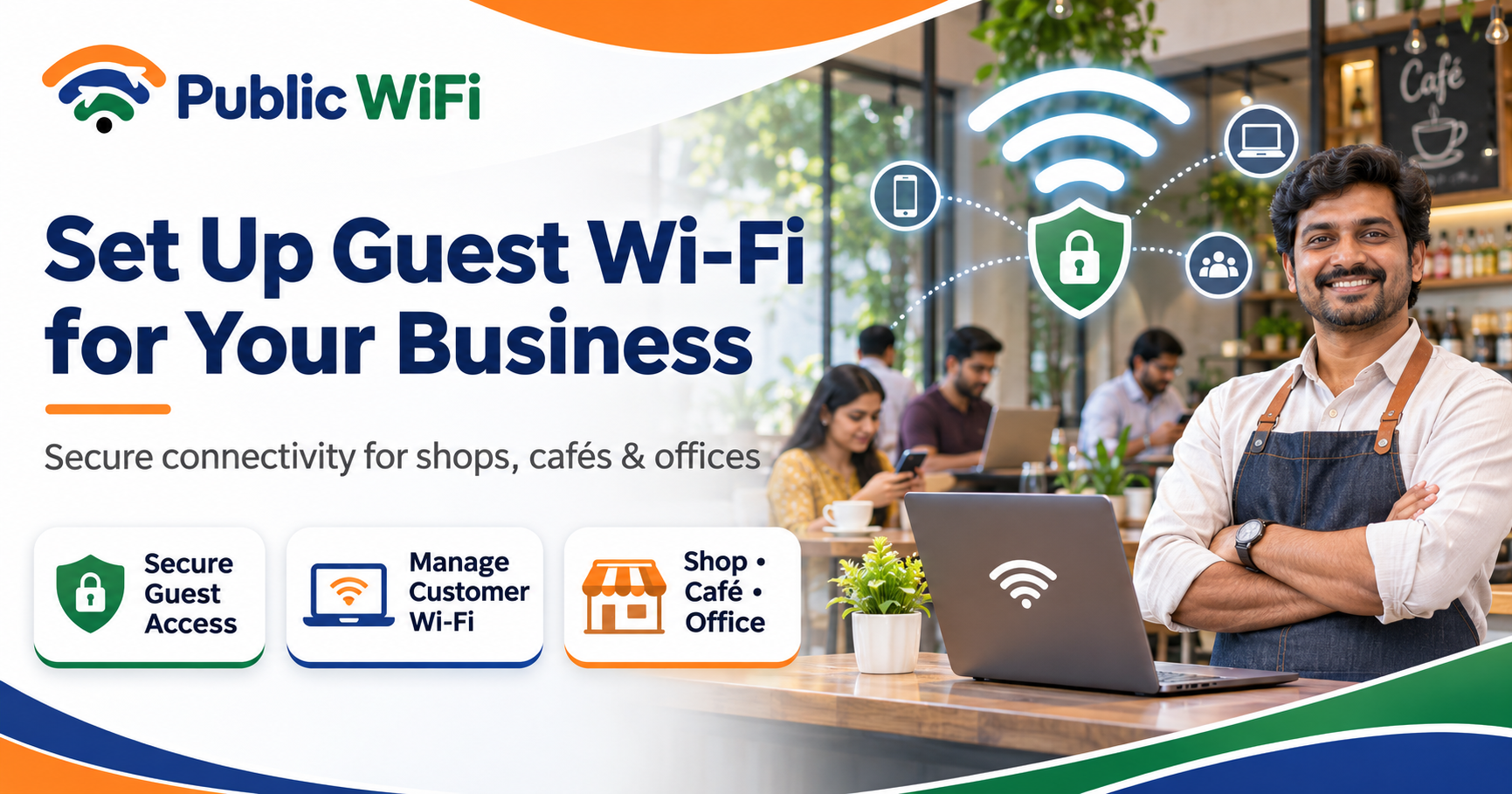
How to Set Up Guest Wi-Fi for Your Business: A Complete Guide for Shops, Cafés & Offices
Published: November 7, 2026
Author: Public WiFi Team
Category: Business WiFi
Reading Time: 9–11 Minutes
Introduction
Imagine a customer walking into your café, ordering a coffee, and opening their laptop to complete some important work. They look around for a Wi-Fi connection but discover that your business doesn't offer one.
Now imagine another café nearby offering convenient, reliable internet connectivity.
Which location would that customer prefer for their next visit?
Today, internet access is more than just a convenience. For many customers, it's an important part of their shopping, dining, and working experience.
Whether you operate a retail shop, restaurant, café, hotel, coaching centre, or small office, providing guest Wi-Fi for your business can improve customer convenience and make your premises more attractive to digitally connected visitors.
However, setting up business Wi-Fi involves more than installing a router and sharing its password.
You need to consider network security, internet speed, customer authentication, bandwidth management, equipment placement, and ongoing maintenance.
In this comprehensive guide, we'll explain how to set up secure guest Wi-Fi for your business in India, explore the equipment required, discuss common mistakes, and share practical tips for managing your network.
1. What Is Guest Wi-Fi for Business?
Guest Wi-Fi is a wireless internet network designed specifically for visitors, customers, and other authorized guests.
Unlike your internal business network, guest Wi-Fi should provide internet access without giving visitors access to sensitive business systems.
For example, a café might operate two separate wireless networks:
| Network | Used By | Purpose |
|---|---|---|
| Cafe-Staff | Employees and authorized devices | Billing, inventory, business operations |
| Cafe-Guest | Customers and visitors | Internet browsing and online services |
Keeping these networks separate helps protect business information while allowing customers to access the internet.
Guest Wi-Fi vs Regular Business Wi-Fi
Regular business Wi-Fi may connect:
- Billing and point-of-sale systems.
- Office computers.
- Inventory management devices.
- Printers.
- Administrative applications.
- Authorized employee devices.
Guest Wi-Fi generally connects:
- Customer smartphones.
- Visitor laptops.
- Tablets.
- Other compatible personal devices.
A properly configured guest network restricts access to internal business resources while providing customers with an internet connection.
2. Why Should Businesses Offer Guest Wi-Fi?
Providing guest internet access can offer several practical advantages.
Improve Customer Convenience
Customers may want to check messages, browse websites, use online services, or complete quick work tasks while visiting your premises.
Offering Wi-Fi makes these activities more convenient.
Support Longer Customer Visits
In cafés, restaurants, and shared workspaces, customers who need internet access may prefer locations where they can comfortably work or study.
This can encourage longer visits, although actual effects on spending and turnover depend on the business.
Improve the Customer Experience
Reliable internet access can become an additional service that customers associate with your business.
Support Digital Services
Guests may use Wi-Fi to access:
- Online menus.
- Digital payment applications.
- Customer feedback forms.
- Product catalogues.
- Booking and reservation systems.
- Loyalty programmes.
Create Opportunities for Customer Engagement
Where appropriate, a guest Wi-Fi login page can provide useful information about your business, such as opening hours, promotions, or customer support details.
Any collection of personal information should be transparent and handled in accordance with applicable privacy requirements.
3. What Equipment Do You Need to Set Up Guest Wi-Fi?
The required equipment depends on the size of your premises, the number of users, and your expected internet traffic.
A. Internet Connection
You'll need a reliable internet connection with enough bandwidth for your business operations and guests.
Consider:
- Available download and upload speeds.
- Expected simultaneous users.
- Internet reliability.
- Service-level support.
- Data allowances.
- Whether your ISP permits the intended business or public hotspot use.
B. Business-Grade Wi-Fi Router
A suitable router should support important features such as:
- Guest network creation.
- Firewall configuration.
- WPA2-AES or WPA3 security.
- Bandwidth management.
- Firmware updates.
- Network monitoring.
- Access controls.
Some routers also support VLANs and advanced guest-network isolation.
C. Wireless Access Points
An access point extends wireless coverage.
For a small shop, one properly positioned access point may be sufficient.
Larger cafés, multi-floor offices, and hotels may require multiple access points to achieve reliable coverage.
D. Network Switch
A switch may be useful when connecting multiple access points or wired business devices.
For larger installations, managed switches can help with network segmentation using VLANs.
E. Captive Portal or Hotspot Management Software
A captive portal is an authentication or welcome page that appears when customers connect to the guest network.
It can support features such as:
- User login.
- Terms-of-service acceptance.
- Voucher-based access.
- Session management.
- Time limits.
- Bandwidth policies.
- Customer information pages.
Not every business requires a captive portal, but it can be useful for managed public-access networks.
4. Step-by-Step Guide to Setting Up Guest Wi-Fi
Let's walk through a typical guest Wi-Fi installation.
Step 1: Evaluate Your Business Requirements
Before purchasing equipment, identify your expected usage.
Ask yourself:
- How large is my business premises?
- How many customers visit during peak hours?
- How many devices might connect simultaneously?
- Will customers stream videos or attend online meetings?
- Do I need a guest login page?
- Should guest access have time or speed limits?
- Do I need multiple access points?
For example, a small retail shop with five simultaneous users has different requirements from a busy café with 50 connected devices.
Step 2: Choose a Suitable Internet Connection
Your internet connection should support both everyday business activities and guest traffic.
Consider how much bandwidth can be allocated to guest users without affecting operational systems.
If your business relies on cloud-based billing or online payments, prioritize those functions over nonessential guest downloads.
Tip: Check your internet provider's terms before offering connectivity to visitors or operating a public hotspot.
Step 3: Install the Wi-Fi Router
Place the router or access point where it can provide effective coverage.
Avoid installing equipment:
- Inside closed metal cabinets.
- Behind large concrete obstacles.
- Close to sources of wireless interference.
- In areas exposed to excessive heat or moisture.
For larger premises, conduct a basic wireless coverage survey before deciding where to install additional access points.
Step 4: Create a Separate Guest Network
Open your router's administration interface and locate the guest-network settings.
Depending on the equipment, you may see options such as:
- Guest Network.
- Guest SSID.
- Wireless Guest Access.
- Hotspot Configuration.
Create a separate wireless network for customers.
For example:
Business network: MyCafe-Staff
Guest network: MyCafe-Guest
The guest network should be isolated from internal office systems and restricted to permitted internet services.
Simply assigning a different Wi-Fi name does not guarantee security. Proper firewall rules, VLAN configuration, or equivalent isolation controls may also be required.
Step 5: Configure Network Security
Guest Wi-Fi should be designed with security in mind.
Recommended practices include:
- Change default router administrator credentials.
- Use WPA3 or WPA2-AES where compatible.
- Install current firmware updates.
- Restrict access to the router administration interface.
- Block guest access to internal business networks.
- Enable client isolation where appropriate.
- Disable unnecessary management services.
- Monitor the network for suspicious activity.
If using a captive portal on an open wireless network, remember that portal authentication alone does not encrypt the wireless connection.
Step 6: Configure Customer Authentication
Depending on your business requirements, you can use different access methods.
| Authentication Method | Description | Suitable For |
|---|---|---|
| Shared Wi-Fi Password | Customers enter a common password | Small shops and cafés |
| Captive Portal | Customers open a login or welcome page | Managed guest networks |
| Voucher Access | Customers receive temporary credentials | Hotels and paid-access venues |
| Individual Account Login | Customers authenticate with personal accounts | Subscription hotspot services |
| Enterprise Authentication | Users authenticate using managed credentials | Staff and controlled business access |
Choose the authentication method based on your operational requirements, customer experience, and applicable regulations.
Step 7: Configure Bandwidth Limits
Without suitable controls, a few heavy users may consume a large portion of your available internet capacity.
Consider:
- Per-user speed limits.
- Fair-use bandwidth allocation.
- Session duration limits.
- Total data allowances where appropriate.
- Traffic prioritization for essential business applications.
Avoid setting limits so low that ordinary browsing or communication becomes frustrating.
Step 8: Test the Guest Network
Before offering Wi-Fi to customers, test the setup.
Use at least two different devices, such as an Android smartphone and a Windows laptop.
Verify that:
- The correct Wi-Fi network is visible.
- Customers can authenticate successfully.
- Internet access works.
- Guest devices cannot access internal business systems.
- Connection speeds are reasonable.
- The network remains stable when multiple devices connect.
- Users can disconnect and reconnect correctly.
Make changes based on the results before launching the service.
5. How Much Internet Speed Does a Business Need?
One of the most common questions is:
How much internet speed do I need for customer Wi-Fi?
The answer depends on the number of simultaneous users and their online activities.
Example Bandwidth Planning
| Business Type | Illustrative Simultaneous Users | Initial Internet Capacity to Evaluate |
|---|---|---|
| Small retail shop | 5–10 | 30–50 Mbps |
| Small café | 10–20 | 50–100 Mbps |
| Medium café or restaurant | 20–40 | 100–200 Mbps |
| Shared workspace | 30–60 | 200–300 Mbps |
| Large public venue | 60+ | Site-specific capacity planning |
These are illustrative planning ranges, not guaranteed requirements. Actual bandwidth needs depend on application usage, upload traffic, concurrency, network design, and service expectations.
Simple Bandwidth Calculation
Suppose you operate a café with:
- 20 expected simultaneous customers.
- An average planning allowance of 3 Mbps per active customer.
Your estimated guest bandwidth requirement would be:
20 × 3 Mbps = 60 Mbps
Add a reasonable allowance for fluctuations and business traffic when selecting the internet service.
For applications such as video conferencing, upload bandwidth and latency are also important.
6. What Is a Captive Portal, and Why Is It Useful?
A captive portal is a webpage that customers may see when connecting to a managed Wi-Fi hotspot.
Instead of immediately opening full internet access, the network directs the user through an authentication or access process.
Example Customer Journey
- A customer enters your café.
- They select your guest Wi-Fi network.
- The device displays the hotspot login page.
- The customer completes the required authentication or accepts the access terms.
- The network authorizes internet access.
- The customer starts browsing.
Benefits of a Captive Portal
A captive portal can help businesses:
- Manage who accesses the network.
- Display business information.
- Provide consistent login instructions.
- Apply session limits.
- Present service terms.
- Offer voucher-based access where supported.
Should You Collect Customer Information?
Not every guest Wi-Fi network needs personal information collection.
If you collect phone numbers, email addresses, or other personal data, clearly explain:
- What information is collected.
- Why it is needed.
- How it will be used.
- How long it will be retained.
- Whether it will be shared with other parties.
Marketing consent should be handled separately from service authentication where required.
Indian businesses should assess applicable privacy and telecommunications obligations before deploying authentication systems that collect personal data.
7. How to Keep Business Wi-Fi Secure
Network security should be a priority for every business providing guest internet access.
Separate Guest and Business Networks
Your guest Wi-Fi network should not expose:
- Point-of-sale terminals.
- Billing systems.
- Employee computers.
- Internal databases.
- Network storage devices.
- Administrative printers.
- Security systems.
Where practical, use VLANs or physically separate networks with suitable firewall policies.
Enable Client Isolation
Client isolation can prevent guest devices from directly communicating with one another on the same wireless network.
This reduces some risks associated with shared wireless environments.
Keep Network Equipment Updated
Routers and access points may contain vulnerabilities that manufacturers address through firmware updates.
Maintain a routine for checking and applying security updates.
Restrict Administration Access
Avoid exposing router management interfaces to guest users or the public internet.
Use strong administrator credentials and multi-factor authentication where available.
Monitor Network Health
Monitor:
- Connected device counts.
- Access point performance.
- Bandwidth consumption.
- Failed authentication attempts.
- Unusual traffic patterns.
- Equipment availability.
These practices help maintain a more reliable and secure guest network.
8. Free Guest Wi-Fi vs Paid Public Wi-Fi
Businesses generally have several options for providing internet access to visitors.
Two common models are free guest Wi-Fi and paid hotspot access.
| Feature | Free Guest Wi-Fi | Paid Public Wi-Fi |
|---|---|---|
| Customer Cost | Usually free | Subscription or usage fee |
| Main Purpose | Customer convenience | Managed internet access service |
| Authentication | Password or portal | Account, voucher, or subscription |
| Bandwidth Controls | Optional | Commonly included |
| Session Management | Basic or advanced | Usually more structured |
| Business Revenue | Indirect potential | Possible direct revenue |
| Management | Business or managed provider | Hotspot operator or service provider |
Neither model is automatically better for every business.
A small café may prefer complimentary guest access, while a larger venue may want managed authentication and subscription options.
The appropriate model depends on customer expectations, operating costs, and service requirements.
9. Can Small Businesses Offer Paid Public Wi-Fi in India?
Businesses interested in offering paid Wi-Fi should understand that providing a public internet service may involve additional requirements beyond installing a router.
India's PM-WANI (Prime Minister Wi-Fi Access Network Interface) framework provides one regulatory route for public Wi-Fi services through an ecosystem that includes Public Data Offices (PDOs), Public Data Office Aggregators (PDOAs), and other participants.
A shop or café considering a public hotspot business should review:
- The appropriate service-provider model.
- Applicable Department of Telecommunications requirements.
- ISP contractual restrictions.
- Authentication and access requirements.
- Customer information and privacy obligations.
- Network security responsibilities.
- Commercial arrangements with service partners.
Businesses should not assume that an ordinary residential broadband subscription automatically permits commercial resale of internet access.
For the latest regulatory details, consult the Department of Telecommunications and relevant official PM-WANI information before launching a paid service.
10. How Much Does Business Guest Wi-Fi Cost?
The cost of setting up guest Wi-Fi depends on several factors.
A. Internet Subscription
Monthly broadband costs vary based on location, speed, service-level commitments, and provider.
B. Router and Access Points
Equipment costs depend on wireless standards, coverage requirements, and management capabilities.
C. Installation
Larger premises may require Ethernet cabling, switches, mounting equipment, and professional installation.
D. Hotspot Management
Advanced captive portals, authentication platforms, monitoring systems, or managed services may introduce recurring expenses.
E. Maintenance
Plan for equipment replacement, firmware management, troubleshooting, and occasional upgrades.
Example Budget Categories
| Cost Component | Typical Cost Type |
|---|---|
| Broadband connection | Recurring |
| Wi-Fi router | One-time |
| Wireless access points | One-time |
| Network switch and cabling | One-time |
| Installation | Usually one-time |
| Captive portal platform | One-time or recurring |
| Managed support | Recurring or usage-based |
| Maintenance and replacement | Periodic |
Before choosing a solution, compare the total cost of ownership rather than only the initial equipment price.
11. Common Guest Wi-Fi Setup Mistakes to Avoid
Mistake 1: Using the Same Network for Customers and Business Devices
Sharing one network can expose internal devices to unnecessary risks.
Solution: Separate guest traffic from business systems using suitable network controls.
Mistake 2: Choosing Equipment Based Only on Price
Inexpensive consumer routers may struggle with higher concurrent-user loads or lack advanced management features.
Solution: Select equipment based on coverage, user capacity, security features, and long-term reliability.
Mistake 3: Ignoring Upload Speed
A connection may offer fast downloads but limited upload performance.
Solution: Consider both download and upload requirements, especially for video calls.
Mistake 4: Not Testing Coverage
A Wi-Fi signal may be strong near the router but weak in distant seating areas.
Solution: Test coverage throughout the premises and add access points when necessary.
Mistake 5: Allowing Unlimited Bandwidth Per User
A small number of heavy users may affect everyone else's experience.
Solution: Use reasonable traffic management and fair-use controls.
Mistake 6: Neglecting Security Updates
Outdated equipment can expose the network to preventable vulnerabilities.
Solution: Establish a regular firmware and security review process.
Mistake 7: Complicated Customer Login
A difficult sign-in experience can discourage customers from using the service.
Solution: Keep the authentication process clear, accessible, and appropriate for your business needs.
12. How to Measure the Success of Your Guest Wi-Fi
After launching guest Wi-Fi, evaluate its performance regularly.
Technical Metrics
Monitor:
- Number of simultaneous connections.
- Internet uptime.
- Average bandwidth utilization.
- Connection failures.
- Authentication success rates.
- Wireless coverage quality.
Customer Experience Metrics
You can also assess:
- Customer feedback about Wi-Fi quality.
- Common connectivity complaints.
- Ease of joining the network.
- Perceived reliability.
- Requests for additional coverage.
Business Metrics
Depending on your business, evaluate whether guest Wi-Fi contributes to:
- Customer satisfaction.
- Repeat visits.
- Longer visits.
- Digital menu engagement.
- Loyalty programme participation.
Avoid assuming that more connected devices automatically mean higher sales.
A successful Wi-Fi service should provide meaningful value without disrupting everyday business operations.
13. How Public WiFi Can Help Your Business
At Public WiFi, the goal is to make wireless internet connectivity more accessible through supported hotspot locations across India.
For business owners considering Wi-Fi for their premises, there are several important questions to evaluate:
- Is the service available in your area?
- Is your venue suitable for a managed hotspot?
- How many customers need access?
- What internet speeds are required?
- Do you want free customer Wi-Fi or subscription-based access?
- What authentication and security features are necessary?
Public WiFi provides a coverage directory and customer support channels that can help users explore service availability.
Business owners can also contact the team to discuss their location and connectivity requirements.
Availability of a specific business installation, commercial arrangement, or hotspot deployment should be confirmed directly with the service team.
Explore Public WiFi
14. Guest Wi-Fi Setup Checklist for Business Owners
Before opening your guest network to customers, use this checklist.
Network Planning
- Estimate the maximum number of connected customers.
- Calculate expected internet bandwidth requirements.
- Confirm that the ISP permits the intended use.
- Choose suitable routers and access points.
- Test wireless coverage.
Security Configuration
- Create a separate guest network.
- Restrict access to internal business systems.
- Enable appropriate wireless encryption.
- Change default administrator credentials.
- Enable client isolation where appropriate.
- Update router and access point firmware.
- Configure firewall rules.
Customer Access
- Set up the guest Wi-Fi network name.
- Configure password or portal authentication.
- Test login on Android, iPhone, and laptops.
- Display clear connection instructions.
- Provide appropriate service and privacy information.
Performance and Maintenance
- Configure bandwidth management.
- Verify internet stability.
- Test simultaneous connections.
- Establish a monitoring routine.
- Prepare a troubleshooting and support process.
Completing these steps can help create a more reliable and manageable customer Wi-Fi experience.
Frequently Asked Questions (FAQs)
1. What is guest Wi-Fi for business?
Guest Wi-Fi is a separate wireless network that allows visitors and customers to access the internet without accessing a business's internal systems.
2. Can I offer free Wi-Fi in my shop?
Yes, businesses can offer customer Wi-Fi, subject to their ISP agreement and applicable legal and regulatory requirements.
3. What internet speed is suitable for a small café?
A small café might initially evaluate a 50–100 Mbps connection, but actual requirements depend on simultaneous users, applications, and operational traffic.
4. Do I need a special router for business Wi-Fi?
Not always. Some routers provide basic guest networking. However, business-grade equipment generally offers better management, monitoring, and security options for larger deployments.
5. What is a captive portal in Wi-Fi?
A captive portal is a webpage that users encounter when connecting to certain guest or public Wi-Fi networks. It can support authentication, terms acceptance, and access management.
6. How can I prevent customers from accessing my office computers?
Use an isolated guest network with appropriate firewall rules or VLANs. Verify the separation through testing.
7. Can I limit Wi-Fi speed for each customer?
Yes, many business routers and hotspot management systems support per-user bandwidth policies.
8. Is guest Wi-Fi safe for businesses?
Guest Wi-Fi can be deployed more securely using network isolation, appropriate encryption, updated equipment, restricted administration, and ongoing monitoring.
9. Can I earn revenue by offering paid public Wi-Fi?
Potentially, yes. However, commercial hotspot operations require a suitable business model and compliance with applicable service-provider and telecommunications requirements.
10. How can I enquire about Public WiFi for my business?
Visit Public WiFi and contact the support team with your business location, venue type, expected users, and connectivity requirements.
Conclusion
Offering guest Wi-Fi is a practical way to improve the digital experience for customers visiting shops, cafés, restaurants, offices, and other commercial spaces.
However, successful business Wi-Fi requires more than a fast internet connection.
A well-designed guest network should provide:
- Reliable internet access.
- Suitable bandwidth for expected users.
- Proper separation from internal business systems.
- Convenient customer authentication.
- Effective security controls.
- Straightforward network management.
- A positive customer experience.
Whether you're setting up Wi-Fi for a small retail shop or planning a managed hotspot for a larger commercial location, careful planning can help you build a network that meets both customer and business needs.
Bring Better Connectivity to Your Business
Interested in exploring public Wi-Fi connectivity for your shop, café, restaurant, or commercial premises?
Connect with Public WiFi to enquire about service availability and discuss your requirements.
Public WiFi — Connecting People, Places & Opportunities.
Disclaimer: This article provides general technical and business information. Internet service agreements, public hotspot regulations, privacy requirements, equipment capabilities, and commercial arrangements vary. Consult qualified professionals and relevant authorities when planning a commercial public Wi-Fi deployment.