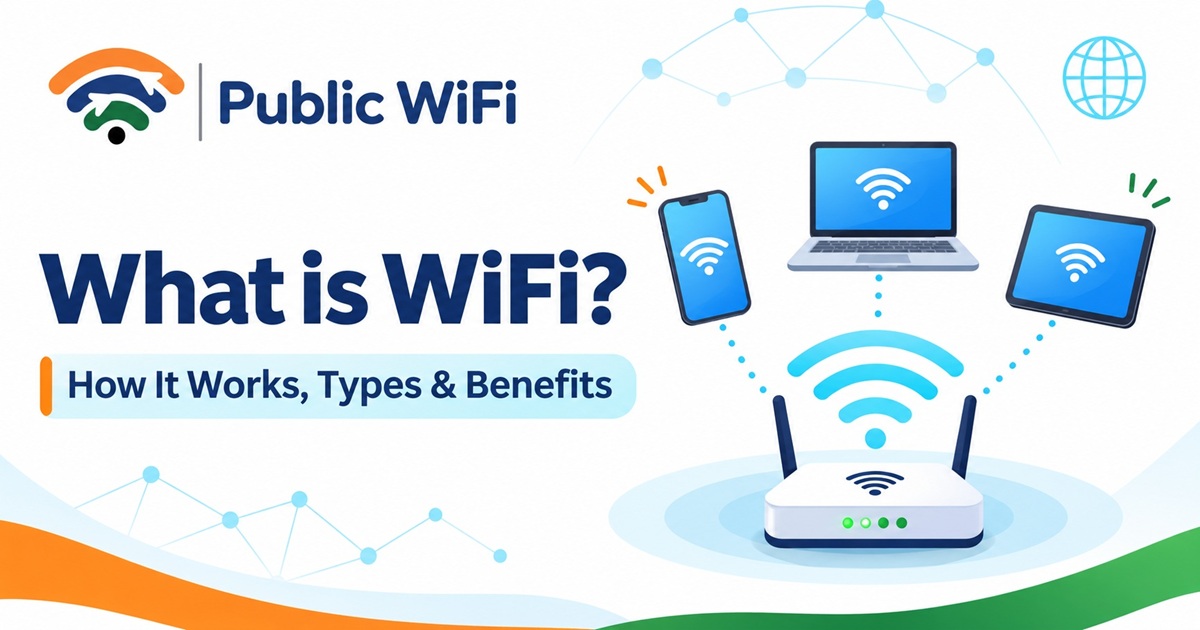
What is WiFi? How It Works, Types, Benefits & Uses
WiFi has become an essential part of our everyday lives. Whether you're watching videos on YouTube, attending online classes, working from home, making video calls, or browsing social media, chances are you're using WiFi to stay connected.
But have you ever wondered what WiFi actually is, how it works, and how it connects your devices to the internet without cables?
In this beginner-friendly guide by Public WiFi, we'll explain everything you need to know about WiFi technology, including its meaning, history, working principles, frequencies, generations, advantages, and role in modern digital connectivity.
What is WiFi?
WiFi (Wi-Fi) is a wireless networking technology that allows electronic devices to communicate and exchange data using radio waves instead of physical network cables.
It enables devices such as smartphones, laptops, tablets, smart TVs, printers, and other smart devices to connect to a local network and, when internet access is available, browse the internet.
WiFi technology is based on the IEEE 802.11 family of wireless networking standards, which define how compatible devices communicate over wireless local area networks (WLANs).
WiFi Definition in Simple Words
WiFi is a technology that allows your mobile phone, laptop, or other devices to connect to a network wirelessly, usually through a WiFi router or wireless access point.
For example:
- When you connect your smartphone to your home router, you're using WiFi.
- When you access wireless internet in a café, you're using a WiFi hotspot.
- When you connect your laptop to an office wireless network, you're using WiFi.
- When you use your smartphone's mobile hotspot to share internet access, you're creating a WiFi network.
Important: WiFi and the internet are not the same thing. WiFi connects devices to a local wireless network, while the internet is a global network connecting computers and services worldwide.
A WiFi network can exist without an internet connection.
What is the Full Form of WiFi?
Many people believe that WiFi stands for Wireless Fidelity.
However, WiFi is not officially an abbreviation for Wireless Fidelity.
The name Wi-Fi was introduced as a brand name associated with wireless networking technology and is maintained by the Wi-Fi Alliance.
Although the term Wireless Fidelity is commonly associated with WiFi, it is not the official expanded form of the name.
Today, WiFi is widely recognized as the technology that enables wireless local networking.
How Does WiFi Work?
WiFi works by transmitting digital data through radio waves between connected devices and a wireless router or access point.
Instead of requiring an Ethernet cable for every device, WiFi allows compatible devices to exchange data wirelessly within the coverage area.
Step-by-Step: How WiFi Connects You to the Internet
Step 1: The Internet Connection
An internet service provider (ISP) delivers internet connectivity through a technology such as fibre broadband, cable, or mobile data.
Step 2: The WiFi Router or Access Point
A WiFi router or wireless access point creates a wireless network by transmitting radio signals.
The wireless network is commonly identified by a network name called an SSID (Service Set Identifier).
Step 3: Your Device Finds the Network
Your smartphone, laptop, or tablet scans for available WiFi networks nearby and displays their names.
Step 4: Authentication and Connection
You select a network and complete the required authentication, such as entering a password.
Public WiFi networks may require additional verification through a login page, OTP, or another authentication method.
Step 5: Data Transmission
Once connected, your device sends and receives data through radio signals.
When accessing the internet, that data travels through the router or network gateway to the ISP and the wider internet.
Simple Example
Imagine you're watching a YouTube video on your smartphone:
- Your smartphone sends a request through WiFi.
- The router forwards the request through your internet connection.
- YouTube's servers deliver the video data.
- The router transfers the received data to your smartphone using WiFi.
- Your smartphone plays the video.
This communication happens continuously while you're watching.
A Brief History of WiFi
WiFi technology developed through decades of research into wireless communication and computer networking.
Some important milestones include:
| Year | Development |
|---|---|
| 1997 | IEEE introduced the original 802.11 wireless LAN standard. |
| 1999 | The Wi-Fi Alliance was established, and the Wi-Fi brand was introduced. |
| 1999 | IEEE 802.11b and 802.11a helped expand wireless networking capabilities. |
| 2003 | IEEE 802.11g enabled higher speeds on 2.4 GHz networks. |
| 2009 | IEEE 802.11n brought major improvements in wireless speed and range. |
| 2013 | IEEE 802.11ac improved high-speed wireless networking using 5 GHz. |
| 2019 | WiFi 6 certification began, bringing improvements in network efficiency. |
| 2021 | WiFi 6E expanded compatible WiFi technology into the 6 GHz spectrum where permitted. |
| 2024 | WiFi 7 certification began, introducing advanced performance capabilities. |
Over time, WiFi has evolved from a convenient alternative to Ethernet cables into an essential technology supporting homes, businesses, educational institutions, and public spaces.
What Are the Different Types of WiFi?
WiFi networks can be categorized according to where and how they are used.
1. Home WiFi
Home WiFi networks connect family devices through a wireless router.
Common uses include:
- Streaming movies and entertainment
- Online education
- Remote work
- Smart TVs and home automation
- Gaming and video calling
Home networks are usually secured with a WiFi password.
2. Public WiFi
Public WiFi is a wireless network made available to users in shared locations, such as cafés, railway stations, shopping centres, airports, hotels, and public spaces.
Some public networks provide free access, while others require registration, authentication, or a paid internet plan.
Public WiFi can help people access the internet without relying entirely on mobile data.
To explore wireless connectivity options in India, visit Public WiFi.
3. Business WiFi
Business WiFi networks are designed for offices, shops, restaurants, hotels, and other commercial locations.
They may include features such as:
- Separate employee and guest networks
- Centralized access point management
- Network monitoring
- User authentication
- Bandwidth management
- Additional security controls
4. Mobile WiFi Hotspot
A mobile hotspot allows a smartphone or portable router to share a mobile data connection with nearby WiFi-enabled devices.
For example, you can enable the hotspot feature on your phone and connect your laptop to the internet through it.
5. Mesh WiFi
Mesh WiFi systems use multiple interconnected access points to improve wireless coverage across larger areas.
Instead of relying on a single router, mesh systems distribute wireless connectivity through multiple nodes.
They are particularly useful in large homes, multi-floor buildings, and locations with weak WiFi coverage.
WiFi Frequencies: 2.4 GHz, 5 GHz and 6 GHz
WiFi networks commonly operate using radio frequency bands such as 2.4 GHz, 5 GHz, and 6 GHz.
Each frequency band has different characteristics.
| Feature | 2.4 GHz WiFi | 5 GHz WiFi | 6 GHz WiFi |
|---|---|---|---|
| Coverage | Generally longer | Generally shorter | Generally shorter |
| Potential speed | Lower | Higher | Higher |
| Interference | Often more crowded | Typically less crowded | Can offer more available channels |
| Wall penetration | Generally better | More limited | More limited |
| Typical use | General browsing and smart devices | Streaming, gaming and video calls | High-performance compatible devices |
| Compatibility | Widely supported | Supported by most modern devices | Requires compatible devices and regional support |
Which WiFi Frequency Is Better?
The best option depends on your location, equipment, and internet requirements.
- 2.4 GHz: Useful when coverage and connectivity through walls are more important.
- 5 GHz: Often a good choice for faster connections and demanding activities.
- 6 GHz: Can provide additional wireless capacity on compatible equipment where its use is authorized.
Remember that the frequency band alone does not determine your internet speed. Router capabilities, device compatibility, interference, network congestion, and ISP performance also matter.
Understanding WiFi Generations: WiFi 4, WiFi 5, WiFi 6 and WiFi 7
WiFi standards have evolved to improve wireless performance, network efficiency, and support for connected devices.
Modern WiFi generations use simplified names to make different standards easier to understand.
| WiFi Generation | IEEE Standard | Main Improvement |
|---|---|---|
| WiFi 4 | 802.11n | Improved wireless speed and coverage |
| WiFi 5 | 802.11ac | Higher throughput, primarily on 5 GHz |
| WiFi 6 | 802.11ax | Improved efficiency in busy networks |
| WiFi 6E | 802.11ax | Extends WiFi 6 capabilities into 6 GHz |
| WiFi 7 | 802.11be | Higher throughput, lower latency potential, and advanced multi-link capabilities |
Is the Latest WiFi Generation Always Necessary?
Not necessarily.
For basic browsing, email, messaging, and online learning, an existing reliable WiFi connection may already meet your requirements.
Newer WiFi technologies can be beneficial when:
- Many devices connect simultaneously.
- High-bandwidth applications are frequently used.
- Wireless network congestion affects performance.
- Compatible equipment is available.
- Faster local wireless transfers are required.
Your actual internet speed will still depend on the service provided by your ISP or hotspot operator.
What Equipment Is Required for WiFi?
The equipment needed depends on whether you want a local wireless network or internet connectivity.
1. WiFi Router
A WiFi router connects devices to a local network and typically routes traffic between that network and an internet connection.
Many home routers include a built-in wireless access point.
2. Wireless Access Point
A wireless access point allows WiFi-enabled devices to join a network.
Access points are commonly used in offices, campuses, hotels, and public hotspot deployments.
3. Internet Connection
To access the internet over WiFi, the local network needs an internet connection, typically provided by an ISP or mobile network.
However, internet connectivity is not required merely to establish a local WiFi network.
4. WiFi-Compatible Device
Your device needs compatible wireless networking hardware.
Most modern smartphones, laptops, and tablets have built-in WiFi capabilities.
What Are the Advantages of WiFi?
WiFi offers several advantages that make it an important part of modern communication.
1. Wireless Convenience
WiFi eliminates the need to connect every device using a physical Ethernet cable.
You can move around within the network's coverage area while staying connected.
2. Multiple Device Connectivity
A single WiFi network can serve multiple devices, depending on the router's capacity, network configuration, and available bandwidth.
3. Easy Internet Access
WiFi makes it convenient to connect smartphones, laptops, tablets, and other compatible devices to an available internet connection.
4. Flexible Installation
Wireless networking can reduce the need for extensive cabling, especially in homes, offices, and shared environments.
5. Affordable Connectivity Options
Shared WiFi infrastructure can help provide internet access to multiple users, potentially reducing individual connectivity costs.
6. Supports Digital Services
WiFi supports essential digital activities such as:
- Online education and virtual classrooms
- Video conferencing and remote work
- Digital payments and online banking
- Entertainment and streaming
- E-commerce and online shopping
- Smart home devices
- Cloud-based applications
What Are the Limitations of WiFi?
Although WiFi offers numerous benefits, it also has certain limitations.
1. Limited Coverage: WiFi signals have a limited range and may weaken with distance.
2. Signal Interference: Walls, electronic devices, neighbouring WiFi networks, and physical obstacles can affect performance.
3. Shared Bandwidth: Multiple connected users may experience reduced performance when network resources are heavily utilized.
4. Security Risks: Poorly secured wireless networks may expose users to privacy and security threats.
5. Dependence on Internet Service: Even a strong WiFi connection cannot provide internet access if the underlying internet service is unavailable.
What Is the Difference Between WiFi and the Internet?
WiFi and the internet are closely related but serve different purposes.
| Feature | WiFi | Internet |
|---|---|---|
| Definition | Wireless local networking technology | Global network of interconnected networks |
| Main purpose | Connect nearby devices wirelessly | Enable communication and services worldwide |
| Technology | Typically IEEE 802.11 | Internet Protocol and related technologies |
| Requires a router? | Requires compatible wireless networking equipment | Not necessarily |
| Works without the other? | Can operate without internet access | Can be accessed without WiFi |
Example
Suppose your home broadband connection stops working, but your WiFi router is still switched on.
Your smartphone may continue showing a strong WiFi signal because it remains connected to the router.
However, websites may fail to load because the router no longer has working internet access.
A strong WiFi signal does not always mean a fast or working internet connection.
WiFi vs Mobile Data: What's the Difference?
Both WiFi and mobile data can provide internet connectivity, but they use different access technologies.
| Feature | WiFi | Mobile Data |
|---|---|---|
| Network technology | IEEE 802.11 | Cellular technologies such as 4G and 5G |
| Access | Within wireless hotspot coverage | Within mobile network coverage |
| Internet provider | Broadband or hotspot service provider | Mobile network operator |
| Device connection | WiFi-enabled device | Cellular-enabled device or shared mobile hotspot |
| Cost | Free or paid, depending on the provider | Depends on mobile data plan |
| Common use | Homes, offices, cafés and public hotspots | Mobile internet access while travelling |
Which One Should You Choose?
WiFi can be convenient when you're spending time at home, in an office, or near an available public hotspot.
Mobile data is useful when you're travelling or moving between locations without reliable WiFi coverage.
Many users benefit from using both, depending on their connectivity requirements.
What Is Public WiFi and Why Is It Important in India?
Public WiFi allows people to access wireless networks in shared or publicly accessible locations.
In India, public WiFi can play an important role in improving access to digital services.
1. Supporting Students
Students can use available public WiFi connections for online classes, educational videos, research, and downloading study materials.
2. Helping Working Professionals
Professionals can use WiFi for email, cloud applications, online meetings, and remote collaboration.
3. Supporting Small Businesses
Shops, cafés, and service providers can offer guest WiFi to improve the customer experience.
4. Improving Connectivity for Travelers
Public hotspots can offer internet access at supported locations such as railway stations, hotels, and other shared spaces.
5. Encouraging Digital Inclusion
Affordable connectivity can help more people participate in online education, digital communication, and internet-based services.
Discover Public WiFi Services in India
Public WiFi helps users explore wireless internet connectivity options and available hotspot coverage.
You can:
- Check WiFi coverage in your area.
- Explore available WiFi plans based on your needs.
- Review the available service and connection requirements at your location.
- Connect to the authorized network and follow the required login instructions.
Availability, speed, network access, and supported devices may vary by location and subscription plan.
Is WiFi Safe to Use?
WiFi can be used securely when appropriate protections are in place.
However, security depends on how the wireless network is configured and how users access online services.
Tips to Stay Safe on WiFi
- Use trusted networks: Verify the official WiFi network name before connecting.
- Prefer secured connections: Use networks protected with WPA2 or WPA3 where available.
- Look for HTTPS: Use encrypted websites when sharing sensitive information.
- Keep devices updated: Install operating system and security updates regularly.
- Disable automatic connections: Avoid automatically joining unknown wireless networks.
- Avoid unnecessary file sharing: Disable network sharing when using public hotspots.
- Use a trusted VPN when appropriate: A VPN can add protection for traffic passing through it, although it does not eliminate every security risk.
- Disconnect when finished: Forget public networks you no longer need.
Remember that a public WiFi login page does not, by itself, guarantee that the underlying wireless connection is encrypted.
How Can You Improve WiFi Speed and Performance?
If your WiFi connection seems slow, try these practical improvements.
1. Move Closer to the Router
Distance and physical obstacles can weaken wireless signals.
2. Choose the Appropriate Frequency
Use 5 GHz when compatible and close enough to the access point, or 2.4 GHz when greater coverage is more important.
3. Restart Your Router
Restarting networking equipment can sometimes resolve temporary connectivity problems.
4. Reduce Network Congestion
Limit unnecessary downloads or background activity when multiple devices share the same connection.
5. Update Your Equipment
Keep router firmware and device software updated.
6. Use Mesh WiFi or Additional Access Points
For larger areas, additional access points or a mesh system can improve wireless coverage.
7. Check Your Internet Plan
Your connection speed may be limited by the internet plan or hotspot service you're using.
Before upgrading equipment, determine whether the problem is caused by weak WiFi coverage or the underlying internet connection.
Frequently Asked Questions About WiFi
1. What is WiFi in simple words?
WiFi is a wireless technology that allows devices such as smartphones, laptops, and tablets to connect to a local network using radio waves instead of cables.
2. What is the full form of WiFi?
WiFi does not have an official full form. Although it is often described as Wireless Fidelity, the name Wi-Fi was introduced as a brand name rather than a technical abbreviation.
3. How does WiFi work?
WiFi uses radio waves to exchange data between wireless devices and a router or access point. When the network has internet connectivity, connected devices can access online services.
4. Can WiFi work without the internet?
Yes. WiFi can connect devices within a local network without internet access. However, online services require a working internet connection.
5. What is the difference between WiFi and a hotspot?
WiFi is the wireless networking technology, while a hotspot is a location or device providing access to a WiFi network, often with internet connectivity.
6. Is WiFi free?
WiFi technology itself does not require a subscription, but internet access may be free or paid depending on the network provider.
7. What is the range of WiFi?
WiFi range depends on the frequency band, router, device capabilities, building materials, interference, and surrounding environment. There is no single fixed range for every WiFi network.
8. Which is better: 2.4 GHz or 5 GHz WiFi?
2.4 GHz generally provides better coverage, while 5 GHz often provides higher performance at shorter distances. The best choice depends on the environment and connected devices.
9. What is WiFi 7?
WiFi 7 is a newer generation of wireless networking based on IEEE 802.11be. It introduces technologies designed to improve wireless throughput, efficiency, and latency.
10. Is public WiFi safe?
Public WiFi can be used more safely by verifying the legitimate network, keeping devices updated, using encrypted websites, and avoiding unnecessary sharing of sensitive information. Security varies between networks.
11. How many devices can connect to WiFi?
The number of supported devices depends on the router, network configuration, available bandwidth, and any limits imposed by the service provider or subscription plan.
12. How can I find WiFi near me?
You can search for nearby wireless networks in your device settings. For public connectivity options, visit the Public WiFi Coverage page to explore listed locations.
Conclusion
WiFi is one of the most important technologies powering modern digital connectivity.
From accessing educational resources and attending online meetings to streaming entertainment and using cloud applications, WiFi makes it possible for compatible devices to communicate wirelessly.
Understanding what WiFi is, how it works, and how different WiFi technologies compare can help you make better decisions about your internet connection.
Whether you're using WiFi at home, in an office, or through a public hotspot, choosing a reliable network and following basic security practices can improve your online experience.
Stay Connected with Public WiFi
Looking for convenient wireless internet access in India?
Public WiFi helps you explore available public hotspot coverage and connectivity plans suited to your needs.
- Explore WiFi Coverage — Find listed hotspot locations.
- View WiFi Plans — Compare available internet options.
- Read More WiFi Guides — Discover useful tips about wireless connectivity, security, and performance.
Public WiFi — Connecting People, Enabling Possibilities.