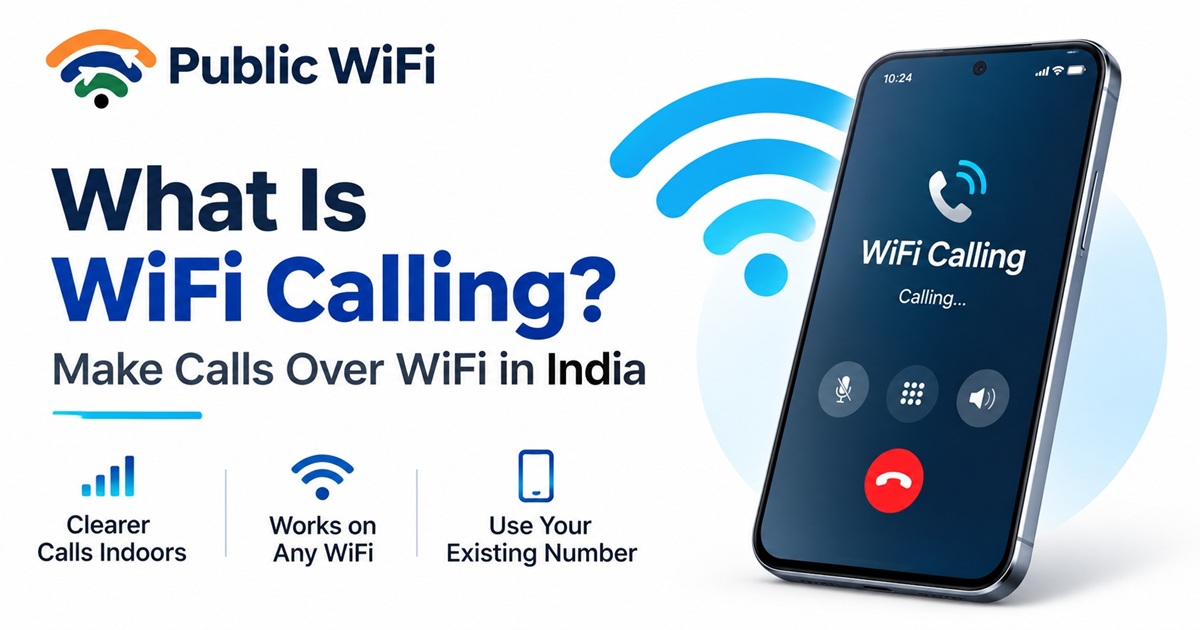
What Is WiFi Calling? How to Make Phone Calls Over WiFi in India
Have you ever experienced poor mobile network coverage inside your home, office, shopping mall, or basement?
You may have a strong Wi-Fi connection, but your mobile phone struggles to make or receive regular calls.
This is where WiFi Calling can make a difference.
WiFi Calling allows compatible smartphones to make and receive regular phone calls using an internet-connected Wi-Fi network instead of relying entirely on nearby mobile towers.
In India, major telecom operators such as Jio and Airtel offer WiFi Calling services on supported devices.
But how does WiFi Calling actually work? Is it free? Can you use it on public Wi-Fi hotspots? And how can you enable it on your Android phone or iPhone?
In this comprehensive guide, we'll answer these questions and explain how WiFi Calling can improve everyday communication.
1. What Is WiFi Calling?
WiFi Calling, also known as Voice over Wi-Fi (VoWiFi), is a technology that allows you to make and receive traditional phone calls through a Wi-Fi internet connection.
Instead of depending exclusively on a cellular network for voice communication, your smartphone can connect to your mobile operator's calling infrastructure through Wi-Fi.
The best part?
You can continue using your existing mobile phone number.
You don't need to install a separate calling application or create another account.
Example: Calling from a Building with Weak Mobile Signal
Imagine you're working inside an office building where mobile network coverage is poor.
Your smartphone shows only one signal bar, and regular calls frequently disconnect.
However, your office provides a stable Wi-Fi connection.
With WiFi Calling enabled:
- Your smartphone connects to the Wi-Fi network.
- It establishes a secure connection with your mobile operator's calling service.
- You dial a phone number using your regular phone application.
- Your voice call travels through the Wi-Fi internet connection.
- The receiving person answers your call normally.
The person receiving your call doesn't need WiFi Calling enabled.
From their perspective, it's simply another phone call from your existing mobile number.
2. How Does WiFi Calling Work?
WiFi Calling uses internet connectivity to transport voice communication between your smartphone and your mobile operator.
Traditionally, phone calls travel through the cellular radio network.
With WiFi Calling, compatible devices can use a Wi-Fi connection to reach the mobile operator's voice infrastructure.
How the Connection Works
Without WiFi Calling:
Smartphone → Mobile Tower → Telecom Network → Recipient
With WiFi Calling:
Smartphone → Wi-Fi Router → Internet → Telecom Operator → Recipient
The process usually happens automatically once the feature is enabled and your operator supports the connection.
What Technology Does WiFi Calling Use?
WiFi Calling commonly uses:
- VoWiFi: Voice communication over Wi-Fi.
- IMS: IP Multimedia Subsystem, which supports operator-managed communication services.
- Secure Tunneling: Protects supported signaling and voice traffic between the device and the operator's network.
- VoLTE Integration: Helps compatible networks support call continuity between Wi-Fi and cellular connections.
Depending on your operator, smartphone, and network conditions, your phone can choose an appropriate connection method.
3. What Are the Benefits of WiFi Calling?
WiFi Calling can offer several practical advantages, particularly in locations where mobile network reception is unreliable.
1. Better Calling Experience Indoors
Mobile signals can struggle to penetrate thick walls, underground floors, and large commercial buildings.
WiFi Calling can provide an alternative connection when a usable Wi-Fi network is available.
This is especially helpful in:
- Apartments and residential buildings.
- Corporate offices.
- Shopping malls.
- Hotels and restaurants.
- Basement workplaces.
- Educational institutions.
2. Use Your Existing Mobile Number
Unlike internet-based calling applications, WiFi Calling works with your normal phone number.
You can make calls using your phone's standard dialer.
3. No Additional Calling Application Required
You don't need WhatsApp, Telegram, Skype, or another communication application.
Once enabled, WiFi Calling integrates with your smartphone's normal calling functionality.
4. Potentially Better Voice Quality
A reliable Wi-Fi network may provide clearer and more stable voice calls when cellular coverage is weak.
However, call quality still depends on internet stability, network congestion, latency, and operator support.
5. Reduced Dependence on Mobile Signal Strength
WiFi Calling can help in locations where cellular reception is poor but internet access through Wi-Fi is available.
6. Convenient for Everyday Communication
WiFi Calling can be useful for students, office workers, travelers, and people who spend significant time indoors.
4. WiFi Calling vs Regular Mobile Calling
Although both services allow you to make ordinary phone calls, the underlying connection technology is different.
| Feature | Regular Mobile Calling | WiFi Calling |
|---|---|---|
| Connection | Cellular network | Wi-Fi internet connection |
| Phone number | Existing mobile number | Existing mobile number |
| Mobile signal required | Usually yes | Not necessarily for the voice connection |
| Internet connection | Not necessarily | Required through Wi-Fi |
| Separate app required | No | No |
| Indoor coverage | Depends on mobile signal | Depends on Wi-Fi coverage |
| Call quality | Depends on cellular network | Depends on Wi-Fi and internet stability |
| Operator support | Required | Required |
| Charging | According to mobile plan | According to operator calling policy |
Important: WiFi Calling is not automatically free simply because you're using Wi-Fi. Your telecom operator's voice plan and calling rules still apply.
5. How to Enable WiFi Calling on Android
Most modern Android smartphones include WiFi Calling functionality, although availability depends on the device model, software version, and mobile operator.
Step-by-Step Instructions
- Open Settings on your Android smartphone.
- Navigate to Connections, Mobile Network, or SIM Settings.
- Select the SIM card you want to configure.
- Find Wi-Fi Calling.
- Turn on the WiFi Calling option.
- Connect your smartphone to a working Wi-Fi network.
- Make a regular phone call.
The phone may automatically use Wi-Fi for supported calls when the network conditions and carrier settings allow it.
On Samsung Smartphones
A common path is:
Settings → Connections → Wi-Fi Calling
On some Samsung devices, the WiFi Calling option is also available inside the Phone application settings.
On Other Android Smartphones
Depending on the manufacturer, the setting may appear under:
Settings → SIM Cards & Mobile Networks → Select SIM → Wi-Fi Calling
If you cannot find the option, use the Settings search feature and enter Wi-Fi Calling.
Note: Menus differ across Android versions, manufacturers, and carrier configurations.
6. How to Enable WiFi Calling on iPhone
Apple iPhones also support WiFi Calling with compatible mobile operators.
Step-by-Step Instructions
- Open Settings.
- Select Cellular or Mobile Service.
- If you're using Dual SIM, choose the relevant mobile line.
- Tap Wi-Fi Calling.
- Enable Wi-Fi Calling on This iPhone.
- Follow any additional carrier instructions.
- Connect to Wi-Fi and make a phone call.
When WiFi Calling is active, supported iPhones may display a Wi-Fi indication alongside the carrier name.
What If the Option Is Missing?
Check whether:
- Your mobile operator supports WiFi Calling.
- Your iPhone model is compatible.
- Your iOS software is updated.
- Your SIM and calling plan are eligible.
- Your carrier settings are up to date.
If the feature is still unavailable, contact your mobile operator.
7. WiFi Calling in India: Jio vs Airtel
Two major Indian telecom operators offering WiFi Calling are Reliance Jio and Bharti Airtel.
Both provide the functionality on eligible smartphones and mobile plans.
Comparison
| Feature | Jio WiFi Calling | Airtel WiFi Calling |
|---|---|---|
| Uses existing mobile number | Yes | Yes |
| Separate application needed | No | No |
| Compatible smartphone required | Yes | Yes |
| Active eligible mobile plan required | Yes | Yes |
| Works through Wi-Fi | Yes | Yes |
| Calling charges | According to applicable plan | According to applicable plan |
| VoLTE recommended | Yes | Yes |
| Availability | Subject to device and service eligibility | Subject to device and service eligibility |
Jio WiFi Calling
Jio supports WiFi Calling on eligible smartphones using an active Jio mobile plan.
You can check compatibility and additional details on the official website.
Airtel WiFi Calling
Airtel provides WiFi Calling on compatible smartphones using eligible mobile services.
Airtel recommends enabling both VoLTE and WiFi Calling for a better calling experience.
Note: Operator support, international usage, roaming restrictions, and charging policies can change. Always verify your current plan conditions.
8. Can You Use WiFi Calling on Public WiFi?
Yes, WiFi Calling can work on public Wi-Fi networks, provided your mobile operator, smartphone, and the hotspot's network configuration support it.
For example, you might connect to Wi-Fi at:
- A shopping mall.
- A café or restaurant.
- An office.
- A university campus.
- A hotel.
- A public internet hotspot.
Once your smartphone has an active internet connection, it may be able to establish WiFi Calling service.
Example: Using WiFi Calling at a Café
Imagine you're visiting a café where indoor mobile reception is weak.
However, the café provides an internet-connected Wi-Fi hotspot.
You can:
- Connect to the café's official Wi-Fi network.
- Complete any required hotspot login.
- Verify that the internet connection is working.
- Enable WiFi Calling on your smartphone.
- Make a regular phone call using your existing number.
If your operator and the hotspot permit WiFi Calling, your smartphone may route the call through Wi-Fi.
Does Every Public WiFi Network Support WiFi Calling?
Not necessarily.
Some public networks may restrict traffic required for carrier-based WiFi Calling.
Other factors that may affect connectivity include:
- Firewall policies.
- Incomplete captive portal authentication.
- Network congestion.
- Weak Wi-Fi signal.
- Unstable internet connectivity.
- Mobile operator restrictions.
Therefore, connecting successfully to Wi-Fi does not guarantee that WiFi Calling will work.
9. Is WiFi Calling Free in India?
WiFi Calling generally does not require purchasing a separate calling application or service subscription.
However, there are two different costs to understand.
Mobile Operator Charges
WiFi Calling typically follows the mobile operator's applicable voice calling plan.
For example, if your mobile plan includes eligible domestic voice calls, those benefits may also apply to WiFi Calling.
International calling and roaming may follow different tariffs.
Internet Connection Charges
WiFi Calling uses data through the connected Wi-Fi network.
If you're using a paid public Wi-Fi hotspot, the data used during the call may count toward your internet plan's allowance.
Therefore, WiFi Calling may be included in your mobile voice plan while still using data from a paid internet connection.
Does WiFi Calling Use a Lot of Internet Data?
Voice calls generally consume relatively little data compared with HD video streaming.
Actual consumption depends on the voice codec, call duration, network overhead, and implementation.
For users with limited Wi-Fi data allowances, it's still worth monitoring usage.
10. WiFi Calling vs WhatsApp Calling: What's the Difference?
Many people assume that WiFi Calling and WhatsApp Calling are identical.
However, they are different technologies.
| Feature | WiFi Calling | WhatsApp Calling |
|---|---|---|
| Uses regular phone number for calling | Yes | Uses WhatsApp account identity |
| Requires separate app | No | Yes |
| Can call ordinary mobile numbers | Yes | No, not through the normal WhatsApp calling service |
| Recipient needs same app | No | Yes |
| Requires internet access | Through Wi-Fi | Through Wi-Fi or mobile data |
| Connected to telecom operator | Yes | No, for WhatsApp-to-WhatsApp calls |
| Calling cost | Subject to telecom plan | Data usage charges may apply |
Which One Is Better?
WiFi Calling is particularly useful when you want to call someone using their regular phone number.
WhatsApp Calling can be convenient when both users have WhatsApp and internet access.
Both services can be useful depending on your situation.
11. How Much Internet Speed Is Required for WiFi Calling?
WiFi Calling usually requires much less bandwidth than streaming videos or downloading large files.
A stable internet connection is generally more important than having extremely high download speeds.
For example, a 15 Mbps Wi-Fi connection can have ample bandwidth for ordinary voice calls, provided the connection remains stable and isn't heavily congested.
Network Quality Factors
| Factor | Why It Matters |
|---|---|
| Download speed | Supports incoming voice data |
| Upload speed | Carries your voice to the recipient |
| Latency | Affects conversational delay |
| Jitter | Can cause irregular voice delivery |
| Packet loss | Can cause missing words or distorted audio |
| Wi-Fi signal strength | Affects connection stability |
Why Fast Internet May Still Produce Poor Calls
Even if your Wi-Fi provides 100 Mbps download speed, calls can still experience interruptions due to:
- High network latency.
- Unstable wireless signals.
- Excessive network congestion.
- Packet loss.
- Router or firewall problems.
For the best experience, use a stable Wi-Fi connection with low latency and minimal packet loss.
12. Is WiFi Calling Safe on Public Networks?
Carrier-based WiFi Calling typically uses security mechanisms designed to protect communication between compatible devices and mobile operator infrastructure.
However, you should still follow safe internet practices when using public Wi-Fi.
Recommended Precautions
Connect to official Wi-Fi networks
Avoid connecting to suspicious hotspots that imitate legitimate network names.
Keep your smartphone updated
Install operating system and security updates regularly.
Complete hotspot authentication carefully
Verify that login pages belong to the actual hotspot provider.
Avoid untrusted configuration profiles
Don't install unknown certificates or device configuration profiles simply because a public Wi-Fi page asks you to.
Use strong account security
Protect your mobile account and other online services with appropriate authentication.
Remember that WiFi Calling security and general internet browsing security are separate concerns.
Even if your carrier-based voice calls use protected communication, other activity on the same public network still requires sensible security practices.
13. WiFi Calling Not Working? Try These Fixes
Sometimes WiFi Calling fails even when your smartphone is connected to the internet.
Here are several troubleshooting steps.
Fix 1: Verify Internet Connectivity
Open a website to confirm that your Wi-Fi connection has working internet access.
If you're using public Wi-Fi, complete the hotspot login process first.
Fix 2: Enable WiFi Calling
Check your phone's settings and verify that WiFi Calling is enabled for the correct SIM card.
Fix 3: Update Your Smartphone
Install available operating system and carrier settings updates.
Fix 4: Restart Your Device
Restarting your smartphone may resolve temporary network registration problems.
Fix 5: Check Carrier Compatibility
Confirm that your mobile operator supports WiFi Calling on your specific device and plan.
Fix 6: Improve Wi-Fi Signal Strength
Move closer to the access point and avoid locations with weak wireless coverage.
Fix 7: Try Another Trusted Network
If WiFi Calling works on one network but not another, the problem may be related to the router or hotspot configuration.
Fix 8: Disable VPN Temporarily for Testing
Some VPN configurations can interfere with network connectivity.
If permitted by your security policy, temporarily disconnect the VPN to check whether it is causing the issue.
Fix 9: Keep VoLTE Enabled
Where supported and recommended by your operator, enabling VoLTE can help with transitions between Wi-Fi and cellular calls.
Fix 10: Contact Your Mobile Operator
If the feature remains unavailable, contact your carrier to verify account provisioning, device support, and network restrictions.
14. Important Limitations of WiFi Calling
Although WiFi Calling is convenient, it isn't a complete replacement for cellular connectivity.
Internet Access Is Required
If the Wi-Fi connection stops working, WiFi Calling may become unavailable.
Not Every Device Is Supported
Older phones and some operator-specific devices may not support the feature.
Call Handover Is Not Always Seamless
Some devices and networks can transfer calls between Wi-Fi and cellular connections.
However, successful handover depends on carrier support and network conditions.
Public Hotspots May Restrict Calling
Some hotspots block or fail to support network traffic required for VoWiFi.
Emergency Calling Requires Special Attention
Emergency calling over Wi-Fi can have carrier-specific limitations. For example, Jio states that certain emergency numbers and short codes are unavailable through its WiFi Calling service.
For emergency calls, use the normal cellular emergency calling function whenever available. Never assume an internet-connected Wi-Fi network can reliably place an emergency call.
15. Who Can Benefit Most from WiFi Calling?
WiFi Calling can be particularly helpful for people who regularly experience weak mobile reception.
Students
Students in hostels, libraries, and campus buildings may benefit from WiFi Calling when cellular coverage is unreliable.
Working Professionals
Office workers can make regular phone calls where building structures weaken mobile signals but Wi-Fi coverage remains strong.
Remote Workers
People working from home or coworking spaces can use WiFi Calling as an additional communication option.
Travelers
WiFi Calling may be useful at compatible Wi-Fi locations during domestic travel, subject to operator support.
Residents of Poor-Coverage Areas
People living in locations with weak indoor cellular reception may be able to make more reliable calls through their home Wi-Fi connection.
16. Frequently Asked Questions About WiFi Calling
Q1. What is WiFi Calling?
WiFi Calling is a technology that allows compatible smartphones to make and receive regular phone calls over an internet-connected Wi-Fi network using their existing mobile number.
Q2. Does WiFi Calling work without a mobile signal?
It can work without usable cellular radio coverage if your phone and operator support the feature and a suitable Wi-Fi internet connection is available.
Q3. Is WiFi Calling available in India?
Yes. Operators including Jio and Airtel provide WiFi Calling services for eligible customers and compatible smartphones.
Q4. Do I need a separate SIM for WiFi Calling?
No. WiFi Calling normally uses your existing eligible mobile SIM or eSIM and phone number.
Q5. Does WiFi Calling consume mobile data?
When the call actually uses Wi-Fi, the voice traffic travels through the Wi-Fi connection rather than the normal cellular data connection.
However, Wi-Fi usage may count toward your hotspot's data allowance.
Q6. Can I use WiFi Calling in airplane mode?
This depends on your operator and smartphone. Some combinations support it, while others do not. Airtel's published FAQ, for example, states that its WiFi Calling service does not support airplane-mode calling.
Q7. Can WiFi Calling work on public Wi-Fi?
Yes, on compatible hotspots that permit the required connections. Some public networks may restrict VoWiFi traffic.
Q8. Is WiFi Calling better than VoLTE?
Neither is always better. VoLTE uses the cellular LTE network, while VoWiFi uses Wi-Fi. The better option depends on network quality and availability.
Q9. Does WiFi Calling work for SMS?
Some operators and devices support SMS over Wi-Fi. Availability depends on the carrier and device configuration.
Q10. Can I use WiFi Calling for international calls?
International calling and roaming availability vary by telecom operator, plan, and destination. Charges and restrictions may differ substantially from domestic calling.
Conclusion
WiFi Calling is a useful feature that can help you make and receive regular phone calls when mobile network coverage is weak but a reliable Wi-Fi connection is available.
By using your existing phone number and compatible smartphone, you can enjoy an additional way to stay connected without installing a separate calling application.
Whether you're working in an office, studying on campus, relaxing at home, or visiting a public hotspot, WiFi Calling can provide greater communication flexibility.
However, availability depends on your mobile operator, device compatibility, Wi-Fi quality, and hotspot configuration.
The next time your mobile signal is weak but your Wi-Fi connection is strong, check whether WiFi Calling is available on your smartphone.
Stay Connected with Public WiFi
Reliable internet connectivity supports more than browsing websites and watching videos. It can also make communication, remote work, online education, and everyday digital activities easier.
Public WiFi provides wireless internet access through supported hotspot locations across India.
Whether you're a student, working professional, traveler, or business owner, explore available coverage and find an internet plan that suits your connectivity needs.
- Explore WiFi Coverage — Find listed hotspot locations near your destination.
- View Internet Plans — Compare available Wi-Fi subscriptions.
- Read More WiFi Guides — Discover internet tips, tutorials, and connectivity advice.
Public WiFi — Stay Connected, Wherever Life Takes You.