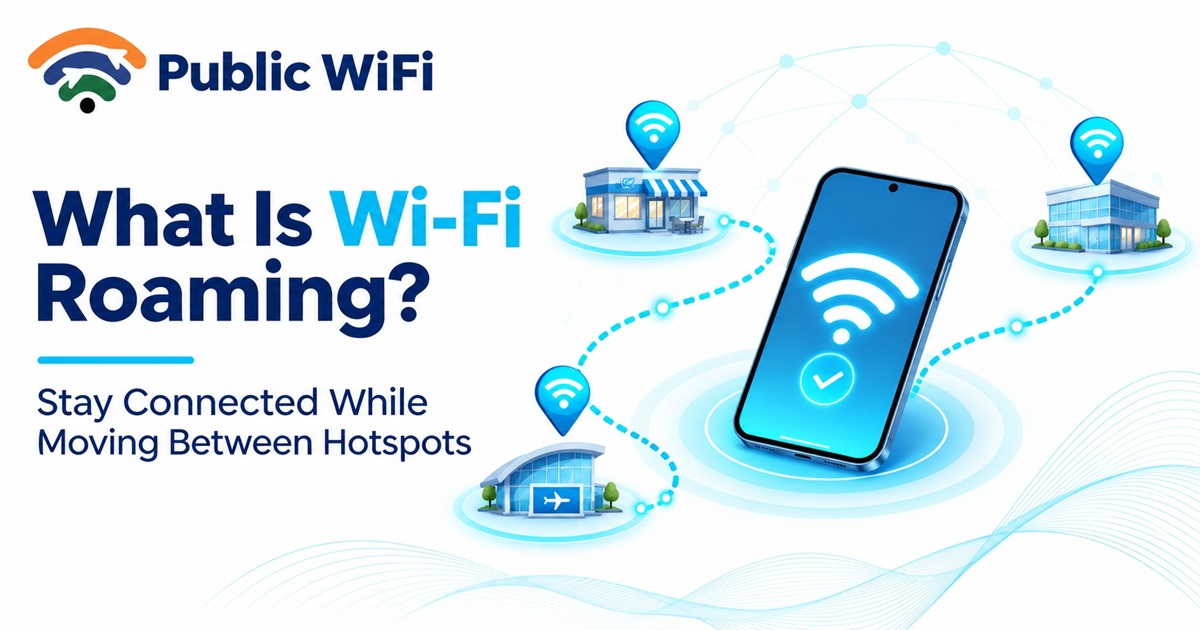
What Is Wi-Fi Roaming? How Seamless Wi-Fi Connectivity Works
Published: November 13, 2026
Author: Public WiFi Team
Category: Guides & Tutorials
Reading Time: 8–10 Minutes
Introduction
Imagine walking through a large shopping mall while attending a video call on your smartphone. You move from one floor to another, but your Wi-Fi connection remains active without asking you to reconnect manually.
How does this happen?
The technology behind this experience is called Wi-Fi roaming.
Wi-Fi roaming allows compatible devices to switch between wireless access points within a network while maintaining connectivity. It plays an important role in large offices, shopping malls, hotels, educational campuses, railway stations, and public Wi-Fi deployments.
Without effective roaming, users might experience slow connections, interruptions, or dropped video calls as they move away from their current access point.
In this guide, we'll explore what Wi-Fi roaming is, how it works, the technologies behind seamless connectivity, and why it matters for public Wi-Fi users in India.
1. What Is Wi-Fi Roaming?
Wi-Fi roaming is the process of switching a wireless device's connection from one Wi-Fi access point to another within the same network or compatible network infrastructure.
An access point (AP) is networking equipment that provides wireless connectivity to smartphones, laptops, tablets, and other devices.
In a large building, a single access point may not provide reliable coverage everywhere.
Network administrators therefore install multiple access points throughout the location.
When you move between coverage areas, your device can switch to another access point offering a better connection.
This process is called Wi-Fi roaming.
Simple Example
Consider a shopping mall with three access points:
- Access Point A: Covers the main entrance.
- Access Point B: Covers the shopping area.
- Access Point C: Covers the food court.
When you enter the mall, your smartphone connects to Access Point A.
As you walk toward the shopping area, your phone may switch to Access Point B.
When you reach the food court, it may switch again to Access Point C.
If the network is configured correctly and the device supports efficient roaming, these transitions can happen with minimal interruption.
Important: Wi-Fi roaming does not necessarily guarantee uninterrupted connectivity. Performance depends on device capabilities, access-point configuration, authentication, and network design.
2. Why Is Wi-Fi Roaming Important?
Wi-Fi roaming becomes particularly useful in locations where users frequently move while remaining connected to the internet.
Better Connection Stability
When a device moves away from an access point, its wireless signal generally becomes weaker.
Roaming allows the device to connect to another suitable access point, potentially providing better signal quality.
Improved User Experience
Users do not need to manually select a different access point whenever they move through a properly configured roaming network.
More Reliable Video Calls
Efficient roaming reduces the interruption that can happen when moving between wireless coverage areas.
This is especially important for voice calls, video conferencing, and other real-time applications.
Better Coverage Across Large Areas
Multiple access points can provide connectivity throughout large buildings and campuses.
Support for Mobile Users
Students, employees, shoppers, travelers, and visitors can benefit from roaming when moving through supported Wi-Fi environments.
3. How Does Wi-Fi Roaming Work?
Wi-Fi roaming involves several processes that help a device identify and connect to another access point.
Step 1: Initial Connection
Your smartphone connects to an available Wi-Fi access point.
For example:
PublicWiFi → Access Point A
The device authenticates according to the network's requirements and begins communicating.
Step 2: Signal Quality Changes
As you move away from Access Point A, the wireless connection may become weaker.
Your device monitors conditions such as signal strength, connection quality, and available neighboring access points.
Step 3: Discovering Another Access Point
The device identifies suitable access points that may provide a better connection.
For example:
Access Point A → Access Point B
This discovery can involve scanning wireless channels or using information supplied by the network.
Step 4: Switching Connections
The device begins the process of connecting to Access Point B.
Depending on the network, the transition may involve authentication, reassociation, and encryption-key establishment.
Step 5: Continuing Internet Access
After the transition, the device communicates through Access Point B.
If both access points provide access to the same logical network and IP connectivity is preserved, existing applications may continue operating normally.
However, some transitions introduce brief delays, and switching between independently operated networks may require a new login or IP configuration.
4. Wi-Fi Roaming vs Switching Between Different Wi-Fi Networks
Many users assume that automatically connecting to another Wi-Fi network is the same as roaming.
Although the experiences may seem similar, they are not necessarily identical.
| Feature | Wi-Fi Roaming | Switching Between Networks |
|---|---|---|
| Connection | Between compatible access points | Between different Wi-Fi networks |
| Network Name | Usually the same SSID | Often different SSIDs |
| Authentication | May reuse existing authentication information | May require separate authentication |
| IP Address | Can remain unchanged | May change |
| Interruption | Often brief when optimized | May be more noticeable |
| Common Example | Moving through an office or mall | Switching from café Wi-Fi to hotel Wi-Fi |
A common network name alone does not guarantee seamless roaming.
The underlying network configuration, security settings, and device behavior also matter.
5. What Technologies Enable Faster Wi-Fi Roaming?
Modern wireless networking includes several IEEE 802.11 features designed to improve roaming efficiency.
Three important technologies are 802.11k, 802.11v, and 802.11r.
802.11k — Neighbor Information
IEEE 802.11k provides radio resource measurement capabilities.
One useful feature is the neighbor report, which can help a device identify nearby access points.
Instead of relying entirely on scanning for alternatives, the device may receive information about potential roaming candidates.
Benefit: More efficient access-point discovery.
802.11v — Network-Assisted Roaming
IEEE 802.11v includes wireless network management capabilities.
A commonly used feature is BSS Transition Management, through which a network can suggest alternative access points.
The device generally retains control over whether to follow that suggestion.
Benefit: Better-informed roaming decisions and potentially improved network efficiency.
802.11r — Fast BSS Transition
IEEE 802.11r is designed to reduce the time required for certain security-related operations during transitions between access points.
This can be particularly beneficial for latency-sensitive applications such as voice communications.
Benefit: Faster authenticated transitions between compatible access points.
Quick Comparison
| Standard | Primary Purpose | Practical Benefit |
|---|---|---|
| 802.11k | Radio resource measurement and neighbor information | Helps identify suitable access points |
| 802.11v | Wireless network management | Allows network-assisted transition suggestions |
| 802.11r | Fast BSS transition | Reduces certain roaming authentication delays |
Not every device or hotspot supports these features. They must be supported and configured appropriately to provide their intended benefits.
6. What Is Seamless Wi-Fi Roaming?
Seamless Wi-Fi roaming refers to a user experience in which transitions between access points cause little or no noticeable disruption.
For example, you might be:
- Attending an online meeting.
- Listening to an internet radio stream.
- Downloading a document.
- Using a cloud-based application.
- Making a supported internet voice call.
As you move through a compatible Wi-Fi network, your device can change access points while keeping the activity running.
Is Seamless Roaming Completely Interruption-Free?
Not always.
Even optimized roaming can introduce a small delay.
The impact depends on several factors:
- Smartphone or laptop capabilities.
- Access-point hardware.
- Support for fast-roaming technologies.
- Wireless signal conditions.
- Network congestion.
- Authentication and security configuration.
- Whether the device maintains its IP connection.
For ordinary browsing, a short transition may not be noticeable.
Real-time applications such as online gaming and voice calls are more sensitive to delays and packet loss.
7. Where Is Wi-Fi Roaming Commonly Used?
Wi-Fi roaming is particularly useful in environments requiring coverage across large physical areas.
Shopping Malls
Large shopping centers often require multiple access points to provide reliable wireless coverage across floors, corridors, and food courts.
Roaming allows compatible devices to transition between coverage areas.
Hotels and Resorts
Hotels may deploy wireless access points across rooms, hallways, restaurants, and common areas.
A coordinated Wi-Fi network can reduce the need for guests to reconnect while moving around the property.
Schools and Universities
Students and teachers frequently move between classrooms, libraries, laboratories, and administrative areas.
A properly configured campus network can support connectivity across these spaces.
Corporate Offices
Employees may move between meeting rooms, workstations, and shared spaces while participating in online meetings.
Fast roaming can help reduce connection interruptions.
Airports and Railway Stations
Large transport facilities can benefit from coordinated wireless infrastructure because passengers move between waiting areas, entrances, lounges, and platforms.
Hospitals
Hospitals may use coordinated Wi-Fi infrastructure for approved mobile devices and applications.
Network reliability is especially important for operational and clinical systems, which require appropriate design, validation, and security controls.
8. Does Public Wi-Fi Support Roaming?
Some public Wi-Fi networks support roaming, while others operate as independent hotspots.
The experience depends on how the network is deployed.
Scenario A: Multiple Access Points in One Managed Network
A large public venue may operate several coordinated access points using the same network name and security configuration.
In this environment, compatible devices may roam between access points.
Scenario B: Independent Public Hotspots
Imagine connecting to a public hotspot at a café and then visiting another café nearby.
Even if both venues use a similar Wi-Fi network name, they may operate independently.
Your device might need to:
- Connect to another network.
- Complete a captive portal login.
- Obtain a new IP address.
- Authenticate again.
Therefore, automatic roaming should not be assumed across separate public Wi-Fi hotspots.
For Public WiFi users, hotspot coverage and connection behavior depend on the infrastructure available at each supported location.
You can explore available locations through the Public WiFi Coverage page.
9. Wi-Fi Roaming vs Mesh Wi-Fi
Another technology frequently associated with seamless connectivity is Mesh Wi-Fi.
Although mesh networking and roaming can work together, they describe different concepts.
A mesh network uses multiple wireless nodes that can communicate with one another to extend connectivity.
Roaming describes how a client device transitions between access points.
| Feature | Wi-Fi Roaming | Mesh Wi-Fi |
|---|---|---|
| Main Purpose | Move between access points | Extend and distribute wireless coverage |
| Primary Focus | Client connectivity | Network infrastructure |
| Requires Multiple APs | Typically yes | Uses multiple nodes |
| Wireless Backhaul | Not required | Often available |
| Common Use | Offices, campuses, malls | Homes and buildings |
| Can Work Together | Yes | Yes |
A mesh network may support roaming, but simply installing mesh equipment does not guarantee interruption-free transitions.
Roaming quality still depends on device behavior and network design.
10. What Is a Sticky Wi-Fi Client?
Sometimes your smartphone remains connected to a distant access point even when another access point is closer.
This behavior is commonly called a sticky client.
Example
You connect to Access Point A near the entrance of a building.
After walking to another room, Access Point B becomes much stronger.
However, your device continues using Access Point A.
You might experience:
- Slow internet speeds.
- Increased latency.
- Video buffering.
- Unstable video calls.
- Weak signal strength.
Why Does This Happen?
In many Wi-Fi networks, the client device makes the final roaming decision.
Different manufacturers use different roaming algorithms and signal thresholds.
Some devices prefer maintaining their existing connection instead of switching frequently.
How Can It Be Improved?
Network administrators can improve roaming conditions by:
- Providing suitable overlap between access-point coverage areas.
- Optimizing transmission power.
- Planning wireless channels carefully.
- Using compatible roaming-assistance features.
- Keeping network firmware updated.
- Monitoring signal quality and roaming behavior.
Users may also temporarily disconnect and reconnect to Wi-Fi when their device remains attached to a poor connection.
11. Does Wi-Fi Roaming Increase Internet Speed?
Wi-Fi roaming does not directly increase the speed of your internet subscription.
However, switching to a better access point can improve wireless connection quality.
For example, suppose your internet connection provides a maximum download speed of 30 Mbps.
If your phone remains connected to a distant access point, you might experience reduced throughput because of poor signal quality.
Moving to a closer access point through roaming may improve your actual download speed.
However, your internet speed is still subject to the subscribed plan, shared network capacity, signal conditions, and other limitations.
Wi-Fi roaming primarily improves mobility and connection continuity rather than increasing the internet service's maximum speed.
12. Is Wi-Fi Roaming Secure?
Wi-Fi roaming can be secure when the network uses appropriate authentication, encryption, and access controls.
However, roaming itself does not guarantee security.
The protection provided depends on the network's security configuration.
Recommended Security Practices
- Connect only to verified Wi-Fi networks.
- Avoid suspicious hotspots using misleading names.
- Prefer encrypted Wi-Fi networks when available.
- Use HTTPS websites and trusted applications.
- Keep your device operating system updated.
- Disable unnecessary sharing features on public networks.
- Avoid entering sensitive credentials on suspicious login pages.
Managed Wi-Fi networks can also use security features such as WPA2-Enterprise or WPA3-Enterprise where appropriate.
These technologies serve different purposes from roaming optimization and must be configured correctly.
For additional guidance, read How to Connect to Public Wi-Fi Safely.
13. How to Improve Wi-Fi Roaming Performance
Both network operators and everyday users can take steps to improve connectivity.
For Everyday Users
Keep your device updated. Operating system updates and wireless driver improvements may improve roaming behavior.
Use verified Wi-Fi networks. Avoid connecting automatically to unfamiliar hotspots.
Move into better coverage. Physical obstacles and large distances can weaken wireless communication.
Reconnect when necessary. If your device remains connected to a weak access point, disconnecting and reconnecting may help.
Avoid unnecessary network switching. Constantly switching between unrelated Wi-Fi networks can interrupt active sessions.
For Business Owners and Network Administrators
Plan access-point placement. Provide adequate coverage without creating excessive interference.
Use coordinated network configurations. Consistent SSID and security settings can help devices roam across compatible access points.
Evaluate 802.11k, 802.11v, and 802.11r. Enable appropriate features after checking client compatibility.
Optimize channel allocation. Reduce avoidable interference between neighboring access points.
Monitor client performance. Check roaming events, signal quality, retransmissions, and application performance.
Test real-world movement. Walk through the venue while testing connectivity, video calls, and other critical applications.
Proper network planning is essential for delivering dependable wireless connectivity in larger environments.
14. The Future of Seamless Public Wi-Fi Connectivity
As wireless networks evolve, convenient and secure connectivity across different locations is becoming increasingly important.
Several technologies and approaches contribute to improving the user experience.
Wi-Fi 6, Wi-Fi 6E, and Wi-Fi 7
Newer Wi-Fi generations introduce improvements in wireless efficiency, capacity, and performance.
However, a newer Wi-Fi generation alone does not guarantee seamless roaming. Roaming still depends on compatible devices, supported features, and network design.
Passpoint and Hotspot 2.0
Passpoint is designed to simplify discovery and secure access to compatible Wi-Fi networks.
When properly supported and provisioned, it can reduce repeated manual authentication and help users connect to participating networks more conveniently.
Passpoint is not the same as access-point roaming, but the two technologies can complement each other.
Centrally Managed Wi-Fi Networks
Cloud-managed and controller-based wireless systems can help network operators configure access points consistently, monitor connectivity, and optimize coverage.
Greater Focus on User Experience
Instead of measuring only Wi-Fi signal strength, modern network management increasingly considers application performance, connection stability, authentication success, and the quality of the user experience.
These developments can contribute to more convenient public Wi-Fi access in India and beyond.
15. Frequently Asked Questions (FAQs)
What is Wi-Fi roaming in simple terms?
Wi-Fi roaming allows a smartphone, laptop, or another wireless device to switch between compatible Wi-Fi access points while remaining connected to the network.
Does Wi-Fi roaming happen automatically?
Usually, yes. Compatible devices can automatically select another access point when network conditions justify switching. The exact behavior depends on the device and network configuration.
Do I need to enable Wi-Fi roaming on my smartphone?
Most modern smartphones handle standard Wi-Fi roaming automatically. Advanced roaming features depend on device support and the network infrastructure.
Can Wi-Fi roaming work between two different internet providers?
Switching between independent Wi-Fi networks is generally not seamless access-point roaming. Maintaining connectivity across providers may require additional network infrastructure, authentication arrangements, or other mobility mechanisms.
Is Wi-Fi roaming the same as mobile network roaming?
No. Wi-Fi roaming involves transitions between wireless access points. Mobile network roaming generally refers to using cellular service through another operator's network or service arrangement.
Does Wi-Fi roaming consume additional internet data?
The roaming process itself generally consumes little data. Your applications continue using internet data according to their activities and the network's billing rules.
Does Wi-Fi roaming drain smartphone battery?
Roaming and scanning use some device resources, but occasional roaming does not necessarily create significant battery drain. Frequent scanning, weak signals, or unstable connections can increase power consumption.
What is fast roaming in Wi-Fi?
Fast roaming refers to techniques that reduce the time needed to transition between compatible access points. IEEE 802.11r is one technology used for this purpose.
Can I use Wi-Fi roaming on public hotspots in India?
Yes, where compatible infrastructure supports it. However, independent hotspots may require separate authentication and may not offer seamless transitions.
Does every Wi-Fi 6 or Wi-Fi 7 network support seamless roaming?
No. Wi-Fi generation and roaming capabilities are separate considerations. Suitable access-point configuration and client support remain necessary.
Conclusion
Wi-Fi roaming is an important technology that helps users remain connected while moving between wireless coverage areas.
It is particularly valuable in large environments such as shopping malls, hotels, offices, educational campuses, airports, and railway stations.
With technologies such as IEEE 802.11k, 802.11v, and 802.11r, compatible wireless networks can support more efficient transitions between access points.
However, the quality of the experience depends on proper infrastructure, device compatibility, network configuration, and signal conditions.
As demand for wireless internet continues to grow in India, well-designed Wi-Fi networks can play an important role in providing convenient connectivity for students, professionals, travelers, and businesses.
At Public WiFi, we believe that internet access should be convenient, accessible, and reliable.
Whether you are working, studying, traveling, or browsing online, understanding how wireless networks work can help you make better connectivity decisions.
Stay Connected with Public WiFi
Looking for convenient internet connectivity in your area?
- Explore Hotspot Coverage: public-wifi.co.in/coverage
- Compare Internet Plans: public-wifi.co.in/plans
- Read More Wi-Fi Guides: public-wifi.co.in/blogs
- Visit Public WiFi: public-wifi.co.in
Public WiFi — Connecting People, Empowering Possibilities.