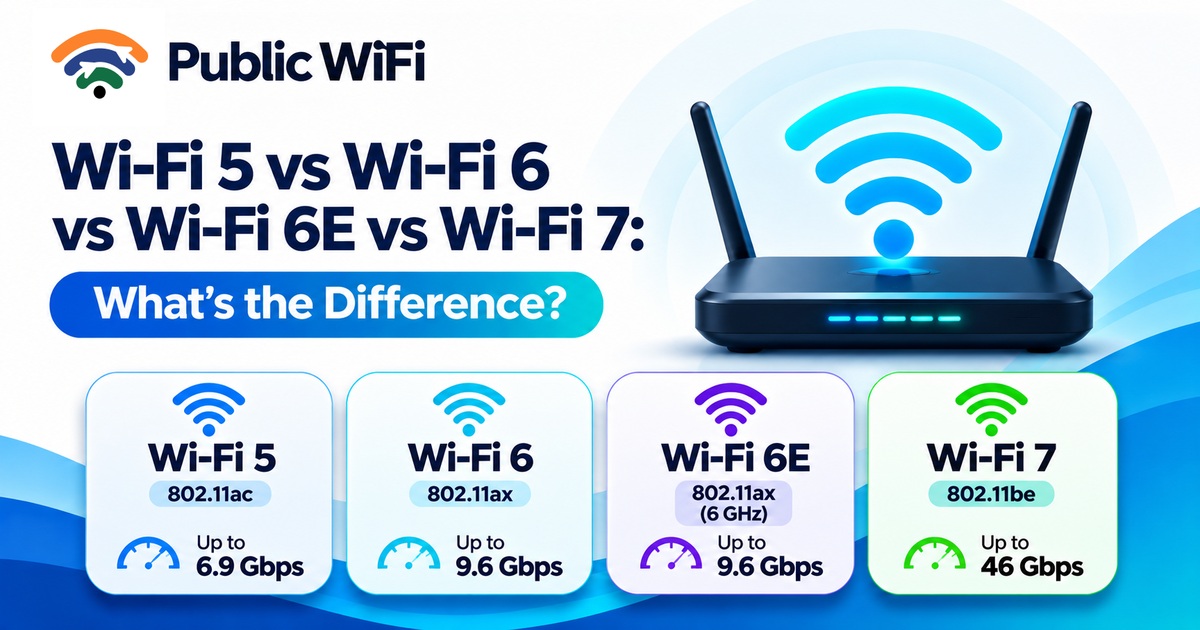
Wi-Fi 5 vs Wi-Fi 6 vs Wi-Fi 6E vs Wi-Fi 7: What's the Difference?
Published: November 13, 2026
Author: Public WiFi Team
Category: Guides & Tutorials
Reading Time: 8–10 Minutes
Introduction
Have you ever noticed labels such as Wi-Fi 5, Wi-Fi 6, Wi-Fi 6E, or Wi-Fi 7 while buying a smartphone, laptop, or wireless router?
You might wonder what these numbers mean and whether a higher Wi-Fi version automatically provides faster internet.
As wireless technology continues to evolve, newer Wi-Fi generations promise improved performance, greater efficiency, and better connectivity when multiple devices share the same network.
But does upgrading from Wi-Fi 5 to Wi-Fi 6 really make a difference? Is Wi-Fi 7 necessary for everyday browsing? And which Wi-Fi technology is best when connecting to public hotspots?
In this comprehensive guide, we'll explain the differences between Wi-Fi generations, their advantages, compatibility requirements, and how they affect your everyday internet experience.
1. What Are Wi-Fi Generations?
Wi-Fi is a wireless networking technology that allows smartphones, laptops, tablets, and other devices to communicate with networks without physical cables.
Wi-Fi technology is based on the IEEE 802.11 family of standards.
As wireless networking technology improves, newer standards introduce capabilities such as:
- Higher theoretical wireless speeds
- Better handling of multiple connected devices
- Improved efficiency in busy environments
- Reduced wireless transmission delays
- Better power management
- Additional security capabilities
To make these standards easier to understand, the Wi-Fi Alliance introduced simplified generation names.
Understanding Wi-Fi Versions
| Wi-Fi Generation | Technical Standard | Main Improvement |
|---|---|---|
| Wi-Fi 4 | IEEE 802.11n | Improved speed through MIMO |
| Wi-Fi 5 | IEEE 802.11ac | Higher-speed 5 GHz connectivity |
| Wi-Fi 6 | IEEE 802.11ax | Greater efficiency and capacity |
| Wi-Fi 6E | IEEE 802.11ax | Wi-Fi 6 extended to 6 GHz |
| Wi-Fi 7 | IEEE 802.11be | Higher throughput and multi-link capabilities |
The newer the generation, the more advanced the potential wireless networking capabilities.
However, actual performance depends on your device, access point, internet connection, and surrounding environment.
2. What Is Wi-Fi 5?
Wi-Fi 5 is based on the IEEE 802.11ac standard.
It became widely used in home routers, offices, cafés, and other wireless networking environments.
Wi-Fi 5 primarily operates on the 5 GHz frequency band.
Key Features of Wi-Fi 5
- Supports high-speed wireless networking.
- Uses technologies such as MIMO and beamforming.
- Supports wider wireless channels.
- Provides good performance for streaming and browsing.
- Works with many existing smartphones and laptops.
Advantages
Wi-Fi 5 remains capable of supporting everyday activities such as:
- Watching HD and 4K videos
- Browsing websites
- Attending online classes
- Participating in video meetings
- Downloading files
- Using cloud-based applications
Limitations
Although Wi-Fi 5 offers good performance, newer technologies can manage dense networks more efficiently.
When many devices compete for airtime, performance may become inconsistent depending on the access point and network conditions.
Best suited for: Everyday internet usage, small offices, households, and environments with moderate numbers of connected devices.
3. What Is Wi-Fi 6?
Wi-Fi 6 is based on IEEE 802.11ax.
Unlike Wi-Fi 5, Wi-Fi 6 focuses not only on increasing theoretical speeds but also on improving how wireless networks handle multiple connected devices.
Wi-Fi 6 supports both 2.4 GHz and 5 GHz frequency bands.
Key Features of Wi-Fi 6
OFDMA Technology
Orthogonal Frequency Division Multiple Access (OFDMA) enables compatible access points to allocate portions of a wireless channel to different devices.
This can improve efficiency when many devices exchange data simultaneously.
Improved MU-MIMO
Multi-User Multiple Input Multiple Output (MU-MIMO) allows compatible networking equipment to communicate with multiple devices using multiple spatial streams.
Wi-Fi 6 extends multi-user capabilities, including support for uplink MU-MIMO.
Target Wake Time
Target Wake Time (TWT) allows compatible devices to coordinate when they wake up to transmit or receive data.
This can reduce unnecessary wireless activity and improve power efficiency.
Improved Network Efficiency
Wi-Fi 6 includes features designed to improve performance in crowded wireless environments.
These are especially useful in locations where many users share wireless infrastructure.
Why Wi-Fi 6 Matters for Public Hotspots
Imagine 50 people connecting to the same wireless access point at a college, café, or coworking space.
Some users might be streaming videos while others attend online meetings or browse websites.
A properly configured Wi-Fi 6 network can help manage this shared wireless traffic more efficiently than older technology.
However, Wi-Fi 6 does not create additional internet bandwidth. If the hotspot has a slow broadband connection, that connection can still limit every user's speed.
Best suited for: Busy offices, campuses, cafés, and other environments where many compatible devices share a wireless network.
4. What Is Wi-Fi 6E?
Wi-Fi 6E extends Wi-Fi 6 technology into the 6 GHz frequency band.
The letter "E" stands for Extended.
Wi-Fi 6E retains the core capabilities of Wi-Fi 6 while providing access to additional spectrum where local regulations permit it.
Key Advantages of Wi-Fi 6E
Additional wireless spectrum: The 6 GHz band can provide more room for compatible wireless networks.
Reduced legacy-device congestion: Older 2.4 GHz and 5 GHz devices cannot operate on a 6 GHz-only connection.
Support for wider channels: Additional spectrum can make wider channels easier to deploy in suitable environments.
Potentially improved consistency: Less interference can benefit performance when network conditions are favorable.
Limitations of Wi-Fi 6E
The 6 GHz band generally provides less coverage through walls and obstacles than lower-frequency bands under comparable conditions.
Wi-Fi 6E also requires compatible devices and access points.
Importantly, the availability and permitted use of the 6 GHz band depend on national spectrum regulations.
Users in India should verify that their devices and networking equipment support the permitted 6 GHz operating conditions.
Best suited for: Compatible devices in high-performance indoor networks where 6 GHz operation is permitted and supported.
5. What Is Wi-Fi 7?
Wi-Fi 7 is based on IEEE 802.11be and introduces further improvements to wireless networking performance.
It is designed to support demanding applications that benefit from higher throughput, improved efficiency, and more capable wireless connections.
Key Features of Wi-Fi 7
Multi-Link Operation (MLO)
One of Wi-Fi 7's most important innovations is Multi-Link Operation.
MLO allows compatible devices to use multiple wireless links in coordinated ways.
Depending on implementation and conditions, this can improve throughput, reliability, and latency.
Wider Channels
Wi-Fi 7 supports channel widths up to 320 MHz in suitable 6 GHz spectrum.
Wider channels can carry more information, provided that the device, access point, and regulatory environment support them.
4096-QAM
Wi-Fi 7 introduces 4096-QAM modulation, enabling higher data rates under sufficiently good signal conditions.
Improved Spectrum Utilization
Features such as multi-resource-unit allocation and preamble puncturing can help networks use available spectrum more flexibly.
Do You Really Need Wi-Fi 7?
For activities like email, web browsing, online classes, and ordinary HD streaming, Wi-Fi 7 is usually not essential.
Its benefits become more relevant for demanding local network transfers, high-performance networking, and environments that can take advantage of its advanced features.
Best suited for: Performance-focused networks, modern high-end devices, and applications with demanding wireless requirements.
6. Wi-Fi 5 vs Wi-Fi 6 vs Wi-Fi 6E vs Wi-Fi 7: Comparison
Here is a side-by-side comparison of the major Wi-Fi generations.
| Feature | Wi-Fi 5 | Wi-Fi 6 | Wi-Fi 6E | Wi-Fi 7 |
|---|---|---|---|---|
| IEEE Standard | 802.11ac | 802.11ax | 802.11ax | 802.11be |
| Frequency Bands | 5 GHz | 2.4, 5 GHz | 2.4, 5, 6 GHz | 2.4, 5, 6 GHz |
| Maximum Channel Width | 160 MHz | 160 MHz | 160 MHz | 320 MHz |
| Maximum Modulation | 256-QAM | 1024-QAM | 1024-QAM | 4096-QAM |
| OFDMA | No | Yes | Yes | Yes |
| Multi-Link Operation | No | No | No | Yes |
| Theoretical Maximum Aggregate Data Rate | ~6.9 Gbps | ~9.6 Gbps | ~9.6 Gbps | ~46 Gbps |
Important: These are theoretical technology limits, not expected internet speeds. Maximum rates depend on spatial streams, channel width, supported bands, and other factors. Not every device supports every capability.
Wi-Fi 6E and Wi-Fi 7 features involving 6 GHz also depend on local regulatory permissions.
7. Does Wi-Fi 6 or Wi-Fi 7 Automatically Make Your Internet Faster?
Not necessarily.
This is one of the most common misconceptions about Wi-Fi technology.
Suppose you connect a Wi-Fi 7 smartphone to a router using a 20 Mbps broadband connection.
Even though your device supports advanced wireless technology, your internet speed will generally remain limited by the broadband connection and any plan restrictions.
Example
Consider three situations:
| Internet Connection | Wi-Fi Technology | Expected Internet Speed Limit |
|---|---|---|
| 20 Mbps broadband | Wi-Fi 5 | Approximately 20 Mbps |
| 20 Mbps broadband | Wi-Fi 6 | Approximately 20 Mbps |
| 20 Mbps broadband | Wi-Fi 7 | Approximately 20 Mbps |
Actual results may be lower because of wireless overhead, congestion, signal conditions, and other factors.
Upgrading Wi-Fi equipment can improve wireless performance when the wireless connection is the bottleneck.
However, it cannot overcome a slower internet subscription.
What Actually Determines Your Internet Performance?
Several factors influence real-world speed:
- Internet plan speed
- Network congestion
- Wireless signal quality
- Router or access point capacity
- Device compatibility
- Interference from nearby networks
- Distance from the hotspot
- Bandwidth shared among connected users
A well-maintained Wi-Fi 5 connection may perform better than a poorly configured Wi-Fi 7 network.
8. Which Wi-Fi Generation Is Best for Public Wi-Fi?
Public Wi-Fi networks serve diverse users with different requirements.
For example:
- Students attend online classes.
- Professionals join video conferences.
- Travelers browse maps and transportation websites.
- Customers use messaging applications.
- Businesses provide connectivity to visitors.
A good public hotspot needs to handle multiple simultaneous connections efficiently.
Wi-Fi 5 for Public Hotspots
Wi-Fi 5 can still provide a satisfactory experience for everyday browsing and streaming.
It may be suitable for smaller venues with moderate traffic.
Wi-Fi 6 for Public Hotspots
Wi-Fi 6 can provide improved efficiency when numerous compatible devices are connected.
Its enhanced multi-user capabilities make it an attractive option for busy public locations.
Wi-Fi 6E and Wi-Fi 7 for Public Hotspots
These technologies provide advanced wireless capabilities, but they also introduce additional considerations involving equipment costs, device compatibility, coverage, and spectrum availability.
For most public hotspot users, reliable service and adequate internet bandwidth matter more than having the newest Wi-Fi generation.
What Should Users Prioritize?
When selecting a public Wi-Fi connection, focus on:
- Reliable internet access
- Adequate upload and download speeds
- Stable network performance
- Suitable subscription plans
- Device compatibility
- Secure authentication
- Availability at your location
At Public WiFi, users can explore supported hotspot locations and available internet plans based on their connectivity needs.
9. How to Check Which Wi-Fi Version Your Device Supports
Knowing your device's supported Wi-Fi generation can help you understand its wireless capabilities.
On Windows 11
- Open the Start menu.
- Search for Command Prompt.
- Run the following command:
netsh wlan show drivers
- Look for Radio types supported.
You may see entries such as:
- 802.11n – Wi-Fi 4
- 802.11ac – Wi-Fi 5
- 802.11ax – Wi-Fi 6 or 6E
- 802.11be – Wi-Fi 7
The supported standards indicate your wireless adapter's capabilities.
The presence of 802.11ax alone does not confirm 6 GHz support.
On Android
Some Android devices show Wi-Fi generation information in their network settings.
Try:
- Open Settings.
- Select Wi-Fi or Network & Internet.
- Tap the connected network.
- Look for connection details or the Wi-Fi standard.
Availability varies by phone manufacturer and Android version.
You can also review the official technical specifications for your phone.
On iPhone
Check your iPhone model's technical specifications on Apple's official website.
Look for the supported Wi-Fi standard, such as 802.11ax or 802.11be.
The exact capabilities depend on the model.
10. Can Older Devices Connect to Newer Wi-Fi Routers?
In many cases, yes.
Wi-Fi standards are designed with backward compatibility in mind.
For example, a smartphone supporting Wi-Fi 5 can generally connect to a compatible Wi-Fi 6 router using shared supported settings.
However, the connection will not gain Wi-Fi 6-only capabilities unless both the client and access point support them.
Example
Suppose a public hotspot uses a Wi-Fi 6 access point.
Three users connect:
- User A has a Wi-Fi 5 smartphone.
- User B has a Wi-Fi 6 laptop.
- User C has a Wi-Fi 7 smartphone.
All three devices may be able to access the same network when the hotspot supports their operating bands and security modes.
However:
- User A connects using supported older-generation capabilities.
- User B may use Wi-Fi 6 features.
- User C cannot use Wi-Fi 7-specific features unless the access point also supports them.
Compatibility can also be affected by security settings such as WPA3-only configuration and by frequency-band support.
11. Wi-Fi 6 vs Wi-Fi 7: Which Should You Choose in 2026?
The best choice depends on what you actually do online.
| Usage Scenario | Practical Recommendation |
|---|---|
| Basic browsing and email | Wi-Fi 5 or newer |
| Online learning | Wi-Fi 5 or newer |
| HD video streaming | Wi-Fi 5 or newer |
| Video conferencing | Wi-Fi 5 or newer with stable connectivity |
| Busy office networks | Wi-Fi 6 or newer |
| Crowded public hotspots | Wi-Fi 6 or newer can improve efficiency |
| High-performance local transfers | Wi-Fi 6E or Wi-Fi 7 where supported |
| Demanding multi-device networks | Wi-Fi 7 may offer additional benefits |
When Wi-Fi 6 Is Enough
Wi-Fi 6 is a capable choice for most everyday internet activities.
It balances performance, efficiency, and compatibility without requiring the latest hardware.
When Wi-Fi 7 Makes Sense
Wi-Fi 7 may be worth considering when you're purchasing high-end networking equipment, transferring large amounts of data across a local network, or building infrastructure intended to support demanding future workloads.
However, upgrading solely to improve ordinary browsing on a relatively slow internet plan may offer limited practical benefit.
12. Frequently Asked Questions
Q1. Is Wi-Fi 6 faster than Wi-Fi 5?
Wi-Fi 6 supports higher theoretical maximum rates and improved efficiency, particularly in busy networks. However, actual internet speed depends on the device, connection, and network conditions.
Q2. Is Wi-Fi 6 better for public hotspots?
Wi-Fi 6 includes features designed to improve wireless efficiency when multiple compatible devices share an access point. This can be beneficial in busy public locations.
Q3. Can a Wi-Fi 5 phone connect to Wi-Fi 6?
Yes, generally. A Wi-Fi 5 smartphone can connect to a compatible Wi-Fi 6 router using mutually supported standards and settings.
Q4. What is the difference between Wi-Fi 6 and Wi-Fi 6E?
Wi-Fi 6 operates on 2.4 GHz and 5 GHz. Wi-Fi 6E extends the same technology to the 6 GHz band, where supported and legally permitted.
Q5. Does Wi-Fi 7 require a new smartphone?
To use Wi-Fi 7-specific features, both your smartphone or laptop and the access point must support Wi-Fi 7.
Q6. Is Wi-Fi 7 necessary for watching YouTube?
No. Wi-Fi 5 and Wi-Fi 6 can provide sufficient performance for YouTube streaming when the internet connection and wireless signal are adequate.
Q7. Does Wi-Fi 6 reduce internet latency?
Wi-Fi 6 can improve wireless efficiency and reduce certain delays in suitable network conditions. However, it cannot eliminate internet latency caused by distant servers or upstream congestion.
Q8. Is Wi-Fi 6E the same as Wi-Fi 7?
No. Wi-Fi 6E extends Wi-Fi 6 into the 6 GHz band, while Wi-Fi 7 introduces additional technologies such as Multi-Link Operation and wider channel support.
Q9. Can Wi-Fi 7 work on 2.4 GHz?
Yes. Wi-Fi 7 supports operation on 2.4 GHz, 5 GHz, and optionally 6 GHz, depending on the equipment and regional regulations.
Q10. Which Wi-Fi version is best for students?
Wi-Fi 5 or Wi-Fi 6 is generally sufficient for online classes, research, educational videos, and everyday browsing.
A stable internet connection and appropriate data allowance are usually more important than using the latest Wi-Fi generation.
Conclusion
Wi-Fi technology has evolved significantly over the years.
From Wi-Fi 5 to Wi-Fi 7, newer generations offer improvements in wireless speed, efficiency, multi-device communication, and network capabilities.
However, the newest Wi-Fi technology does not automatically mean the best internet experience.
For everyday users, factors such as connection reliability, bandwidth, hotspot coverage, and network congestion are equally important.
Remember:
- Wi-Fi 5 remains suitable for many everyday internet activities.
- Wi-Fi 6 offers improved efficiency in networks with multiple connected devices.
- Wi-Fi 6E adds access to 6 GHz spectrum where available.
- Wi-Fi 7 introduces advanced capabilities for demanding wireless networks.
Whether you're studying, working, traveling, or browsing online, choosing a reliable connection that meets your actual needs is the smartest approach.
Stay Connected with Public WiFi
Looking for convenient and affordable wireless internet access?
Public WiFi helps users explore hotspot coverage and internet connectivity options across supported locations in India.
Find the right hotspot and subscription for your daily internet needs.
Explore Public WiFi:
Public WiFi — Connecting People, Empowering Possibilities.