Introduction
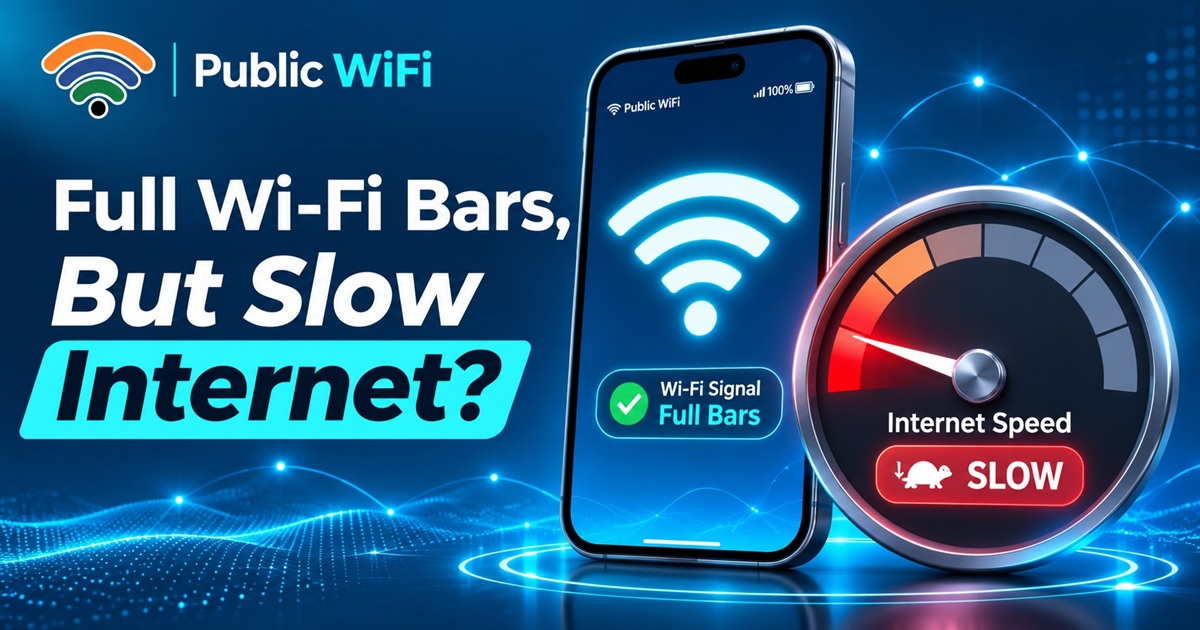
Have you ever connected to a Wi-Fi network showing full signal bars, only to discover that websites load slowly, videos keep buffering, or video calls frequently freeze?
You're not alone.
Many people assume that a strong Wi-Fi signal automatically means fast internet. However, Wi-Fi signal strength and internet speed are two different things.
Your device may have an excellent wireless connection to a nearby router while the internet connection itself is slow or congested.
Understanding the difference can help you troubleshoot connectivity problems, choose better Wi-Fi locations, and enjoy a smoother online experience.
In this guide, we'll explain how Wi-Fi signal strength works, what signal bars actually represent, why full Wi-Fi bars don't guarantee fast internet, and how to improve your connection.
1. What Is Wi-Fi Signal Strength?
Wi-Fi signal strength measures how strongly your smartphone, laptop, or other device receives wireless signals from a Wi-Fi router or access point.
Wi-Fi routers transmit data using radio waves. Your device receives these signals and communicates with the router to access the network.
The strength of the wireless signal depends on several factors, including:
- Distance between your device and the router.
- Walls, furniture, and other physical obstacles.
- Interference from nearby wireless networks.
- Wi-Fi frequency bands, such as 2.4 GHz and 5 GHz.
- Router placement and antenna characteristics.
- Device hardware and wireless capabilities.
Generally, a stronger signal helps provide a more reliable wireless connection.
However, signal strength alone doesn't determine how fast your internet will be.
Example
Imagine you're sitting inside a café.
The Wi-Fi router is located just a few metres away, and your smartphone displays full Wi-Fi bars.
Your connection to the router may be excellent.
However, if dozens of customers are using the same internet connection simultaneously, your browsing experience could still be slow.
This happens because wireless signal quality and available internet bandwidth are different factors.
2. What Do Wi-Fi Signal Bars Actually Mean?
Most smartphones and laptops display Wi-Fi signal strength using a familiar icon with several curved bars.
Although the appearance varies across devices, the general interpretation is similar.
| Wi-Fi Signal | Signal Quality | Typical Experience |
|---|---|---|
| Full bars | Excellent | Strong wireless connectivity |
| Three bars | Good | Generally stable connection |
| Two bars | Moderate | May experience reduced performance |
| One bar | Weak | Higher risk of interruptions |
| No bars | Very weak or unavailable | Connection may fail |
Important: Wi-Fi bars are only approximate indicators. Different devices use different methods to display signal strength.
Having full bars doesn't guarantee a particular internet speed.
A device displaying two or three bars might sometimes deliver faster internet than another device displaying full bars, depending on network conditions.
3. How Is Wi-Fi Signal Strength Measured?
Wi-Fi signal strength is commonly measured using a value called RSSI (Received Signal Strength Indicator).
Many Wi-Fi diagnostic tools show received signal power in dBm (decibel-milliwatts).
These measurements are usually negative numbers.
For example:
| Signal Level | Approximate Signal Strength | Quality |
|---|---|---|
| Excellent | -30 to -50 dBm | Very strong |
| Good | -51 to -60 dBm | Strong |
| Fair | -61 to -70 dBm | Usable |
| Weak | -71 to -80 dBm | Potentially unstable |
| Very weak | Below -80 dBm | Connection problems likely |
These are general guidelines rather than universal thresholds.
Understanding dBm Values
A value of -45 dBm is stronger than -75 dBm.
Although both numbers are negative, a value closer to zero indicates greater received signal power.
For example:
- -40 dBm: Strong signal, usually when you're relatively close to the access point.
- -60 dBm: Good signal for many everyday activities.
- -70 dBm: Usable, but performance may be affected by interference or network conditions.
- -80 dBm: Weak signal that may cause connection instability.
Signal strength isn't the only factor that matters. Noise, interference, and signal quality also affect performance.
4. Why Full Wi-Fi Bars Don't Guarantee Fast Internet
There are several reasons why your internet connection may remain slow despite excellent Wi-Fi signal strength.
Reason 1: Too Many Users Sharing the Network
Public Wi-Fi hotspots are often shared by multiple users.
For example, imagine a café with an internet connection providing 100 Mbps of available bandwidth.
If 25 customers simultaneously download files, stream videos, or attend online meetings, they compete for the available network capacity.
Actual speeds will depend on how traffic is managed and how much bandwidth each person consumes.
This is called network congestion.
Even with full Wi-Fi bars, your internet experience may slow down during busy periods.
Reason 2: Slow Internet Connection at the Router
Your Wi-Fi router connects your device to the local wireless network, but the router itself relies on an internet connection.
If that connection is slow or experiencing technical issues, your Wi-Fi signal strength won't fix the problem.
For example:
- Your device connects to the router at a high wireless link rate.
- The router has access to only a 10 Mbps internet connection.
- Your actual internet download speed remains limited by the available internet bandwidth.
The wireless link rate and internet speed are not the same thing.
Reason 3: Wi-Fi Interference
Wi-Fi networks use radio frequencies to communicate.
Other wireless networks and electronic devices may interfere with these signals.
Common sources include:
- Nearby Wi-Fi routers.
- Bluetooth devices.
- Microwave ovens.
- Wireless accessories.
- Overlapping Wi-Fi channels.
A device can display strong signal bars while interference causes data retransmissions and slower performance.
Reason 4: Network Speed Limits
Some public Wi-Fi services offer subscription plans with different speed limits.
For example, a provider might offer:
- Basic connectivity at 15 Mbps.
- Standard connectivity at 20 Mbps.
- Higher-speed connectivity at 30 Mbps.
Even with a perfect signal, your actual internet speed may be limited by your subscription.
This is normal behaviour and helps providers distribute bandwidth according to their service plans.
Reason 5: Network Latency and Packet Loss
Internet performance is not determined by download speed alone.
Two other important factors are latency and packet loss.
Latency measures the time required for data to travel between your device and another system.
Packet loss occurs when some transmitted data packets fail to reach their destination.
High latency or packet loss may cause:
- Video calls to freeze.
- Online games to lag.
- Websites to respond slowly.
- Voice calls to experience interruptions.
A connection can have strong Wi-Fi signal strength and still suffer from poor latency or packet loss.
5. Wi-Fi Signal Strength vs Internet Speed
These two terms are often confused, but they describe different aspects of connectivity.
| Feature | Wi-Fi Signal Strength | Internet Speed |
|---|---|---|
| Meaning | Strength of the wireless signal received by your device | Rate at which internet data is transferred |
| Measurement | Commonly dBm | Mbps or Gbps |
| Depends on | Distance, obstacles, wireless interference | Internet capacity, congestion, subscription limits |
| Full bars guarantee good results? | Indicates strong reception | No |
| How to check | Device Wi-Fi information or diagnostic tools | Internet speed test |
| Main impact | Wireless link quality and stability | Downloading, uploading, streaming and browsing |
Simple Example
Imagine two people connected to different public Wi-Fi hotspots.
Person A:
- Excellent Wi-Fi signal.
- Full signal bars.
- Internet speed: 5 Mbps.
Person B:
- Moderate Wi-Fi signal.
- Three signal bars.
- Internet speed: 25 Mbps.
Person B may enjoy faster downloads despite having fewer signal bars.
This demonstrates why signal strength should not be the only factor used to evaluate a Wi-Fi connection.
6. How to Check Your Actual Wi-Fi Performance
If your Wi-Fi connection seems slow, test both signal quality and internet performance.
Step 1: Check Your Wi-Fi Signal
Open the Wi-Fi settings on your smartphone or laptop.
Check how strong the connected network appears.
Some devices and diagnostic applications can provide additional details, including received signal strength in dBm.
Step 2: Run an Internet Speed Test
Use a reputable internet speed testing service.
A typical speed test measures:
- Download speed: How quickly your device receives data.
- Upload speed: How quickly your device sends data.
- Latency: How quickly your connection responds.
For more reliable results, close unnecessary applications and repeat the test under similar conditions.
Step 3: Test from Different Locations
If you're connected to public Wi-Fi, move closer to the access point when practical.
Run another speed test.
If performance improves significantly, distance or wireless interference may have been contributing to the problem.
Step 4: Check Network Usage
Pause large downloads, cloud backups, and software updates.
Then test your connection again.
If the connection improves, competing network activity may have been consuming available bandwidth.
Step 5: Compare Results at Different Times
Public Wi-Fi connections can become busier during peak hours.
Testing at different times may help determine whether congestion is affecting performance.
7. How to Improve Your Wi-Fi Signal and Internet Experience
You don't always need a new router or faster subscription to improve your connection.
A few adjustments may help.
Move Closer to the Wi-Fi Router
Distance affects wireless signal strength.
If possible, sit closer to the access point and avoid large physical obstacles.
Choose the Right Wi-Fi Frequency
Many Wi-Fi networks support different frequency bands.
2.4 GHz Wi-Fi:
- Often provides better coverage over longer distances.
- Generally penetrates obstacles better than higher-frequency Wi-Fi.
- Can experience more interference in crowded environments.
5 GHz Wi-Fi:
- Often supports higher wireless speeds.
- Typically provides more available channels.
- Usually has a shorter practical range.
If both options are available, try the one that performs better at your location.
Avoid Network Congestion
When possible, avoid large downloads during busy periods.
If you're using Wi-Fi for an important video meeting, pause unnecessary background activities.
Restart Your Wi-Fi Connection
Sometimes disconnecting and reconnecting can resolve temporary connection problems.
You can also forget the network and reconnect, but ensure you have the necessary login credentials first.
Keep Your Device Updated
Operating system and wireless driver updates may improve compatibility, security, and connection stability.
Choose an Appropriate Internet Plan
If your Wi-Fi signal is strong but performance is consistently limited by your subscription speed, consider a plan that better matches your needs.
Remember that upgrading your plan won't necessarily fix congestion, interference, or a weak wireless signal.
8. Why Wi-Fi Signal Strength Matters in Public Places
Public Wi-Fi is commonly used in:
- Cafés and restaurants.
- Shopping malls.
- Railway stations and airports.
- Libraries and educational institutions.
- Coworking spaces.
- Commercial buildings and public areas.
These environments often contain multiple wireless devices, physical obstacles, and competing networks.
As a result, connection quality can vary considerably within the same location.
For example, sitting near a wireless access point may provide a better experience than sitting behind several walls.
However, the busiest seating area isn't necessarily the area with the weakest signal.
Reliable public Wi-Fi depends on proper access-point placement, network capacity, interference management, and adequate internet bandwidth.
9. Choosing the Right Public WiFi Plan
At Public WiFi, users can explore flexible internet subscription plans designed for different connectivity requirements.
The following plans are advertised as of November 2026.
| Feature | Basic | Standard | Advance |
|---|---|---|---|
| Validity | 1 Day | 7 Days | 30 Days |
| Price | ₹20 | ₹100 | ₹300 |
| Internet Speed | Up to 15 Mbps | Up to 20 Mbps | Up to 30 Mbps |
| Data Allowance | 20 GB | 200 GB | Unlimited |
| Simultaneous Devices | 1 | 2 | 3 |
| Support | Priority | 24/7 Phone |
Note: Prices, features, hotspot availability, and service terms may change. Actual speeds depend on location, equipment, network capacity, and congestion.
Which Plan Should You Choose?
Basic Plan — For Occasional Users
Suitable for users who need a short-term connection for browsing, messaging, and other light internet activities.
Standard Plan — For Students and Regular Users
A practical option for users who need connectivity over several days and want to connect two devices simultaneously.
Advance Plan — For Frequent Internet Users
Designed for longer-term connectivity requirements, higher advertised speeds, and multiple-device support.
Before selecting a plan, check whether Public WiFi service is available at your intended location.
10. Frequently Asked Questions (FAQs)
1. Why is my Wi-Fi slow even when I have full bars?
Full Wi-Fi bars indicate strong wireless reception, not necessarily fast internet. Slow performance can result from network congestion, limited internet bandwidth, interference, speed restrictions, or high latency.
2. Is -60 dBm a good Wi-Fi signal?
Yes. A received signal level around -60 dBm is generally considered good for many everyday activities, although actual performance also depends on interference and network conditions.
3. Does moving closer to the Wi-Fi router increase internet speed?
It can improve performance if weak reception or interference is limiting the wireless connection. However, moving closer won't necessarily help if the internet connection or subscription speed is the bottleneck.
4. Is 5 GHz Wi-Fi always faster than 2.4 GHz?
Not always. The 5 GHz band can provide higher wireless throughput under favourable conditions, while 2.4 GHz may perform better at longer distances or through obstacles.
5. What is the difference between Mbps and dBm?
Mbps measures data transfer speed, while dBm measures signal power. They describe different characteristics of a Wi-Fi connection.
6. Can too many users slow down public Wi-Fi?
Yes. When multiple users share limited network capacity, congestion can reduce the bandwidth available to individual devices.
7. How can I find Public WiFi hotspots near me?
Visit the Public WiFi Coverage page to explore listed service areas and check availability at your location.
11. Conclusion
Wi-Fi signal bars are useful, but they don't tell the complete story about your internet connection.
A strong Wi-Fi signal means your device can communicate effectively with a nearby access point. It doesn't automatically guarantee fast downloads, smooth video calls, or uninterrupted browsing.
For the best experience, consider several factors together:
- Wireless signal strength.
- Available internet bandwidth.
- Network congestion.
- Latency and packet loss.
- Wi-Fi frequency and interference.
- Your subscription's speed and device limits.
Understanding these factors makes it easier to identify connection problems and choose a more suitable internet service.
Whether you're studying online, attending meetings, travelling, or simply browsing the web, a reliable connection matters more than the number of Wi-Fi bars on your screen.
Stay Connected with Public WiFi
Looking for convenient wireless internet access in India?
Public WiFi offers flexible daily, weekly, and monthly plans at supported hotspot locations.
Explore your options:
Public WiFi — Stay Connected. Stay Productive. Stay Online.
Disclaimer: Wi-Fi signal thresholds and network performance examples are approximate. Connection speed, stability, and service availability vary by location, equipment, subscription, and network conditions.