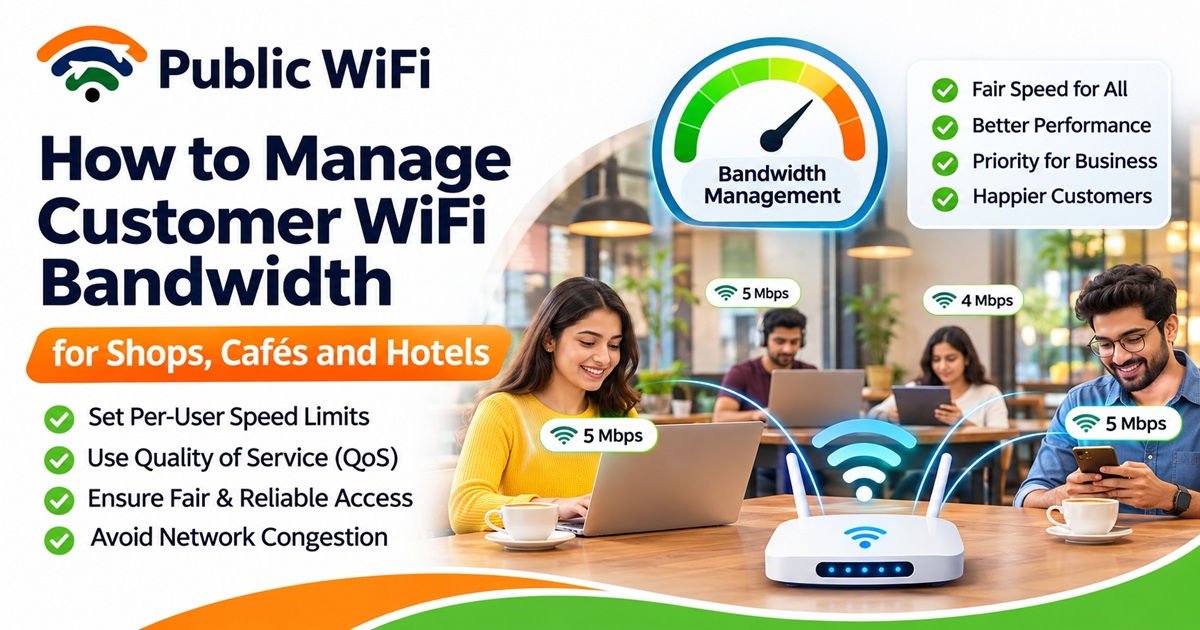
How to Manage WiFi Bandwidth for Customers in Shops, Cafés and Hotels
Offering WiFi to customers has become an important part of the experience in cafés, restaurants, hotels, shopping centres, and retail stores.
Customers use wireless internet to browse websites, attend video meetings, watch videos, make digital payments, and stay connected with friends or colleagues.
But what happens when too many people connect to the same WiFi network?
You might notice slower internet speeds, buffering videos, interrupted calls, or customers complaining about unreliable connectivity.
These problems are often caused by network congestion and poor WiFi bandwidth management.
The good news is that businesses can improve their WiFi experience by using bandwidth limits, traffic prioritization, guest network isolation, and appropriate network equipment.
In this guide, we'll explain how business WiFi bandwidth management works, why it matters, and how shops, cafés, hotels, and other businesses can provide a more reliable internet experience for their customers.
1. What Is WiFi Bandwidth Management?
WiFi bandwidth management is the process of controlling and distributing available network capacity among connected devices, users, and applications.
The objective is to prevent a small number of users or bandwidth-intensive activities from negatively affecting everyone else's internet experience.
For example, imagine a café with a 100 Mbps internet connection and 20 customers using its WiFi network.
Some customers are browsing websites, while others are attending video meetings or downloading large files.
Without suitable traffic management, heavy downloads may create congestion and interfere with other customers' activities.
With bandwidth management, the business can apply policies that allocate network resources more fairly.
Common Bandwidth Management Features
Business routers and managed hotspot systems may offer:
- Per-user speed limits: Restrict the maximum bandwidth available to individual users.
- Quality of Service (QoS): Prioritize selected traffic types or applications.
- Fair bandwidth allocation: Reduce the impact of users consuming excessive capacity.
- Session management: Control access duration and active sessions.
- Data usage limits: Set data allowances where appropriate.
- Traffic monitoring: Observe network utilization and identify congestion.
- Device management: Apply policies to connected devices or authenticated accounts.
Not every router supports these features. Available controls depend on the hardware, firmware, and hotspot management platform.
2. Why Is Bandwidth Management Important for Businesses?
A reliable internet connection is valuable, but even a fast broadband plan can become congested when many devices share it.
Bandwidth management helps businesses use their available network capacity more effectively.
Better Customer Experience
Customers expect common online activities to work smoothly, including:
- Browsing websites.
- Sending messages.
- Making online payments.
- Using social media.
- Attending video meetings.
- Watching online educational content.
Traffic management can reduce the impact of competing activities and improve responsiveness during busy periods.
Fair Internet Access
Without bandwidth controls, one user downloading large files may consume a disproportionate share of available internet capacity.
Fair usage policies help prevent individual users from monopolizing a shared connection.
Protection for Business Operations
Many businesses depend on internet connectivity for:
- UPI and card payments.
- Point-of-sale systems.
- Inventory applications.
- Online order management.
- Cloud-based business software.
- Employee communications.
Customer internet usage should not interfere with essential business services.
Network separation and suitable traffic prioritization help protect operational connectivity.
Improved Network Visibility
Monitoring tools can help administrators understand:
- How much bandwidth is being consumed.
- How many devices are connected.
- When peak traffic occurs.
- Which access points are overloaded.
- Whether existing capacity is sufficient.
This information supports better network planning and troubleshooting.
3. Understanding Bandwidth, Speed, and Network Congestion
Before configuring bandwidth limits, it's useful to understand three important concepts.
Internet Bandwidth
Bandwidth represents the data-transfer capacity of a network connection.
It is commonly expressed in megabits per second (Mbps).
For example, a 100 Mbps internet plan has a nominal maximum transfer rate of 100 megabits per second under the provider's specified conditions.
Actual performance may vary.
Internet Speed
Internet speed usually describes the data-transfer rate experienced by a device or application.
A device's actual download or upload speed depends on the available connection capacity, wireless conditions, network congestion, and other factors.
Network Congestion
Congestion occurs when the demand for network resources exceeds the capacity available at a particular point.
This may cause:
- Slower downloads.
- Increased latency.
- Video buffering.
- Interrupted calls.
- Delayed webpage loading.
- Packet loss.
Importantly, congestion can occur on the broadband connection, WiFi radio channels, or internal networking equipment.
Increasing internet bandwidth will not necessarily resolve poor wireless coverage or interference.
4. How Much Bandwidth Does a Business Need?
The appropriate internet connection depends on the venue, expected simultaneous users, and their applications.
For planning purposes, consider the following illustrative scenarios.
| Business Type | Simultaneous WiFi Users | Initial Internet Capacity to Evaluate |
|---|---|---|
| Small retail shop | 5–10 | 30–50 Mbps |
| Small café | 10–20 | 50–100 Mbps |
| Medium restaurant | 20–40 | 100–200 Mbps |
| Hotel or guesthouse | 30–60 | 150–300 Mbps |
| Large café or coworking venue | 50–100 | 200–500 Mbps |
Note: These figures are illustrative starting points, not guaranteed requirements. Actual bandwidth needs depend on concurrent usage, applications, available upload capacity, video quality, and service expectations.
Example: Planning Bandwidth for a Café
Suppose your café expects:
- 25 simultaneous WiFi users.
- An average planning allowance of 3 Mbps per active user.
- An additional 25 Mbps reserved for operational traffic and headroom.
The estimated capacity is:
Customer Capacity = 25 × 3 Mbps
                  = 75 Mbps

Business and Headroom = 25 Mbps

Total Planning Capacity = 100 Mbps
A 100 Mbps connection may be a reasonable starting point to evaluate in this example.
However, the calculation does not guarantee that every customer will continuously receive 3 Mbps. Actual performance depends on simultaneous demand, WiFi efficiency, upload usage, and network conditions.
5. What Are Per-User WiFi Speed Limits?
Per-user speed limits restrict the maximum download or upload bandwidth that a connected customer can consume.
For example, a café might configure:
Guest Download Limit: 5 Mbps
Guest Upload Limit:   2 Mbps
This means each guest device or authenticated user, depending on the hotspot system, may be limited to those maximum rates.
Why Use Speed Limits?
Speed limits can help:
- Prevent individual users from consuming excessive bandwidth.
- Improve fairness during busy periods.
- Reduce the impact of large file downloads.
- Support more predictable network behavior.
- Apply different access policies to different customer groups.
What Is a Suitable Speed Limit?
There is no universal setting.
The appropriate limit depends on expected applications, user count, total bandwidth, and business objectives.
| Customer Activity | Illustrative Download Rate |
|---|---|
| Messaging and lightweight browsing | 1–3 Mbps |
| General browsing and social media | 3–5 Mbps |
| Standard-definition video | 3–5 Mbps |
| HD video streaming | 5–10 Mbps |
| Video meetings | 3–8 Mbps |
| Large downloads | Depends on file size and desired completion time |
These are approximate planning examples, not application requirements. Video meetings also need adequate upload bandwidth and stable latency.
Recommendation: Avoid applying extremely restrictive speed limits that make ordinary internet activities unusable.
Where supported, adaptive or fair-share bandwidth management may provide a better experience than rigid limits.
6. What Is Quality of Service (QoS) in Business WiFi?
Quality of Service (QoS) refers to technologies that prioritize or manage different types of network traffic.
QoS is especially useful when a network supports multiple applications with different performance requirements.
For example, a business might want to prioritize payment transactions and real-time communications over large background downloads.
Common QoS Traffic Categories
| Traffic Type | Example | Suggested Treatment |
|---|---|---|
| Business-critical | POS and payment connectivity | High priority |
| Real-time communication | Voice and video calls | Latency-sensitive |
| Normal interactive | Web browsing and messaging | Standard |
| Streaming | Online videos | Managed fairly |
| Bulk transfers | Large downloads and backups | Lower priority during congestion |
These are illustrative policies. Actual QoS configurations should reflect business requirements and equipment capabilities.
How Does QoS Help?
Suppose customers are watching videos while the store's billing system processes online transactions.
A suitable QoS policy can help reduce congestion-related delays for essential business traffic.
However, QoS cannot create additional bandwidth.
When a connection is severely undersized, businesses may still need a higher-capacity internet service.
7. How to Configure Bandwidth Limits on a Business Router
Many business-grade routers offer traffic management features.
The exact process varies by router model.
Step 1: Access Router Administration
Connect to the authorized management network and sign in to the router's administration interface.
Use the router's documented management address or controller application.
Avoid exposing the management interface to guest users.
Step 2: Locate Traffic Management Settings
Look for features such as:
- Bandwidth Control.
- Traffic Shaping.
- Quality of Service.
- Smart Queue Management.
- User Rate Limits.
- Hotspot User Profiles.
Step 3: Configure Available Internet Capacity
Enter the realistic upload and download bandwidth available to the router.
For traffic shaping, the configured capacity is often set slightly below measured usable bandwidth so the router can manage congestion.
Step 4: Create Guest Bandwidth Policies
Configure appropriate guest download and upload limits.
For example:
Guest Network: Cafe-Guest

Download Limit: 5 Mbps
Upload Limit:   2 Mbps

Traffic Priority: Standard
These are sample settings only. They should be adjusted according to customer needs and available network capacity.
Step 5: Prioritize Business Traffic
Where supported, create policies for important operational services.
Separate business systems from guest devices and apply suitable firewall and traffic management rules.
Step 6: Test the Configuration
Connect multiple devices and verify:
- Speed limits are applied correctly.
- Normal browsing works.
- Video calls remain usable.
- Business applications continue functioning.
- One large download does not unnecessarily disrupt other users.
Step 7: Monitor and Adjust
Review network utilization during busy periods.
Adjust speed limits and priorities when actual usage patterns differ from the original plan.
8. What Is Fair Usage Policy (FUP) in Business WiFi?
A Fair Usage Policy (FUP) defines reasonable rules for using shared internet resources.
A business may introduce fair usage policies to maintain an acceptable connection experience for everyone.
Common FUP Approaches
Speed-based limits
Customers receive a defined maximum connection speed.
Time-based access
Guest internet access is available for a fixed period.
Data-based access
Customers receive a specified data allowance.
Reduced speeds after a threshold
A hotspot may reduce speeds after a user consumes a defined amount of data, if this is supported and disclosed.
Fair-share scheduling
Network equipment dynamically distributes available resources among active users.
Example Guest WiFi Policy
Guest WiFi Access Policy

Maximum Download Speed: 5 Mbps
Maximum Upload Speed:   2 Mbps
Session Duration:       2 Hours
Data Allowance:         As Configured
Access:                 Authorized Guests Only
This is an example, not a Public WiFi subscription plan.
Customers should be informed of material usage restrictions before accessing the service.
9. Managing WiFi Bandwidth in Cafés and Restaurants
Cafés and restaurants frequently experience changing customer demand throughout the day.
Morning traffic may be light, while lunchtime or evening periods may have substantially more simultaneous connections.
Practical Recommendations
Separate customer and operational networks
Use distinct guest and staff networks with appropriate isolation.
Apply reasonable bandwidth limits
Prevent large downloads from overwhelming the available connection.
Prioritize payment connectivity
Make sure guest traffic cannot unnecessarily interfere with POS terminals and other critical services.
Monitor busy hours
Identify when simultaneous usage is highest.
Install appropriate access points
Large seating areas may require multiple wireless access points for consistent coverage.
Provide clear connection instructions
Keep the guest WiFi login process understandable and convenient.
For more information about establishing a guest network, read How to Set Up Guest WiFi for Your Business.
10. Managing WiFi Bandwidth in Hotels and Guesthouses
Hotels have different connectivity requirements because guests may connect multiple devices and use internet services for extended periods.
Typical activities include:
- Video streaming.
- Remote work.
- Video conferencing.
- Online entertainment.
- Social media.
- Cloud file synchronization.
Recommended Practices
Plan for multiple devices per room
Estimate device counts rather than assuming one connection per guest.
Consider room-level or account-level policies
Where supported, use policies that allocate bandwidth per room or authenticated guest account.
Deploy sufficient access points
Hotel walls, floors, and building layouts can significantly affect WiFi coverage.
Monitor upload and download usage
Remote work and video meetings require reliable upstream capacity.
Avoid unnecessary connection restrictions
Guests may become frustrated by frequent disconnections or complicated authentication.
Provide support information
Offer clear instructions for reporting connection problems.
For larger properties, a professional wireless site survey and managed WiFi solution may be appropriate.
11. Common Business WiFi Bandwidth Management Mistakes
Mistake 1: Giving Everyone Unlimited Access Without Monitoring
Unrestricted consumption can cause congestion when internet capacity is limited.
Solution: Monitor usage and introduce fair policies when necessary.
Mistake 2: Setting Speed Limits Too Low
Extremely low limits may make the internet unsuitable for common activities.
Solution: Test realistic user applications before finalizing limits.
Mistake 3: Ignoring Upload Bandwidth
Video meetings, cloud backups, and file uploads consume upstream capacity.
Solution: Include upload usage in network planning and traffic management.
Mistake 4: Using One Network for All Devices
Guest devices sharing the same unrestricted network as business systems can create security and operational problems.
Solution: Use properly isolated guest networks.
Mistake 5: Confusing WiFi Signal Problems with Internet Bandwidth Problems
Weak wireless coverage cannot always be fixed by increasing broadband speed.
Solution: Investigate signal strength, interference, access point capacity, and wired backhaul.
Mistake 6: Not Monitoring Peak Demand
Network performance may appear excellent during quiet hours but deteriorate when the venue becomes busy.
Solution: Measure performance during realistic peak usage.
Mistake 7: Using Unsuitable Routers
Some consumer routers lack the management features or processing capacity required for busy business environments.
Solution: Evaluate routers and access points based on expected users, capacity, and security features.
12. What Is the Difference Between Bandwidth Limiting and Bandwidth Prioritization?
Although these technologies are related, they serve different purposes.
| Feature | Bandwidth Limiting | Bandwidth Prioritization |
|---|---|---|
| Main purpose | Restrict maximum usage | Prefer selected traffic |
| Typical application | Per-user speed caps | Business-critical services |
| Effect | Controls maximum transfer rates | Helps important traffic during congestion |
| Customer impact | Can reduce individual maximum speed | Depends on traffic classification |
| Best use | Fair access and usage policies | Protecting latency-sensitive or essential operations |
Many business networks benefit from combining appropriate limits with traffic prioritization.
13. How to Know When Your Business Needs More Internet Bandwidth
Bandwidth management improves how available capacity is distributed, but it cannot solve every performance problem.
A business may need additional internet capacity when:
- The broadband connection is frequently saturated.
- Customers experience slow speeds even with reasonable fairness policies.
- Payment or business applications suffer during peak usage.
- Upload congestion regularly affects video meetings.
- The number of simultaneous users has increased significantly.
- Cloud-based services are consuming more bandwidth than expected.
Before upgrading, test the internet connection directly and investigate the wireless network.
If the existing internet connection is sufficient but WiFi performance is poor, equipment placement, interference, or access point limitations may be the real issue.
14. How Public WiFi Can Support Business Connectivity
At Public WiFi, our goal is to make wireless internet connectivity accessible and convenient across supported locations in India.
For business owners, customer connectivity involves balancing convenience, reliability, security, and cost.
Whether you operate a shop, café, restaurant, hotel, or another commercial venue, consider the following questions:
- How many customers are likely to connect simultaneously?
- How much internet bandwidth will they require?
- Should customers have separate guest network access?
- Will authentication or subscription management be needed?
- What security and bandwidth policies should apply?
- What equipment and support arrangements will be necessary?
Business owners interested in connectivity solutions can contact the Public WiFi team to discuss their location and requirements.
Specific installation services, hotspot management capabilities, and commercial arrangements should be confirmed with the team.
Explore Public WiFi
Availability and connectivity features may vary by location and service arrangement.
15. Business WiFi Bandwidth Management Checklist
Before offering customer internet access, review the following checklist.
Network Planning
- Estimate simultaneous customer connections.
- Measure available download and upload bandwidth.
- Identify essential business applications.
- Check access point capacity and wireless coverage.
- Plan for peak customer demand.
Configuration
- Create a separate guest WiFi network.
- Configure suitable firewall and network isolation policies.
- Enable traffic management where supported.
- Set reasonable per-user or per-device speed limits.
- Prioritize important operational traffic.
- Configure fair usage policies where appropriate.
Security
- Use suitable wireless security settings.
- Change default administrator credentials.
- Keep router firmware updated.
- Restrict management access.
- Enable guest client isolation where appropriate.
- Protect customer information and authentication data.
Testing and Maintenance
- Test the network with multiple devices.
- Verify upload and download performance.
- Test during busy periods.
- Monitor congestion and packet loss.
- Review user complaints and connection problems.
- Adjust bandwidth policies based on actual demand.
Frequently Asked Questions (FAQs)
1. What is bandwidth management in business WiFi?
Bandwidth management is the process of controlling and distributing network capacity among connected users, devices, and applications.
It helps reduce congestion and improve fairness.
2. Can I limit WiFi speed for individual customers?
Yes. Many business routers and hotspot management systems support per-user or per-device speed limits.
The exact features depend on the equipment and software.
3. What is a good WiFi speed limit for café customers?
A 3–5 Mbps download limit may be an initial setting to evaluate for basic browsing, but video meetings and streaming may require more capacity.
Testing with real customer activities is recommended.
4. Is 100 Mbps enough for a café?
It may be sufficient for a small or medium café, depending on simultaneous user numbers and activities.
A busy venue with frequent streaming or video meetings may need more bandwidth.
5. What is QoS in a WiFi router?
Quality of Service (QoS) is a set of network traffic management mechanisms that can prioritize certain applications or traffic classes.
It helps manage congestion but does not increase the total internet capacity.
6. How do I stop one user from consuming all WiFi bandwidth?
You can use supported bandwidth limits, traffic shaping, fair queueing, or other traffic management controls.
The best approach depends on the router and network architecture.
7. Should business and customer WiFi use the same network?
They should generally use separate, appropriately isolated networks.
This helps prevent guest devices from accessing sensitive business systems.
8. Does bandwidth limiting improve internet speed?
Bandwidth limiting does not increase the total internet speed.
It can improve fairness and reduce the effect of individual heavy users on others.
9. Can hotels provide different internet speeds to different guests?
Yes. Suitable managed WiFi systems may support different policies for guest accounts, rooms, or service tiers.
Such configurations require compatible equipment and management software.
10. Do I need expensive equipment for bandwidth management?
Not necessarily.
Some affordable routers provide basic speed limiting or QoS functions.
Larger or busier venues may benefit from business-grade networking equipment.
11. How many customers can connect to a business WiFi router?
The practical number depends on hardware capacity, wireless conditions, bandwidth, applications, and network design.
A router's advertised maximum device count does not guarantee acceptable performance for that many simultaneously active users.
12. Can I use Public WiFi for my shop or café?
You can contact Public WiFi to discuss your business location and connectivity requirements.
Service availability, technical features, and commercial arrangements should be confirmed directly.
Conclusion
Reliable customer WiFi is about more than choosing a high-speed internet plan.
Businesses also need to ensure their available network capacity is distributed appropriately among users and applications.
By using bandwidth management, Quality of Service, fair usage policies, guest network isolation, and network monitoring, shops, cafés, hotels, and other commercial venues can provide a more consistent internet experience.
The most effective approach depends on the business's size, available connection, expected users, and connectivity requirements.
Start by measuring your network's actual performance, identify the sources of congestion, and introduce reasonable policies that support both customers and business operations.
Want to explore wireless connectivity options for your business?
Visit Public WiFi to learn more about available services and hotspot coverage in India.
Public WiFi — Reliable Connectivity for a More Connected India.